View and store Worksheet/Report
To review the OB measurement results and their corresponding calculation results, select the Worksheet icon available in the OB measurement menu. The Worksheet icon is not active until a measurement has been stored.
A report will be generated on the Report Button Clicked which will show the measurements taken, Gestational age (GA) calculated values, Average Ultrasound Age (AUA), Estimated Fetal Weight (EFW), Last Menstrual Period (LMP) or Estimated Date of Delivery (EDD) from the patient information.
Fetal biometry measurement results and calculations are available in the OB worksheet/report.
1. To view the OB worksheet/report tap the worksheet/report icon as illustrated below
2. To save the OB worksheet/report tap the Save button in the OB worksheet/report as illustrated below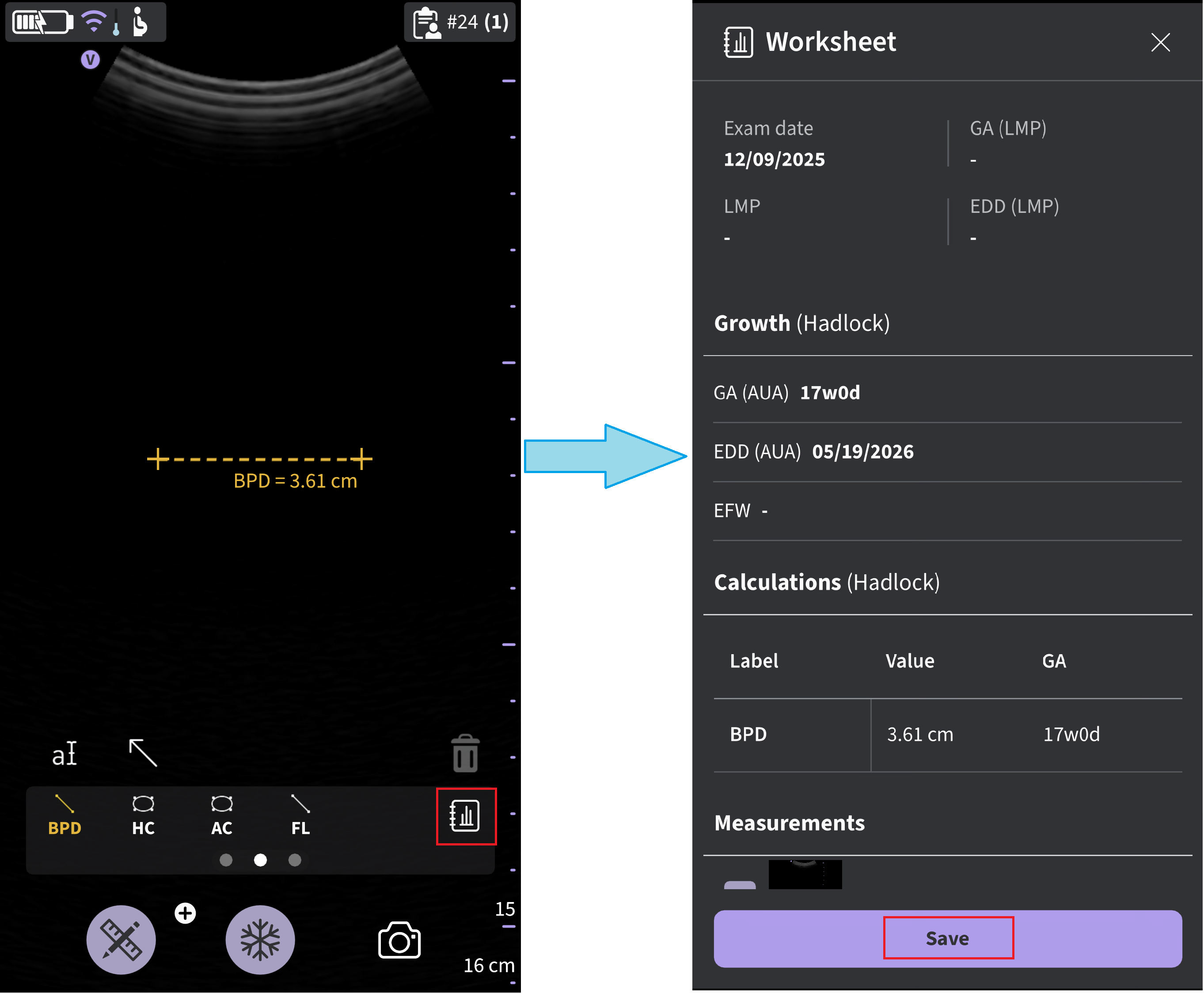
OB worksheet/report
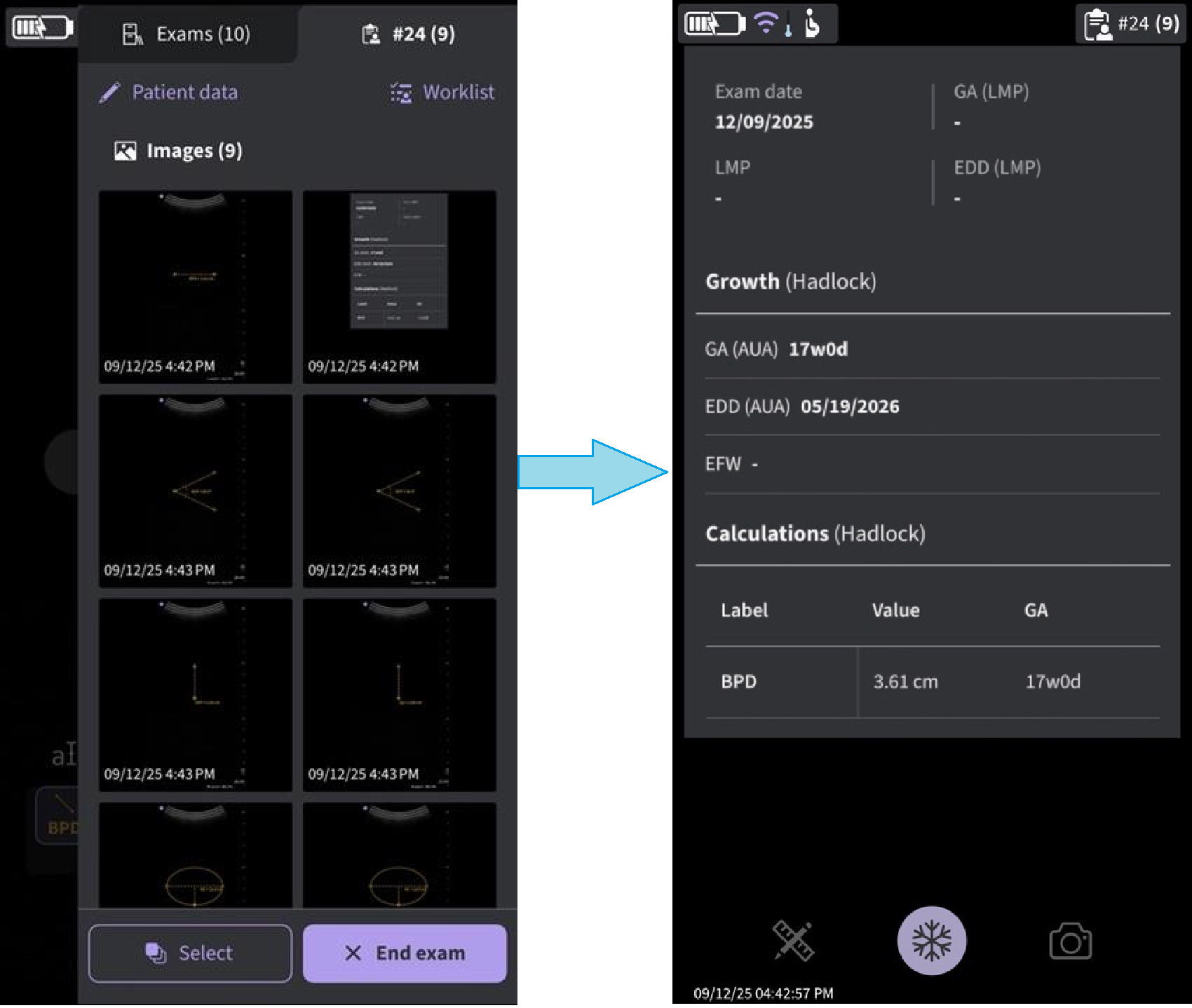
NOTE : Be aware that the selected preset needs to be the OB/GYN preset to enable OB measurements also when reviewing images stored to the image gallery.Measurement out of range
If a measurement used for calculating fetal age is outside the range accepted as input for the calculation, meaning that the measurement is either less than or greater than the range allowed, a 'hyphen' will be shown as the Gestational Age (GA) result. See below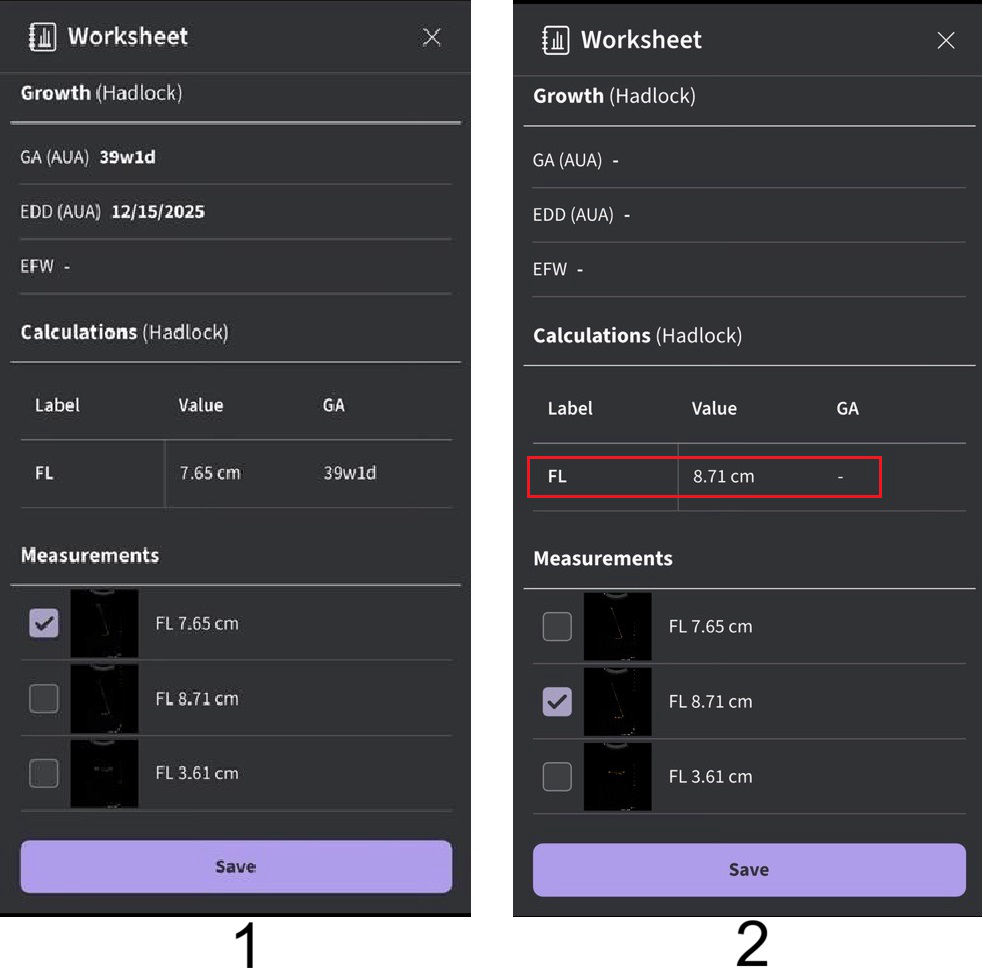
1. FL (Hadlock) < 8.2cm
2. FL (Hadlock) > 8.2cm
FL (Hadlock)
Disclaimer: The information herein is not intended to replace the product’s User Manual. Please consult the User Manual for comprehensive information and cautionary guidance about the product’s operation and use.