Use the below steps to register the Vscan Air app on a display device using your Enterprise SSO user account.
1. Press Register to start registration.
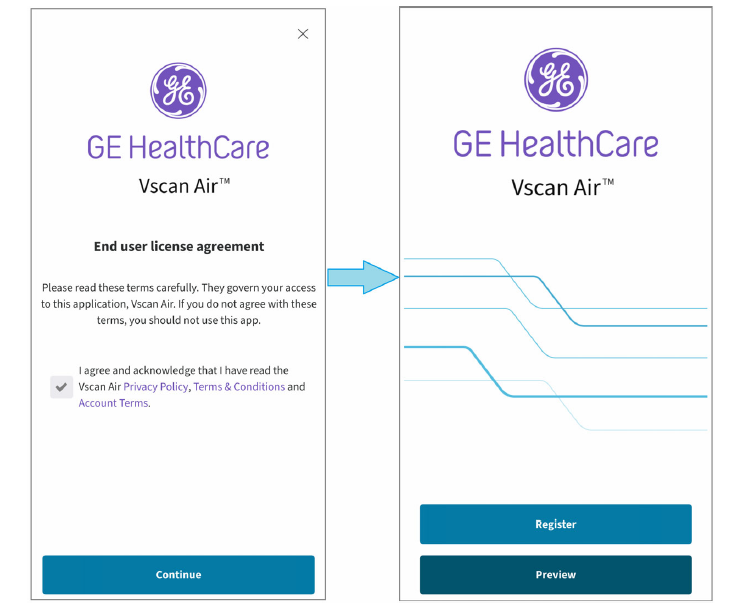
Welcome screen
NOTE: The app can be explored by selecting ‘Preview’. Scanning is disabled while in Preview.
2. Tap SSO Sign in.
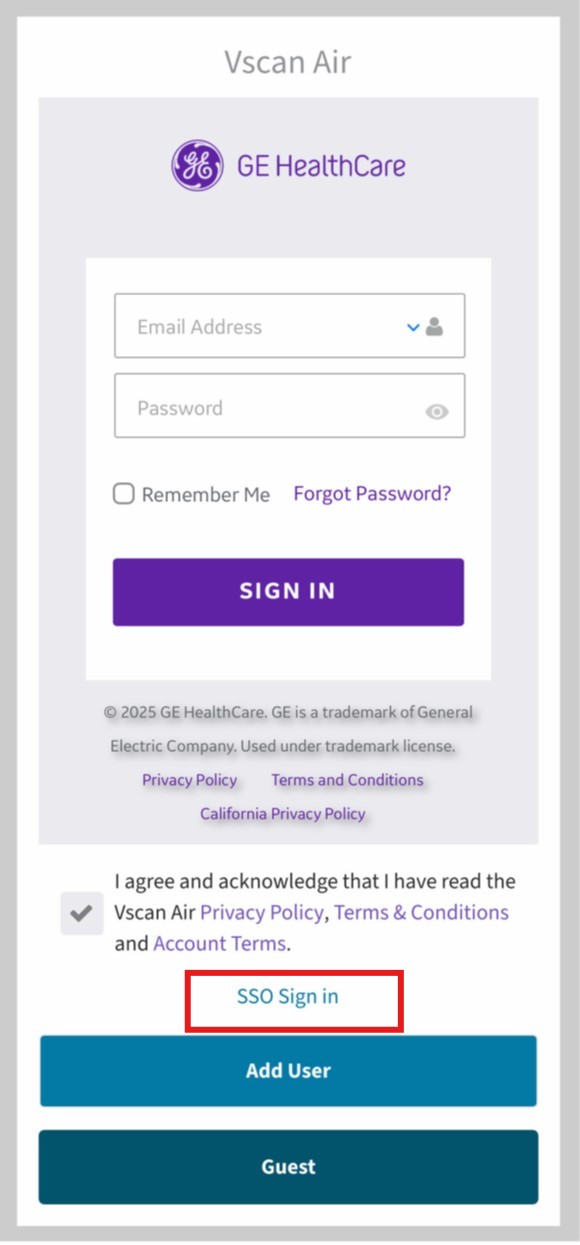
3. Enter the email address of Enterprise SSO user account
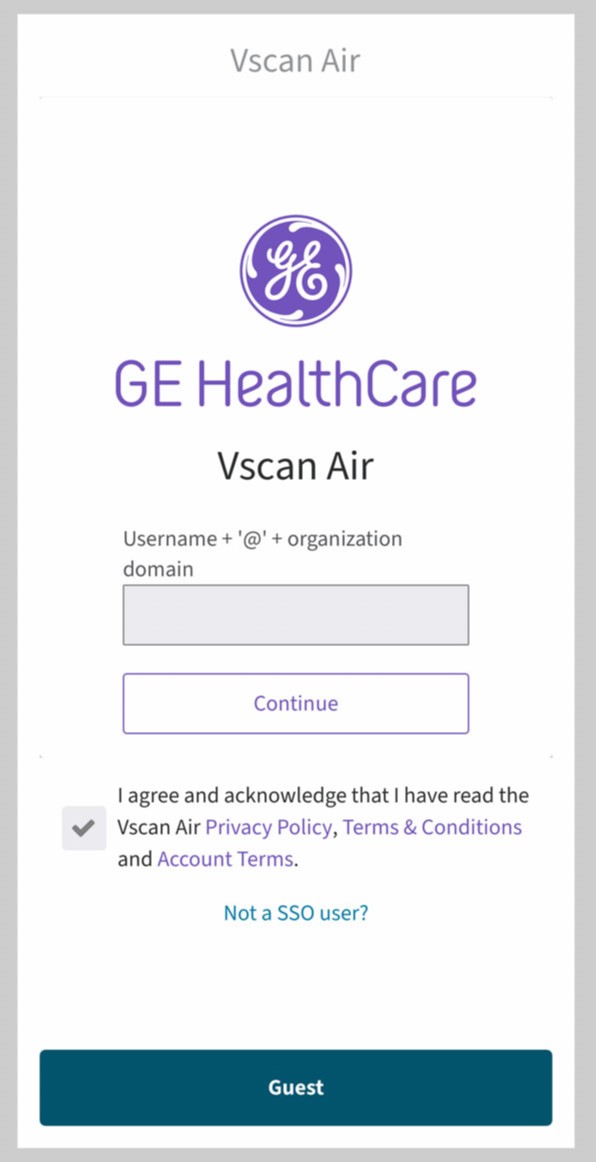
4. Enter the code/password required by your organization.
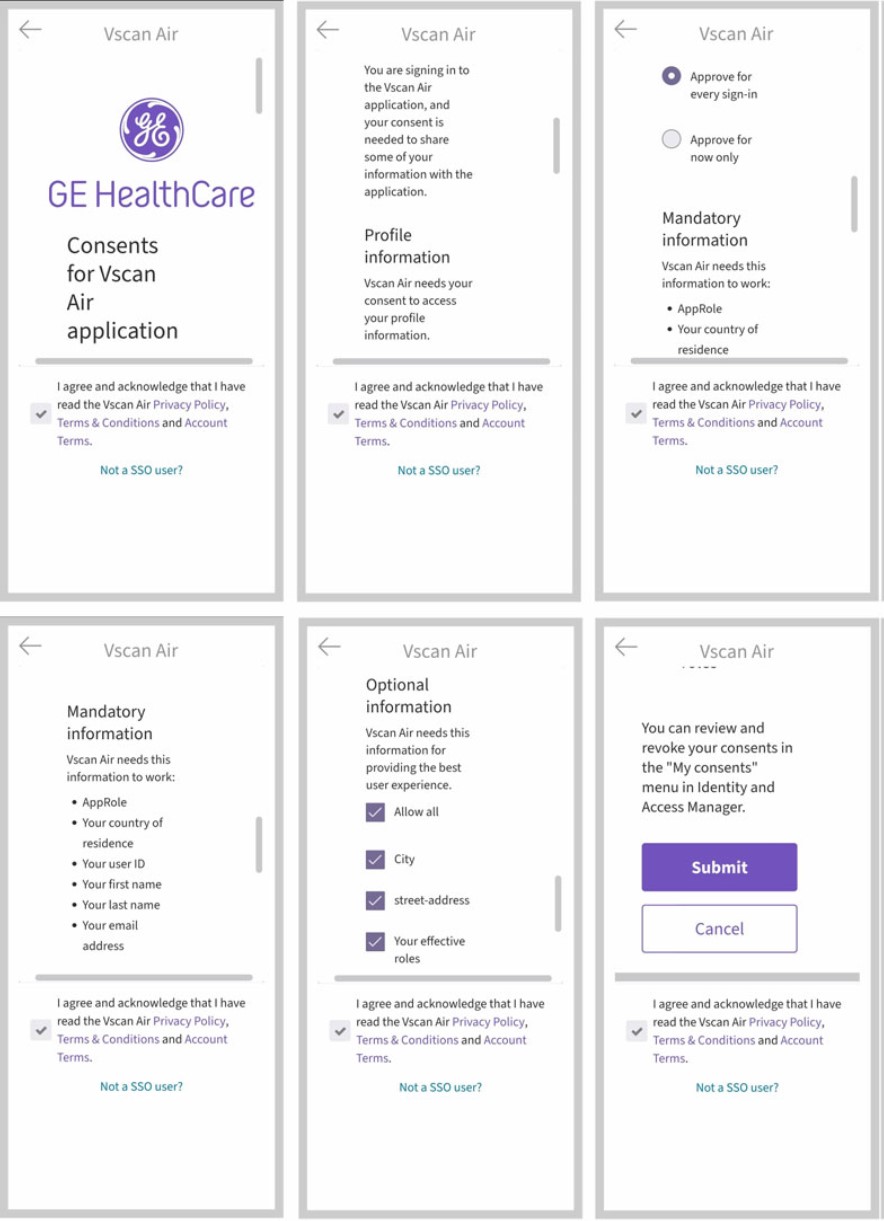
5. Give consent by accepting terms and conditions.
NOTE
- ‘Approve for now only’
- ‘Approve for every sign in’
6. Confirm registration.
NOTE
The organization sign in page will be the default sign in page after successfully registering anEnterprise SSO user account in the app.
Disclaimer: The information herein is not intended to replace the product’s User Manual. Please consult the User Manual for comprehensive information and cautionary guidance about the product’s operation and use.