Guest mode allows the user to scan without having to sign in. This is provided for immediate access to the scan functionality when time is critical or in case of any temporary challenges with signing in when access to scanning is required
NOTE:
If a user selects to not sign in, access will be limited to scan related functionality only. Guest users will be able to save images during the current exam and review them as well previous exams that were conducted in Guest mode.
A registered probe will automatically reconnect to an already known mobile device, i.e., the probe has been paired with that specific Vscan Air app mobile device earlier. If the probe has NOT been paired with that specific Vscan Air app mobile device earlier the user needs to press the button on the side of the probe to allow it to pair with a new mobile device.Access to assigning patient details or reviewing exams containing patient details will not be available in Guest mode. Access to Modality Worklist will not be available in Guest mode.Scanning in Guest mode is supported only for previously registered probes and apps1. To scan without signing in, click the Guest button.
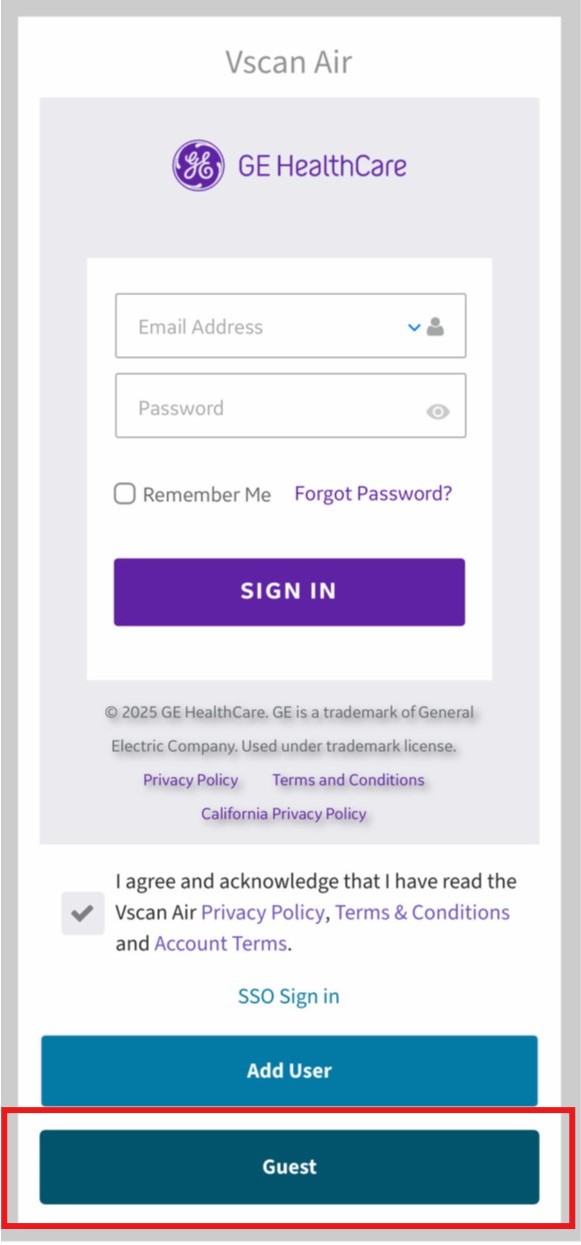
Scan as Guest
2. Edit Patient button is disabled for guest users under the current exam review screen. Users are required to sign in to add patient details.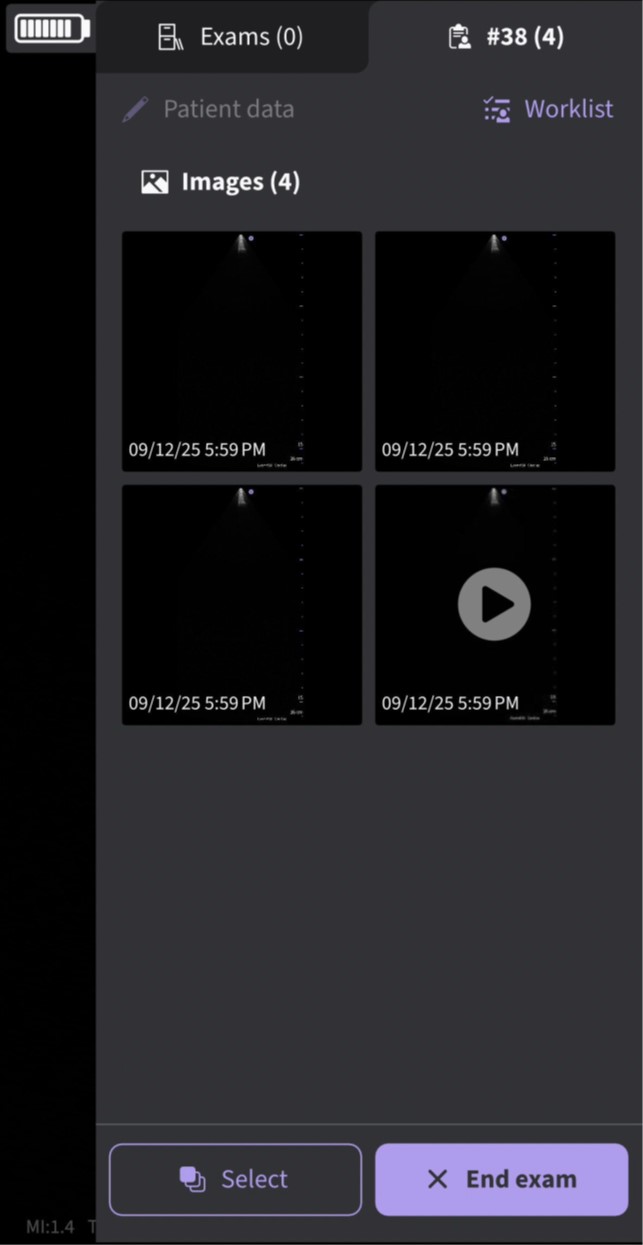
Current exam review screen
3. To exit guest mode, click on the Sign out on the lower left corner of the left panel menu screen
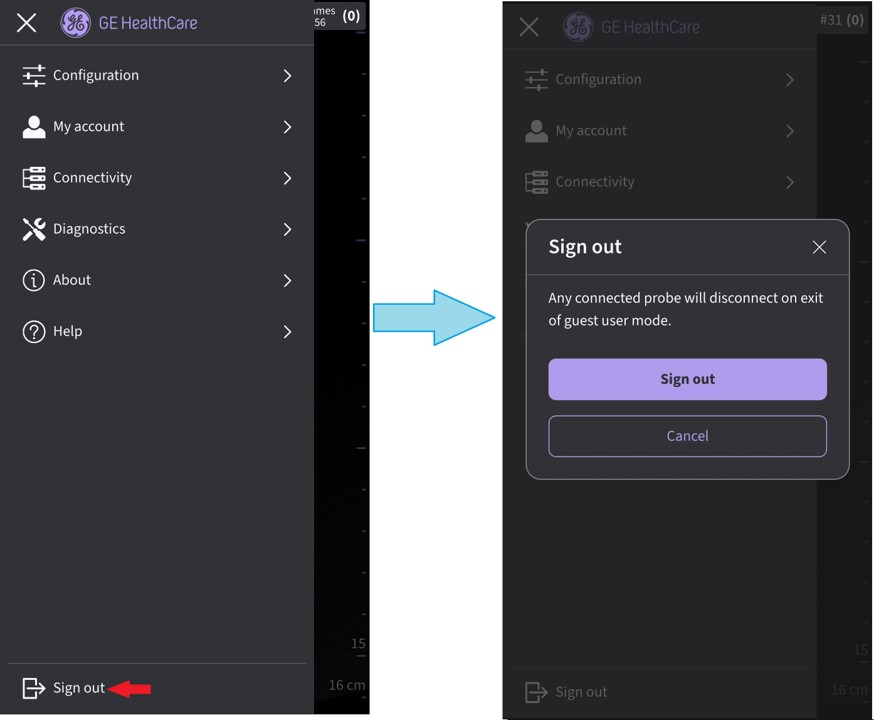
Exit guest mode
Disclaimer: The information herein is not intended to replace the product’s User Manual. Please consult the User Manual for comprehensive information and cautionary guidance about the product’s operation and use.