1. Swipe left to right or tap close to the battery and preset icon in the top left corner of the screen to access Presets and menu.
- All presets available for the Vscan Air CL or the Vscan Air SL are displayed.
- Presets are grouped according to the deep scanning (Curved array/Sector Array) and the shallow scanning (Linear array) ability of the Vscan Air probes
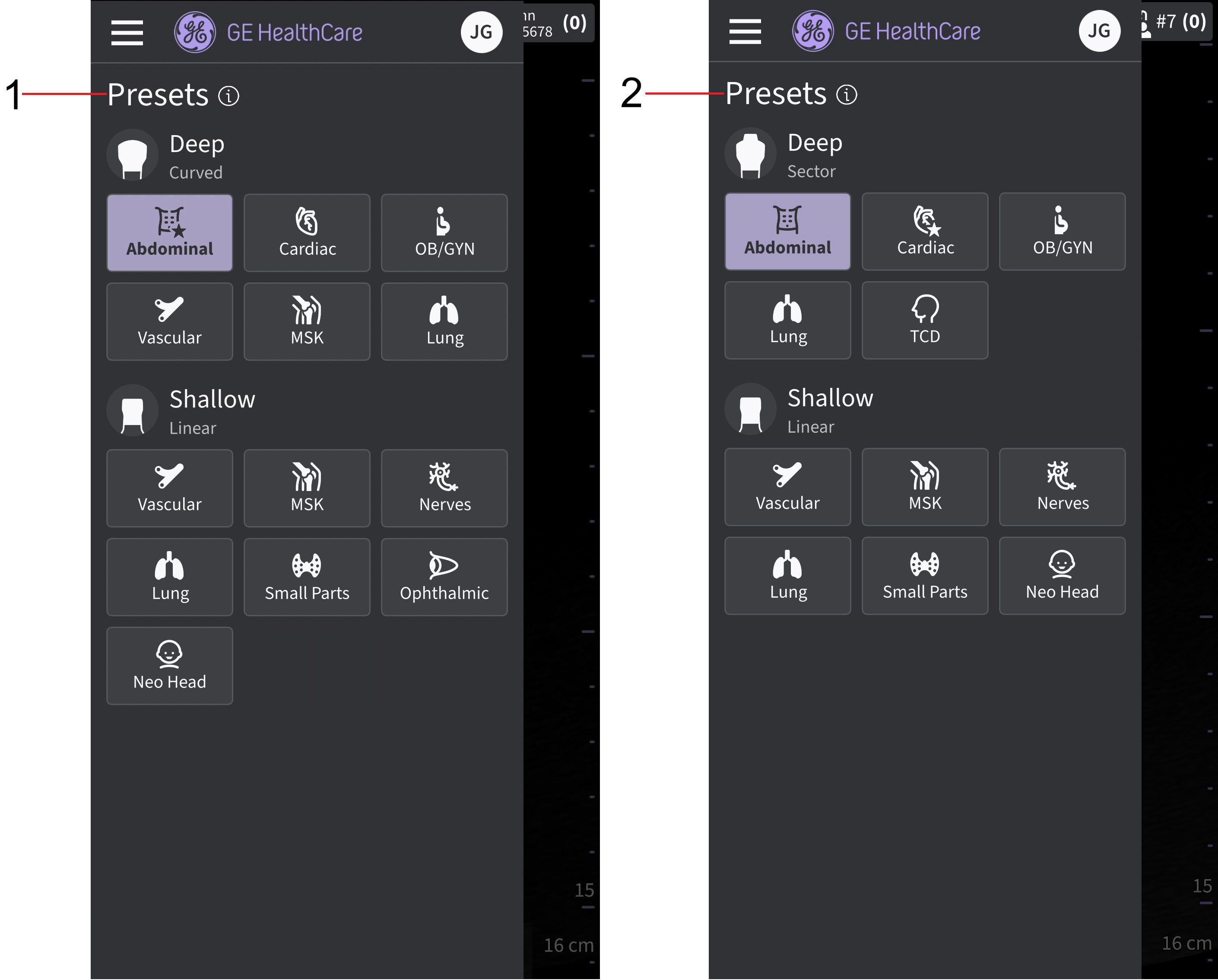
Presets Vscan Air probe
1. Presets - Vscan Air CL
2. Presets - Vscan Air SL
2. Select the desired preset.
The preset selected automatically activates the transducer for that preset.
3. To change the preset, swipe from left to right again. Choose the desired preset.
4. Selected preset is highlighted.
Disclaimer: The information herein is not intended to replace the product’s User Manual. Please consult the User Manual for comprehensive information and cautionary guidance about the product’s operation and use.