Review current exam
1. Swipe from right to left (or) Tap the Exam icon in the top right corner of the screen. Images and videos captured in current exam is shown.
2. Select an image or a video for review.
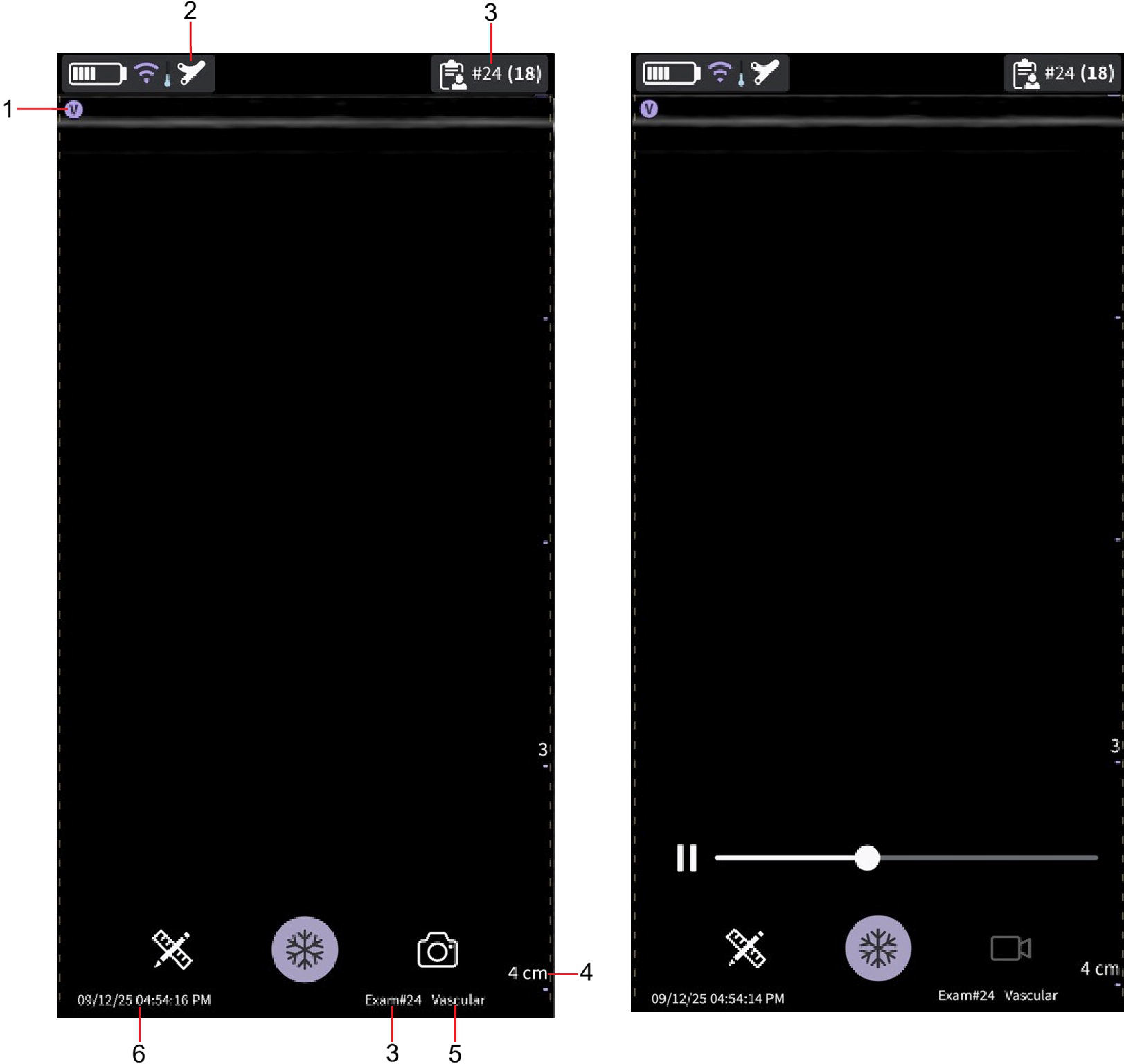 Review of stored image (left) and video (right)
1. Image orientation marker
2. Selected preset (reviewed image/video)
3. Exam number
4. Image depth
5. Preset name
6. Date and time
Review saved exams
1. Swipe from right to left (or) Tap the Exam icon in the top right corner of the screen.
2. Tap Exam on top tab. Saved exams will be shown in a list. Most recent exams are shown on top.
NOTE : When accessing Exam list, select the desired image to go to the viewer. The viewer opens with selected image and the Exam list closes. The freeze button becomes active. You can unfreeze to continue scanning using the current exam.
Delete exams
The steps describe deleting entire exams from the list.
1. Open Exams List.
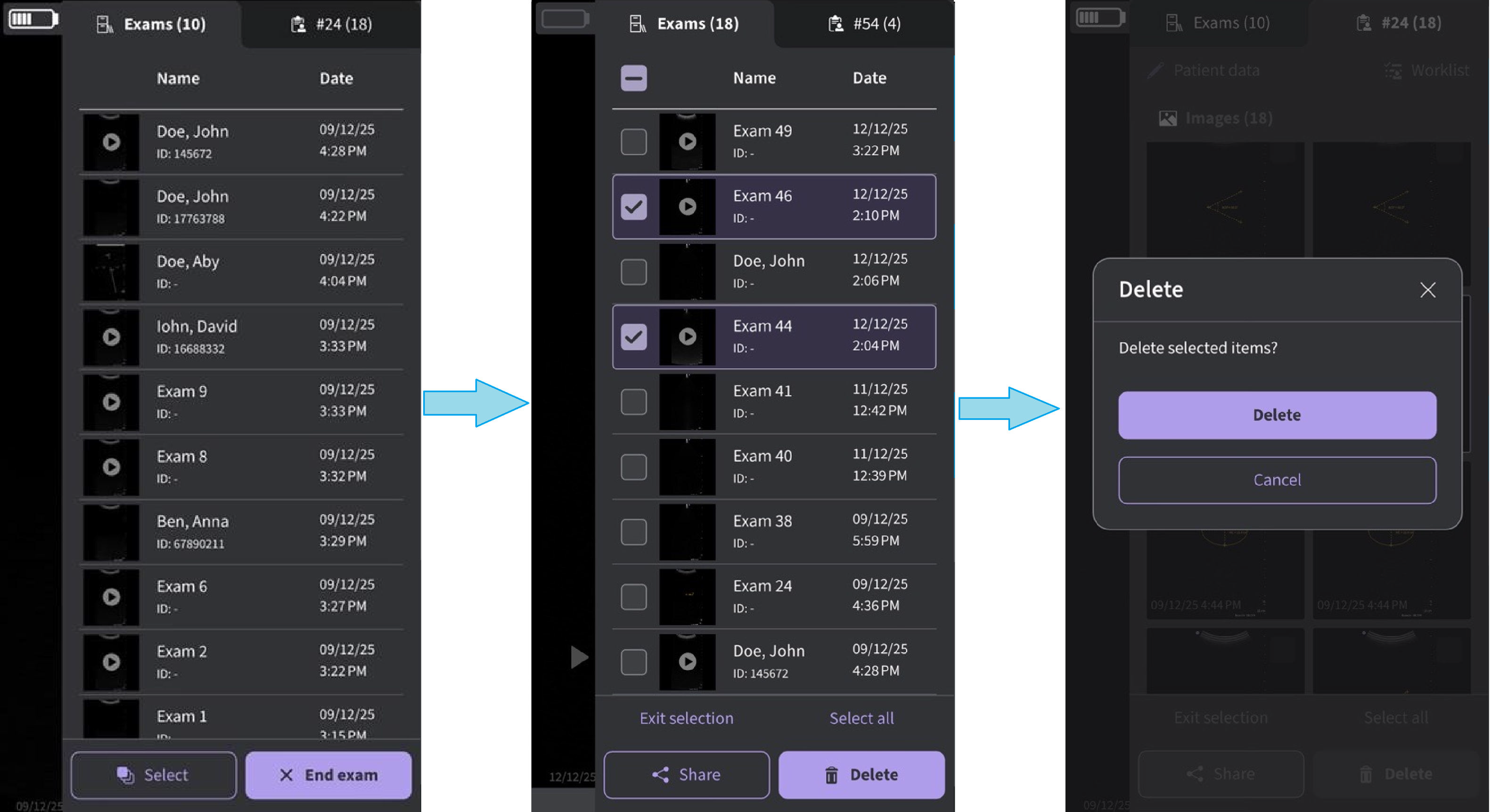 Delete selected exams
2. Tap the exams to be selected.
3. Press the Delete button.
Delete individual images/videos
1. Select an Exam.
2. Tap the Select button at the bottom of the image/video overview screen.
3. Tap the Select box on the image/video.
4. Press the Delete button.
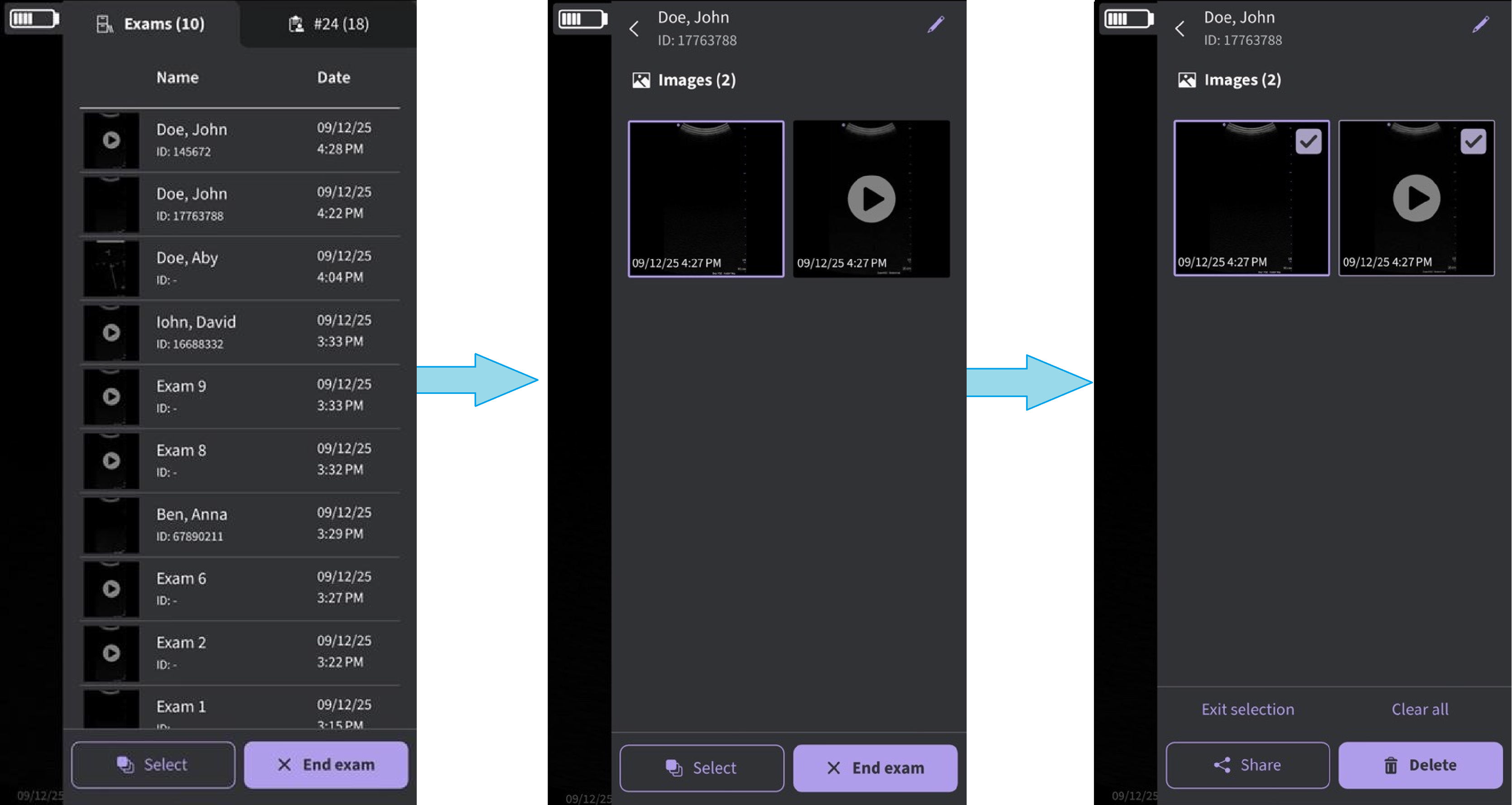 Delete image or video
Clear selection
1. Press Select All.
2. Press Clear all to clear the selection.
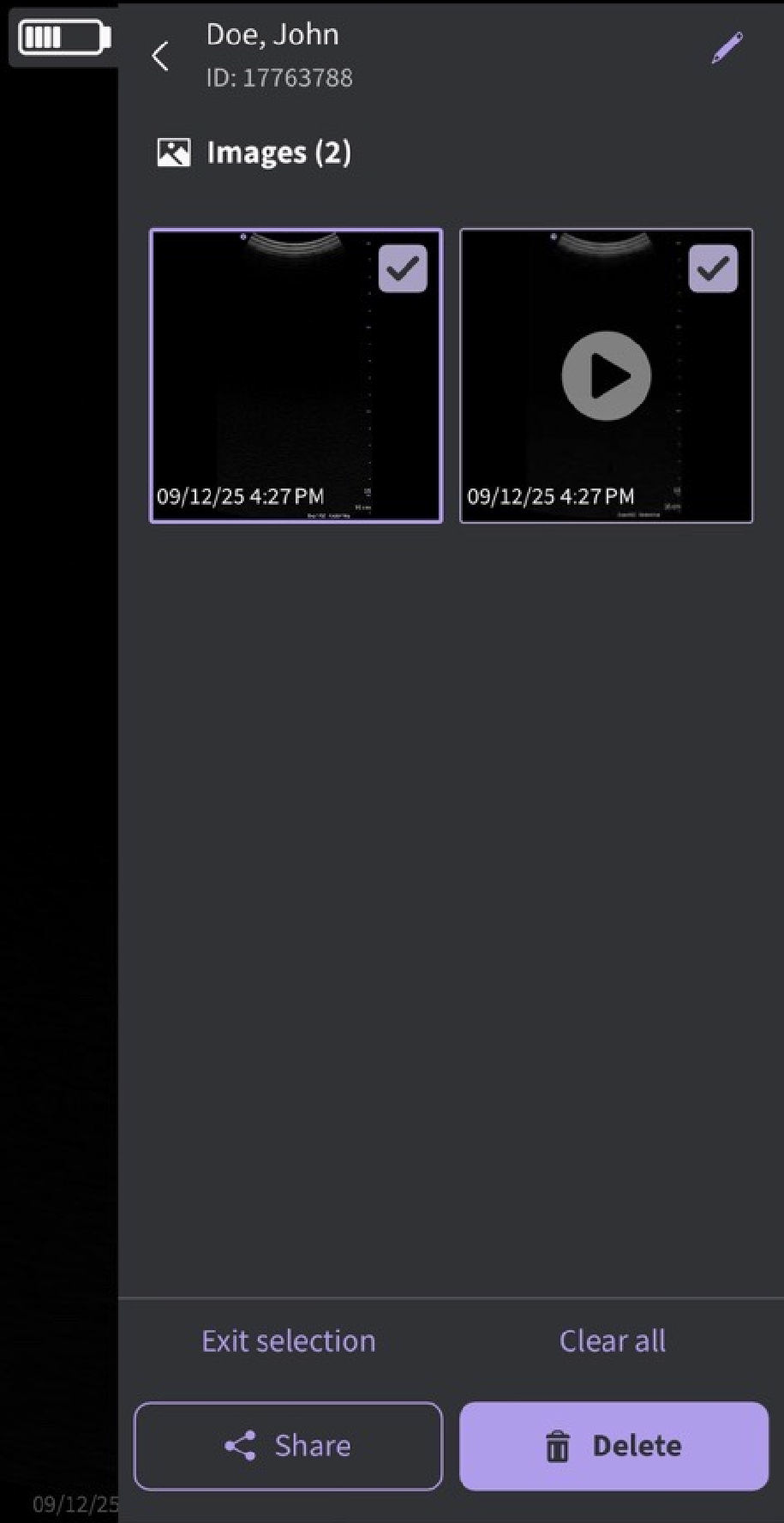
Clear selection
NOTE: If deleting the Vscan Air App from the display device, the App data, including all exam data including the images and videos will be deleted.
Disclaimer: The information herein is not intended to replace the product’s User Manual. Please consult the User Manual for comprehensive information and cautionary guidance about the product’s operation and use.