The transducer element test is a probe assessment tool that evaluates the probe for transducer element integrity while scanning in air. This test is intended to be used during the life of the probe to evaluate possible transducer deterioration over time.
If the Probe Check fails the user is still allowed to continue using the probe, but should then evaluate if the image quality is adequate for clinical use.
The transducer element test transmits/receives on each element to determine if the element is working as intended. If the Element test fails, there is an option to export the test results to a local folder. The failing element(s) are listed in this transducer element test results file.
NOTE: Probe Check checks element integrity. There are other defects that can deteriorate probe performance that the Probe Check cannot detect, so the user should evaluate whether the probe performance is adequate regardless of the outcome of the test.
NOTE: GE HealthCare is NOT responsible for the confirmation regarding the normal function of the ultrasound probe before useThe transducers element test is also included as one of the tests being performed when running the diagnostic tests via Menu → Diagnostics → Run diagnostics.
NOTE: Please make sure that the transducer surfaces are clean, and that excessive gel has been removed before running the probe element test. The element test might incorrectly report failing elements if excessive gel is left on the probe front faces while running the probe element test.
1. Configuration: Tap the Menu icon, press Diagnostics and tap the Run transducers check menu item to run the transducers check test.
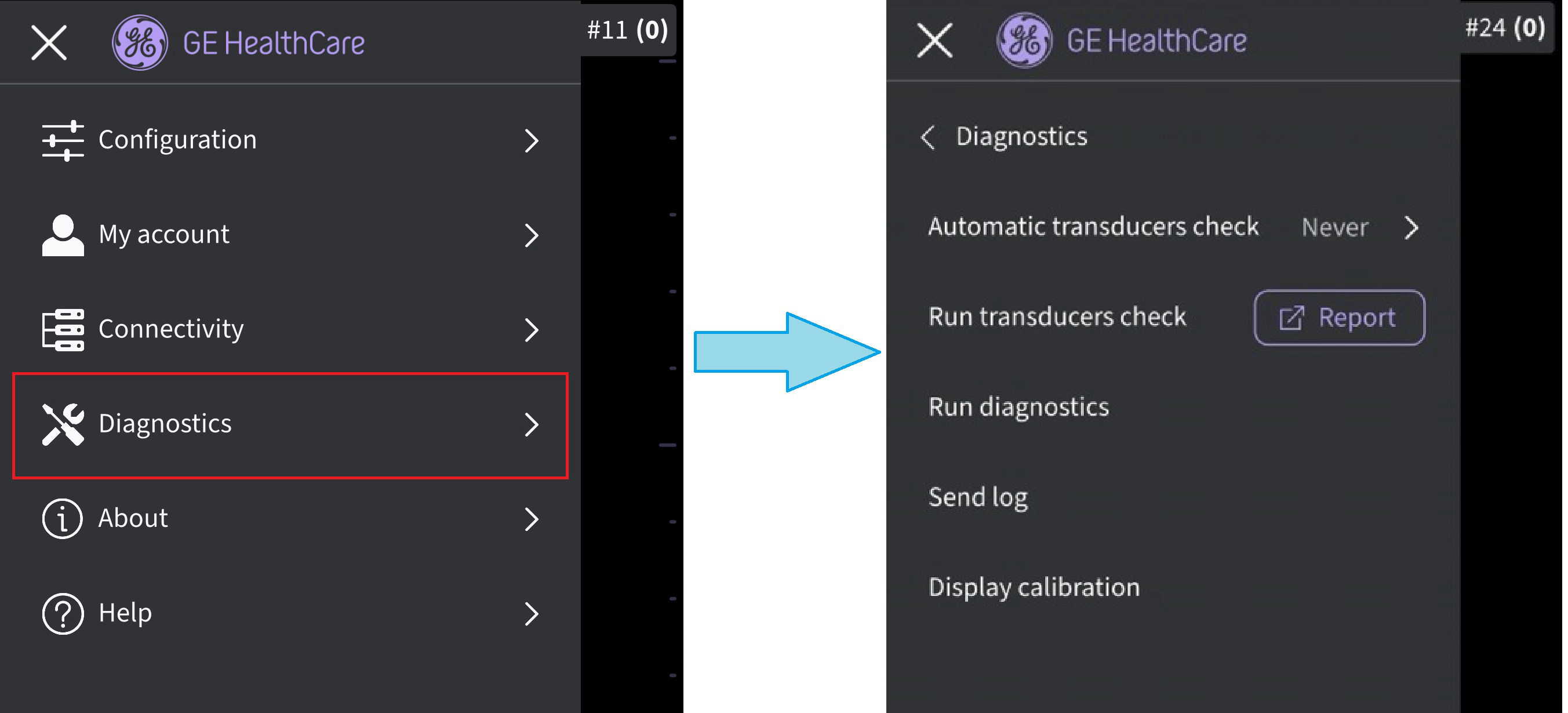 Transducers check - manually started
2. Transducers check is indicated while running.
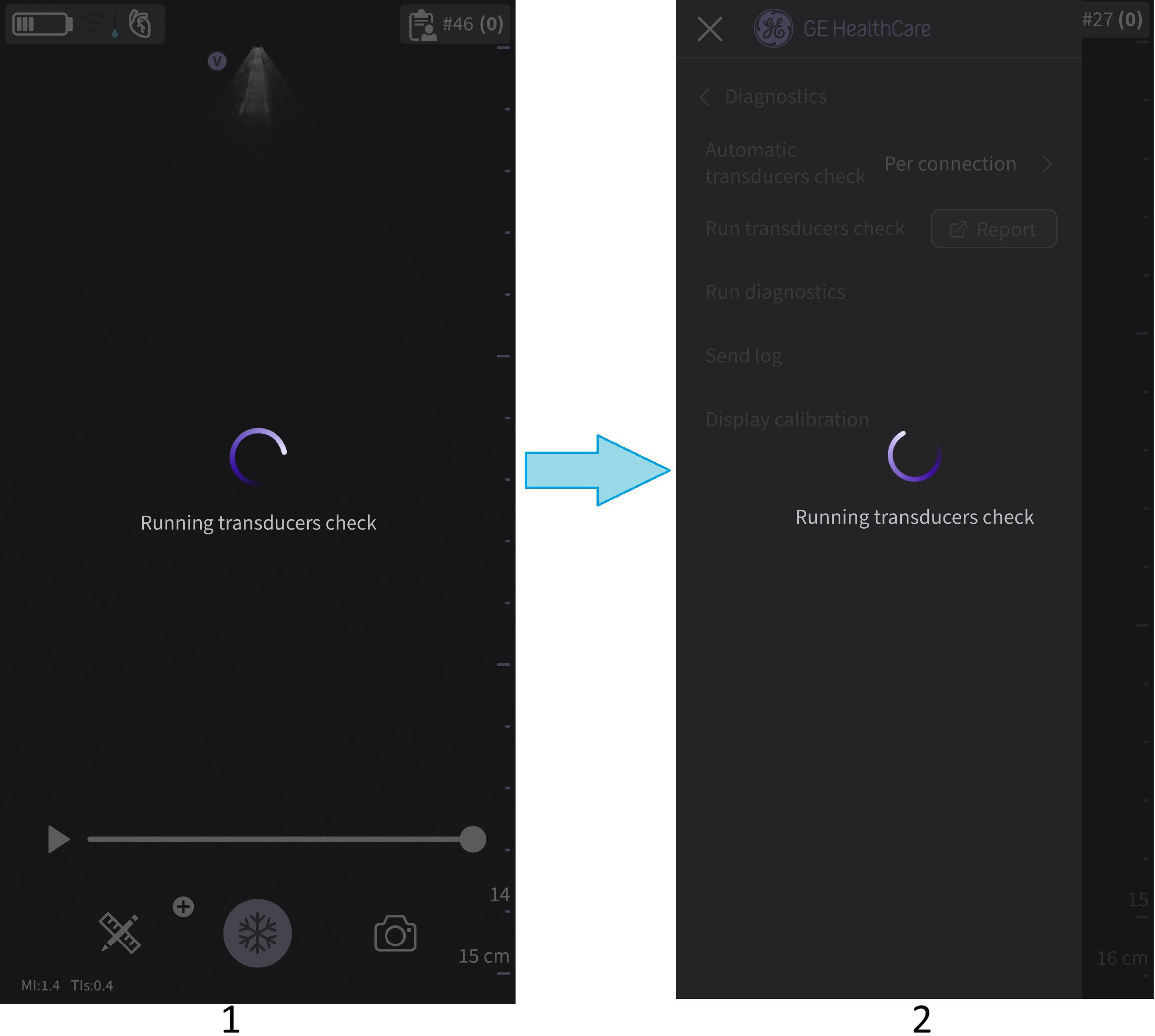
1. Transducers check - probe connecting
2. Transducers check - manually started
NOTE
There is no indication given when the transducer element test is successful.
3. Transducer element test failed for CL and SL probe
NOTE:
*If the transducer element test fails go to Menu → Diagnostics and click the Report button for the Run transducers check. Inspect the transducer element test results file.
*If needing to contact service please select Menu → Diagnostics → Run diagnostics and select Menu → Diagnostics → Send log before contacting service. Service will then be able to help and guide on further actions needed.
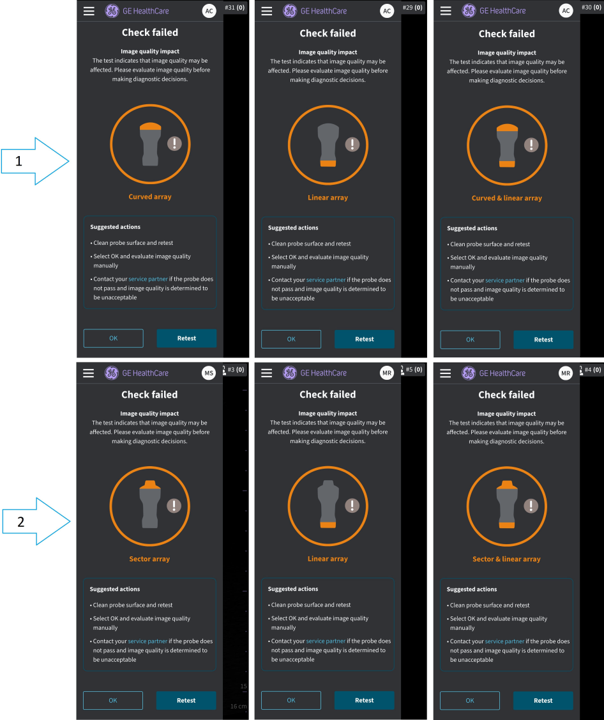
Transducer element test failed for Vscan Air CL (1) and SL (2) probe
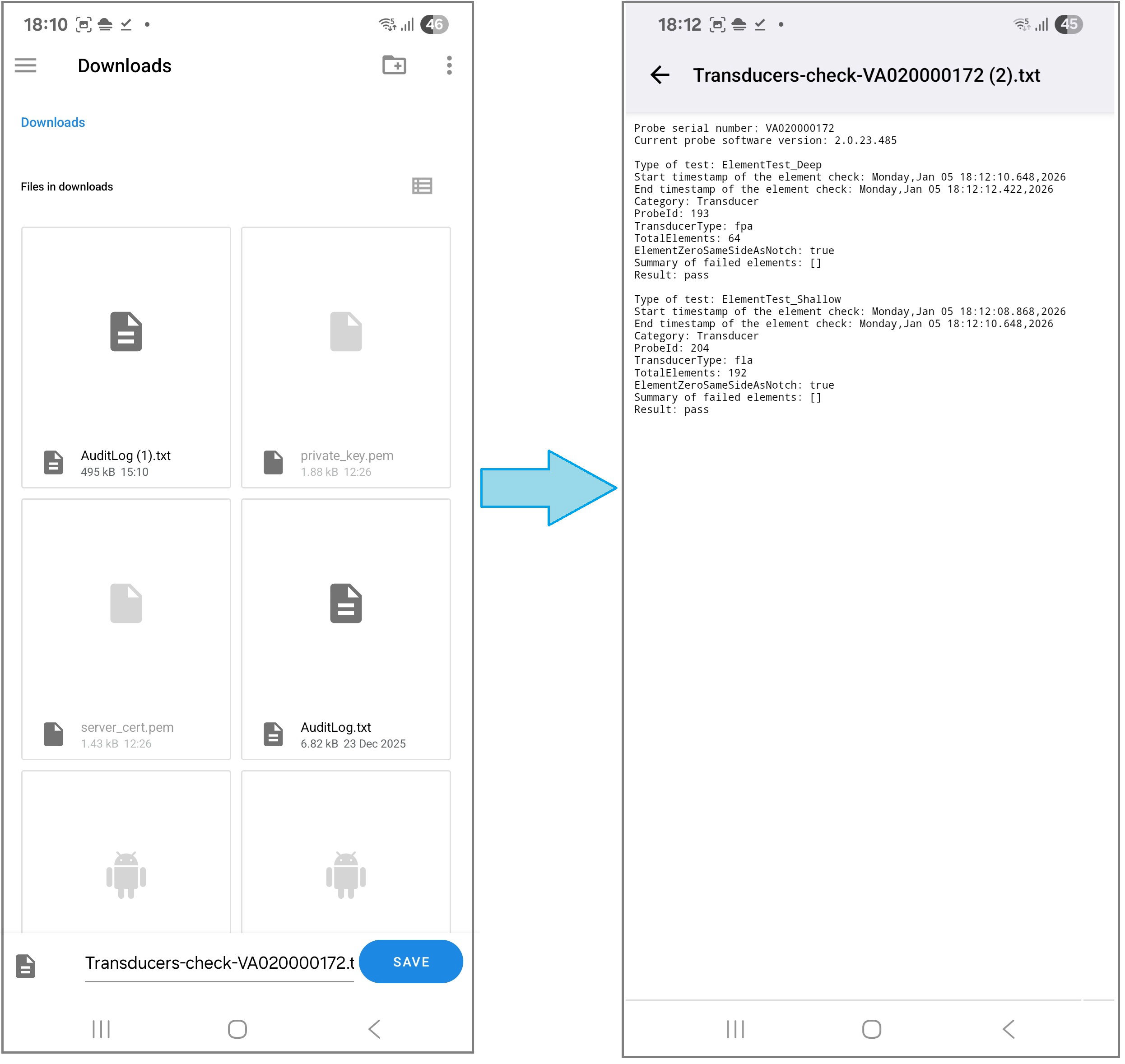
4. Once the transducer check is finished, click on the Report icon for exporting the results
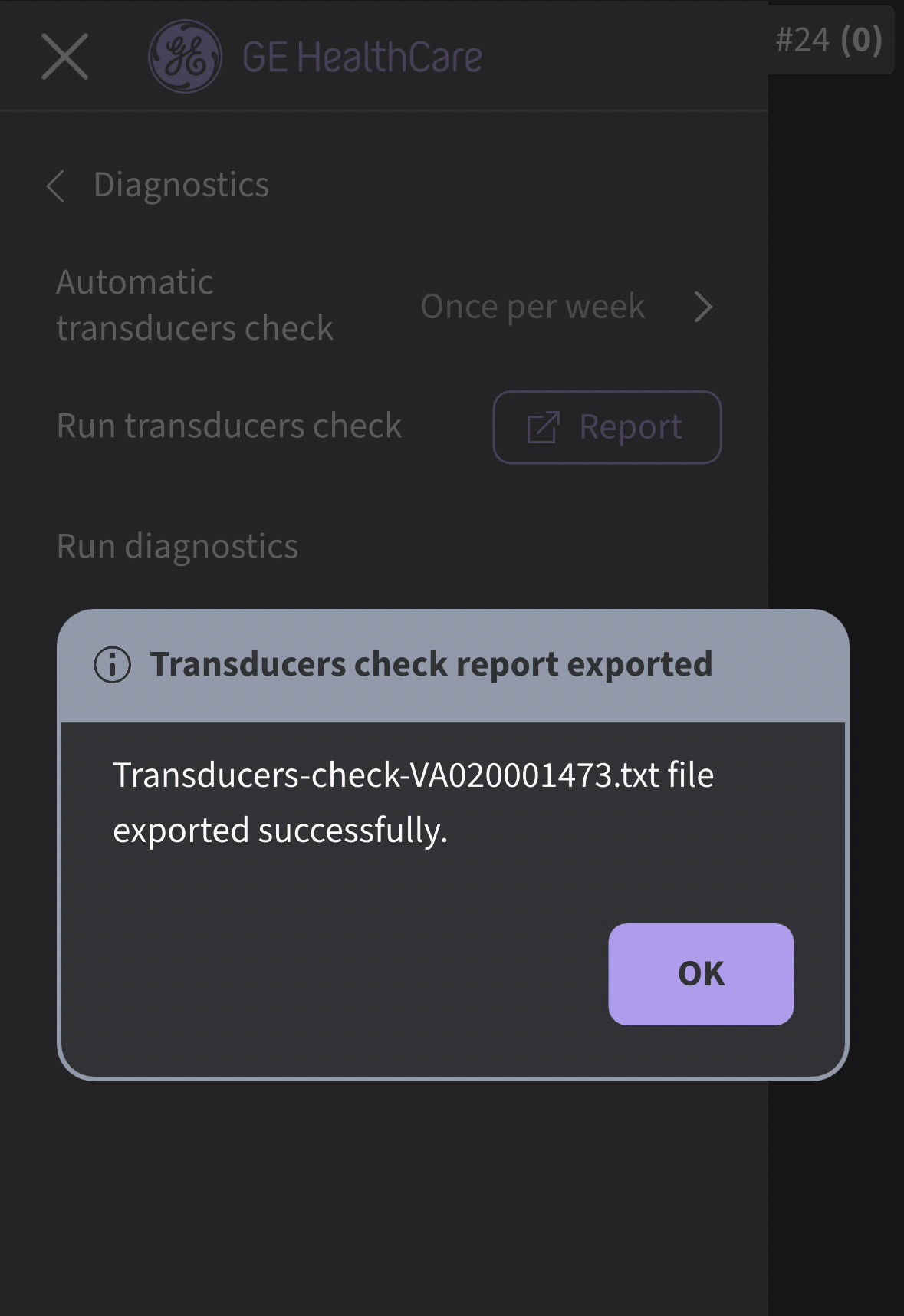
Transducers check report exported
5. Android: Navigate to downloads folder in the device and open exported .txt file.
6. iOS- example from iPhone: Navigate to the On My iPhone/Vscan Air/Downloads folder in the device and open exported .txt file.
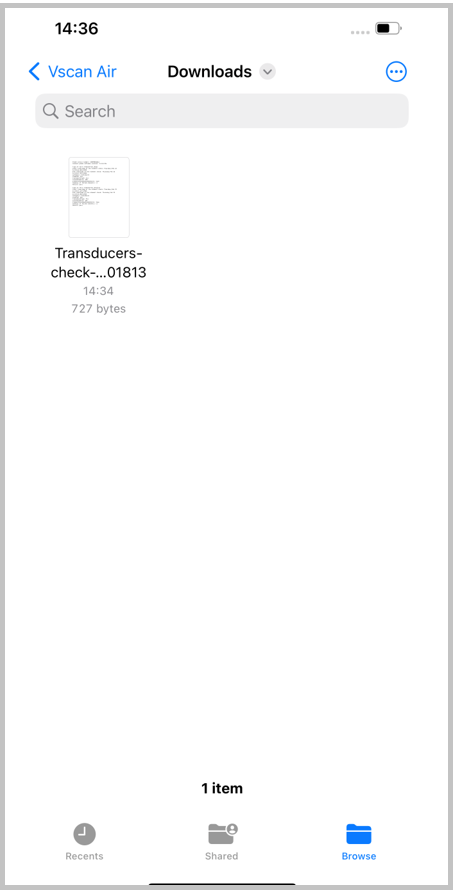
Exported transducers check report - iOS
Transducer Element test - defective elements
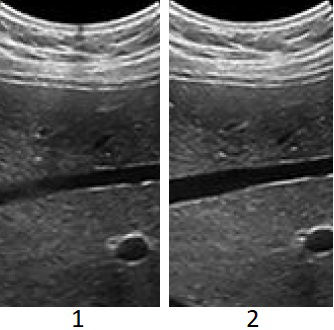
1. Cluster of defective elements - Curved transducer
2. Healthy Curved transducer
Example of image degradation for a Curved transducer
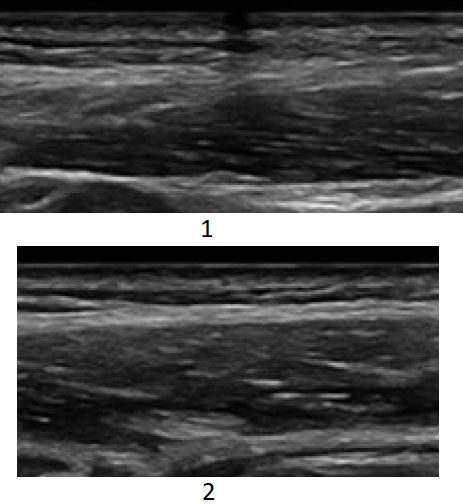
1. Cluster of defective elements - linear transducer
2. Healthy linear transducer
Example of image degradation for a linear transducer
NOTE: In case of having a cluster of defective elements in the sector transducer the image will turn out less bright and show less detail.Disclaimer: The information herein is not intended to replace the product’s User Manual. Please consult the User Manual for comprehensive information and cautionary guidance about the product’s operation and use.