Subscription expiredThis section explains subscription and licenses enabled, Auto renewal and Subscription expiry for any digital or AI tools.
Click Subscriptions and licenses > Tap on Get latest to apply subscription information.
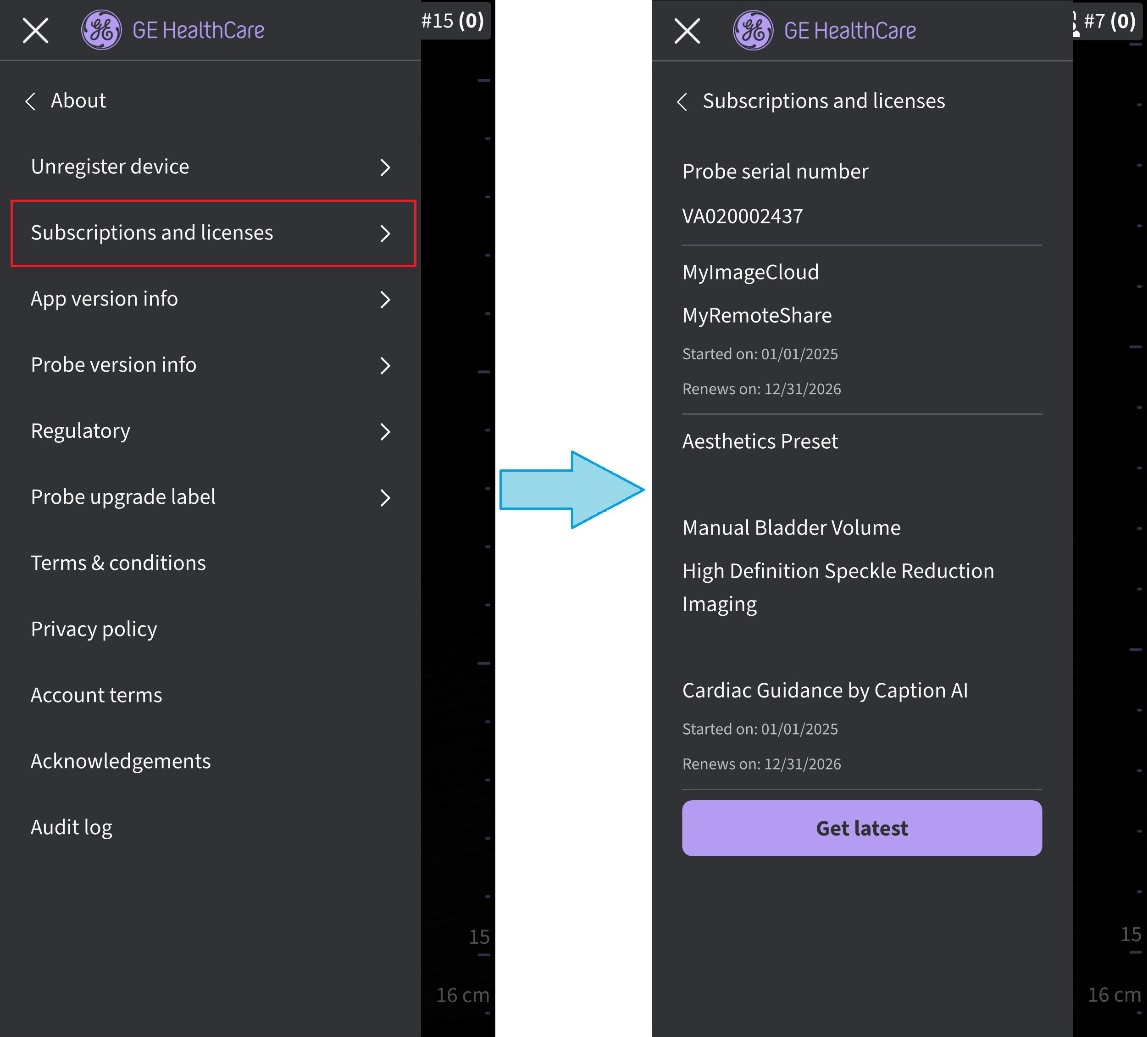
Probe subscription details
The subscribed tools appear.
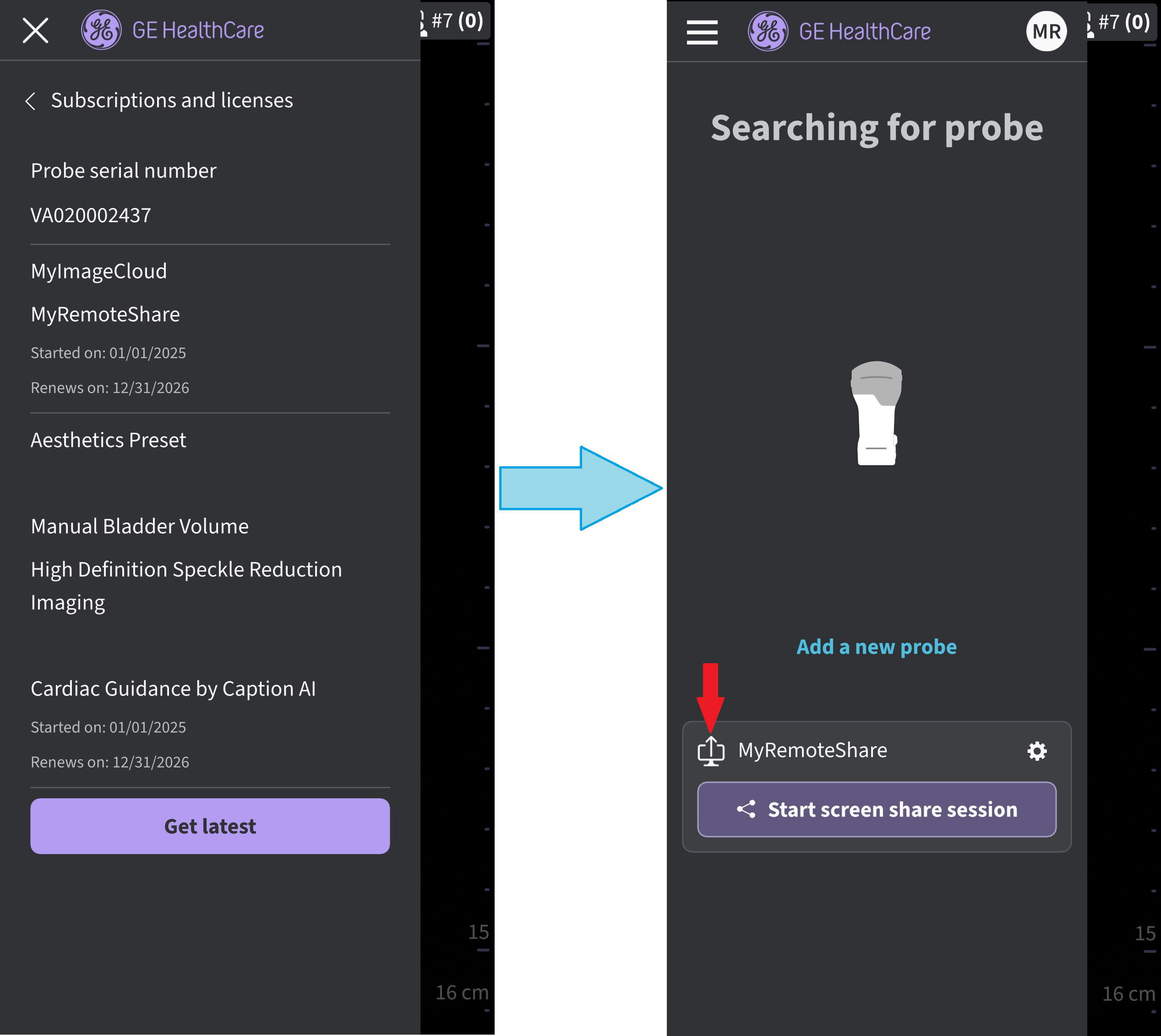
Subscriptions enabled
NOTE
Whenever purchasing a new subscription, make sure to connect the probe that is expected to receive the subscription to the Vscan Air app and select Get latest to update probe with its latest subscriptions.
• Subscription Auto renewal:
90 Days prior to expiration date - The user will be notified 90 days prior to a subscription expiration date about the subscription auto renewal via the following message
"Your subscription will be automatically renewed on <xx.yy.zzzz>".
If you do not wish to renew, please sign in on myvscan.gehealthcare.com with the same username and password as your Vscan Air app.
On the profile page select "Manage my subscriptions".
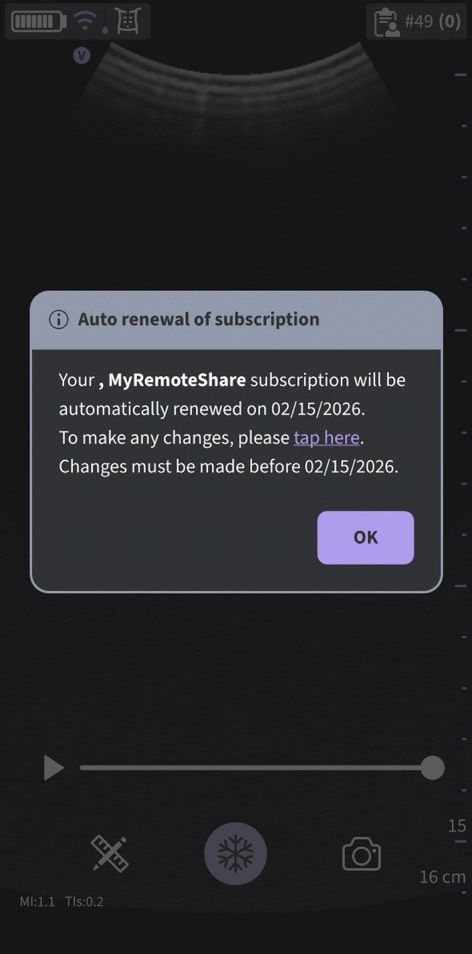
Subscription Auto renewal
NOTE
• Subscription expiry notifications are not applicable to probes managed via the enterprise management tool MyDeviceHub.
• Subscription expiry notifications will not appear while using the Vscan Air app in Guest mode.
• Subscription Expiry Date:
- User will be notified when subscription expires.
- User will receive the below notification once a subscription has expired:
- “One or more subscriptions registered to the connected probe has ended. Consider renewing the subscription to continue accessing the related digital solutions”.
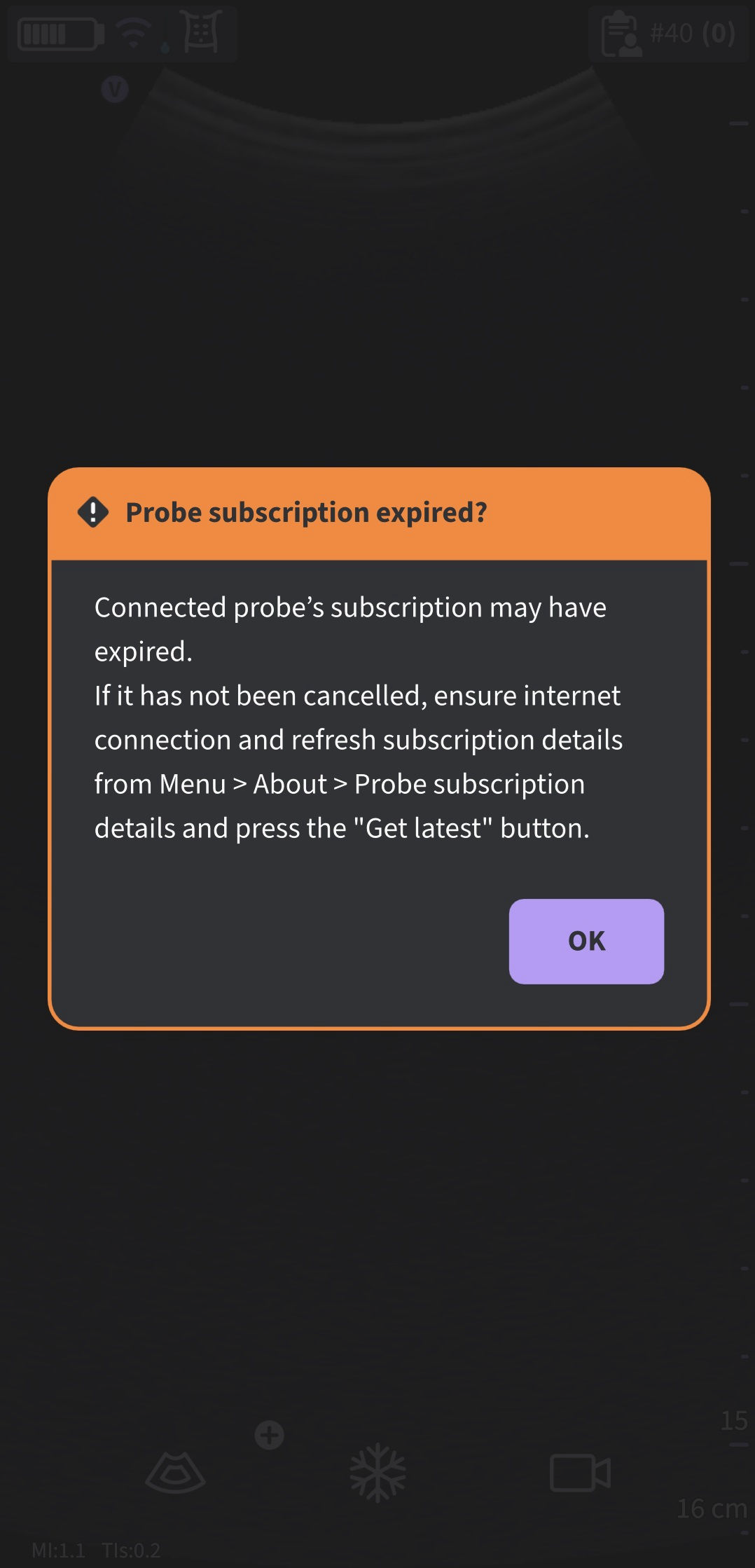
Subscription expired
NOTE
• Subscription expiry notifications are not applicable to probes managed via the enterprise management tool MyDeviceHub.
• Subscription expiry notifications will not appear while using the Vscan Air app in Guest mode.
Disclaimer: The information herein is not intended to replace the product’s User Manual. Please consult the User Manual for comprehensive information and cautionary guidance about the product’s operation and use.