Introduction
The Annotation function provides the capability to type comments of free text and/or add pointer(s)/arrow(s).
Text annotations may be inserted anywhere in the image area.
• Annotation features are available for all presets and modes for both CL and SL probes.
• Annotation features are available in Freeze and for data recalled for review.
• The Vscan Air app supports a maximum of 5 annotation texts on a frozen or recalled image.
To add annotations on an image, activate the mode by clicking the button available via the Measure/Annotate
 button.
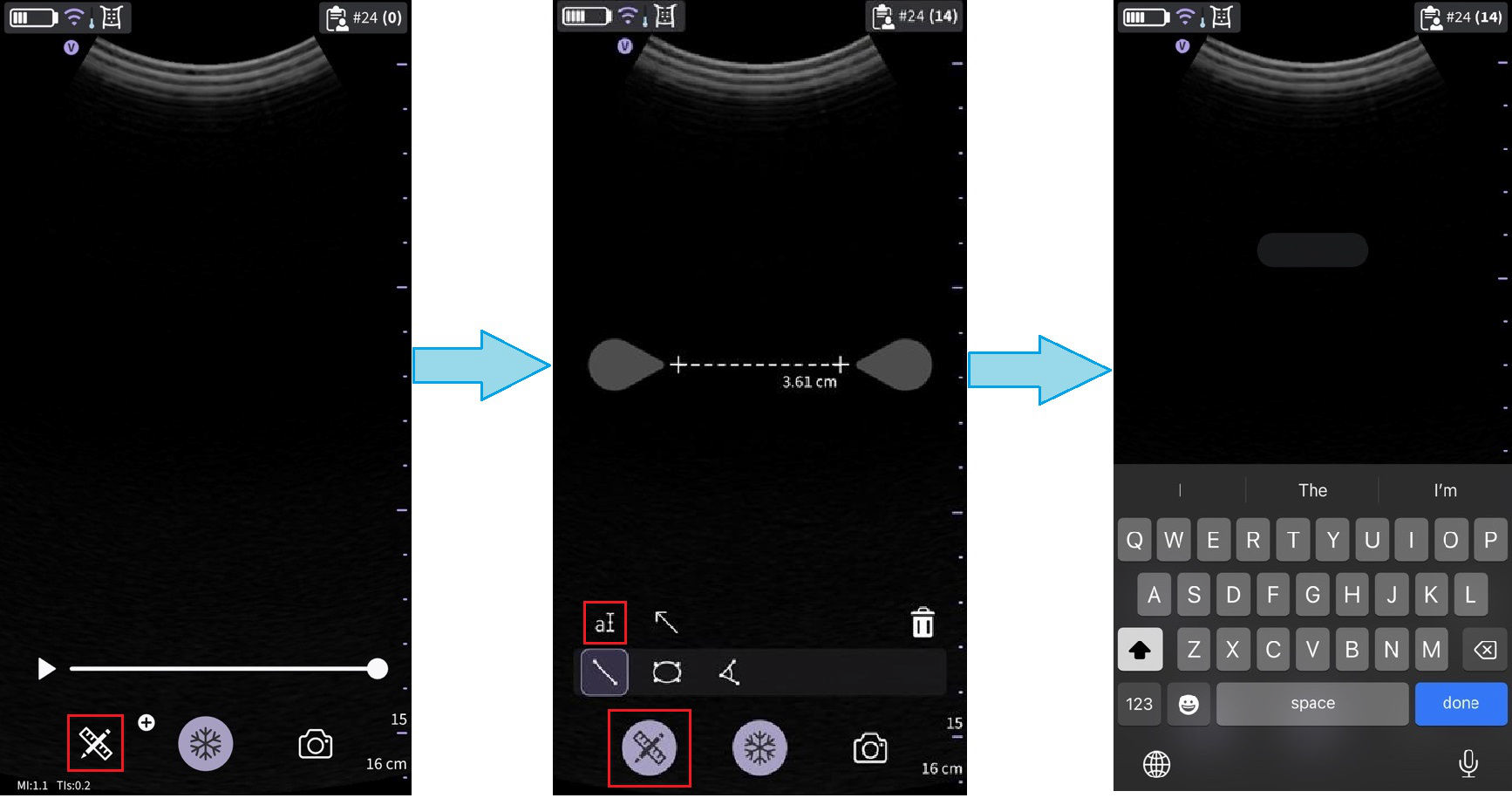 Tap annotation icon
Default position for the annotations text box is illustrated in the right picture
Annotating an image
1. Use the keyboard to type the desired text and press done
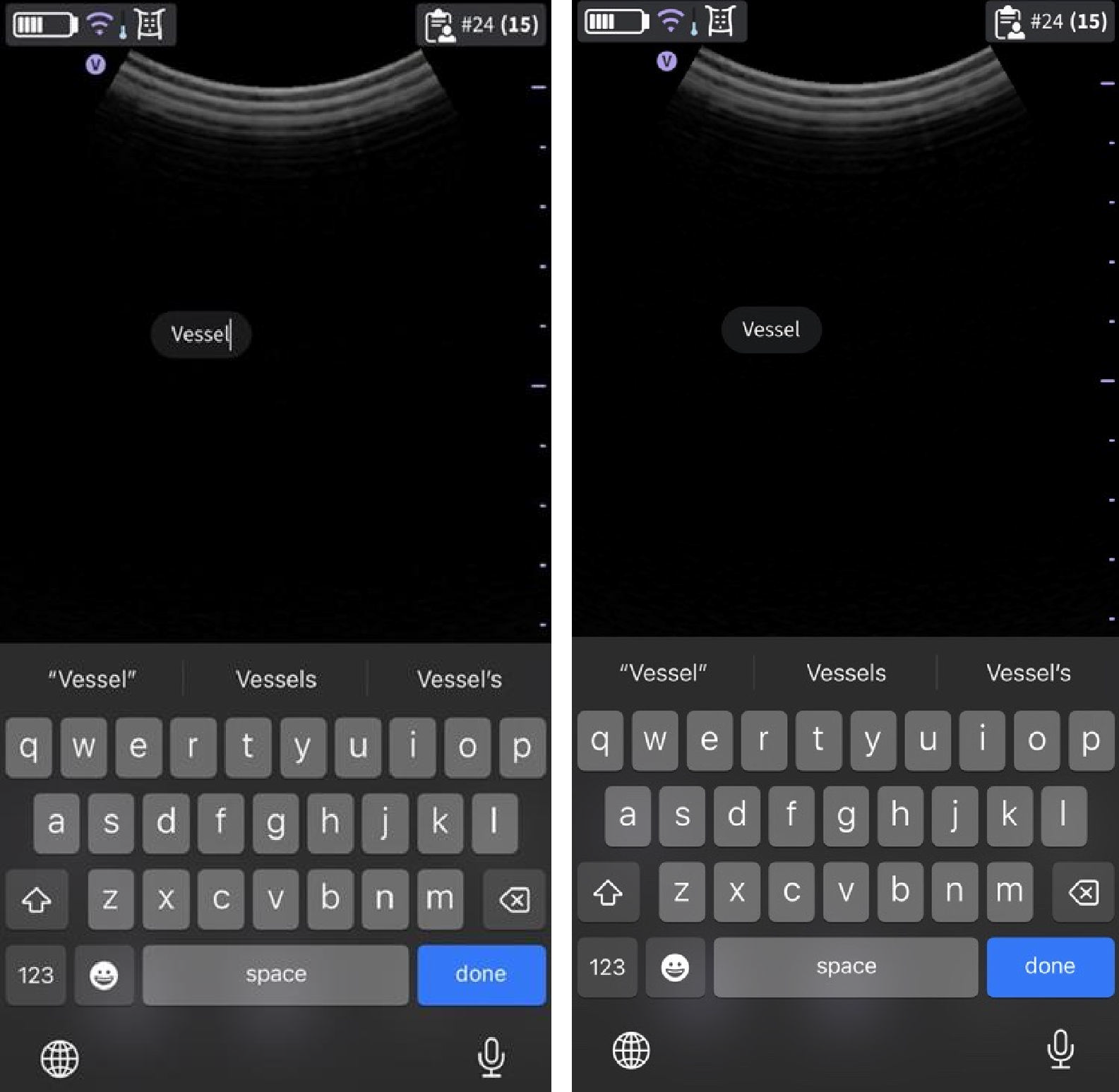
Text annotation
2. Move the annotation box to the desired location and tap outside the annotation text field to deselect.
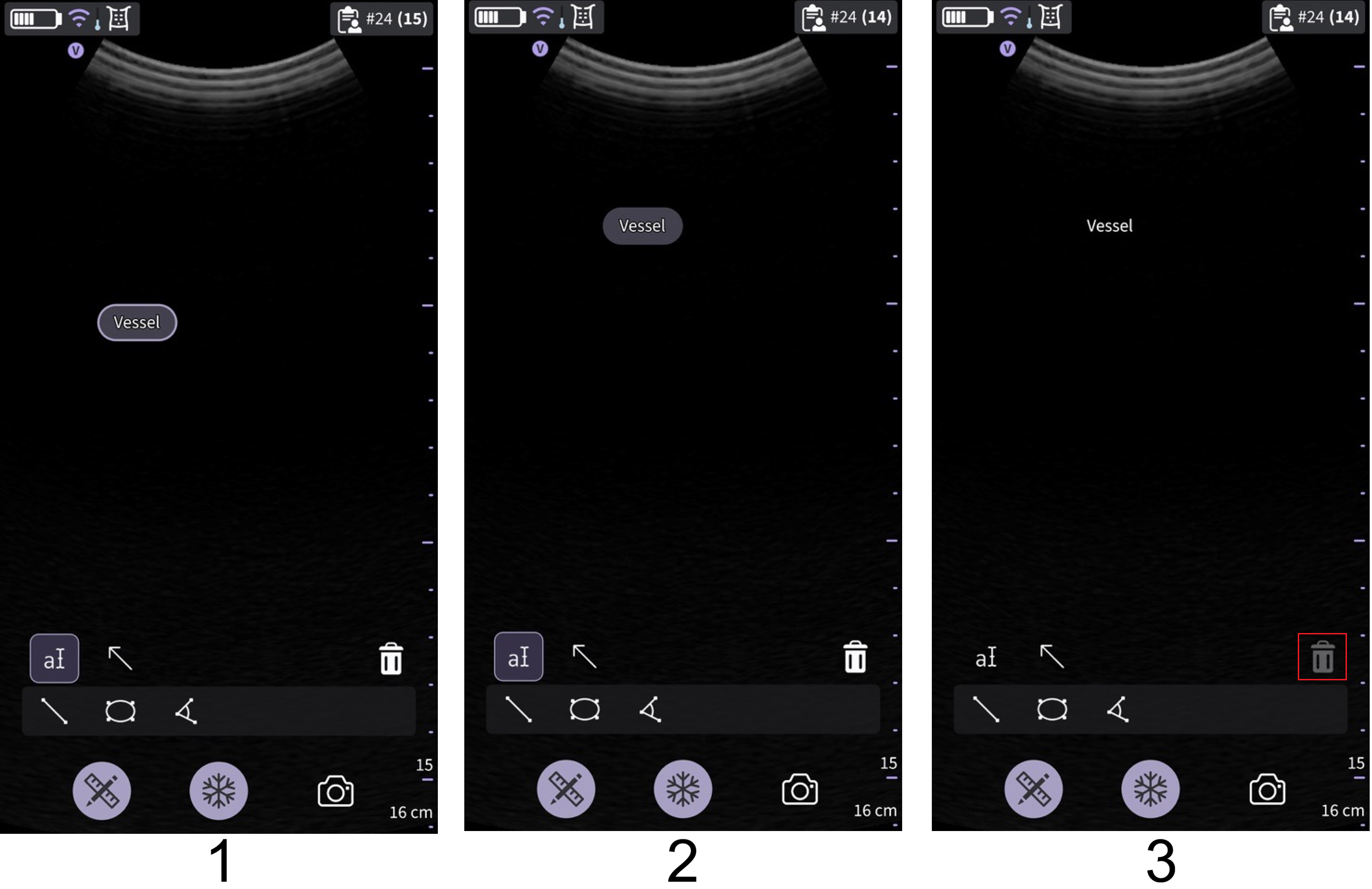 Move, release and deselect text box
1. Interactive
2. Selected
3. Inactive
NOTE
• A maximum of five arrows and five text annotations can be added to a frozen or a recalled image.
• An annotation text or an arrow can be deleted as long as it is active/selected.
Annotations states
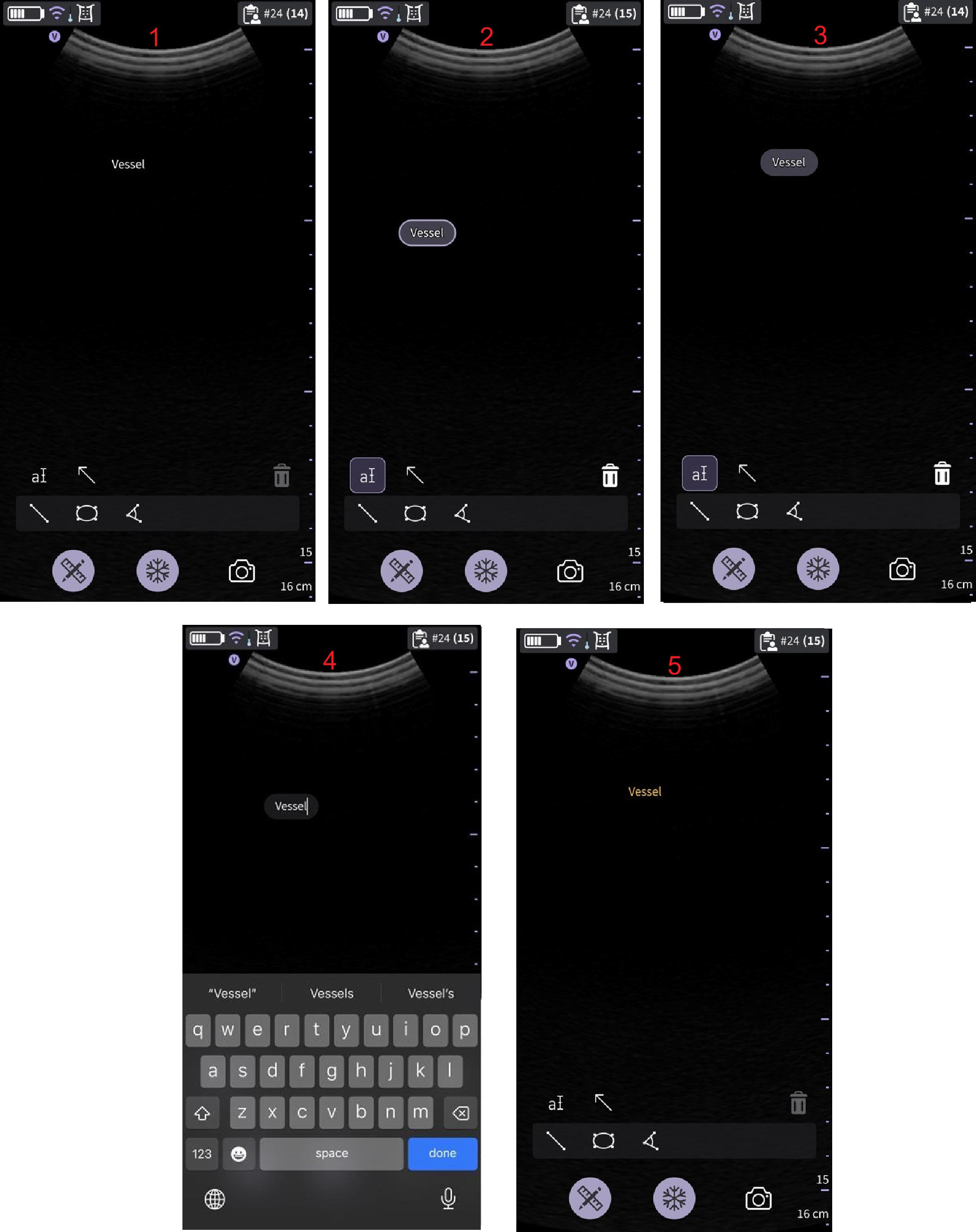
Annotations states
1. Inactive
2. Selected
3. Interactive
4. Editing
5. Stored