1. To delete a server from the configured list of servers, Press Menu -> Connectivity -> Servers
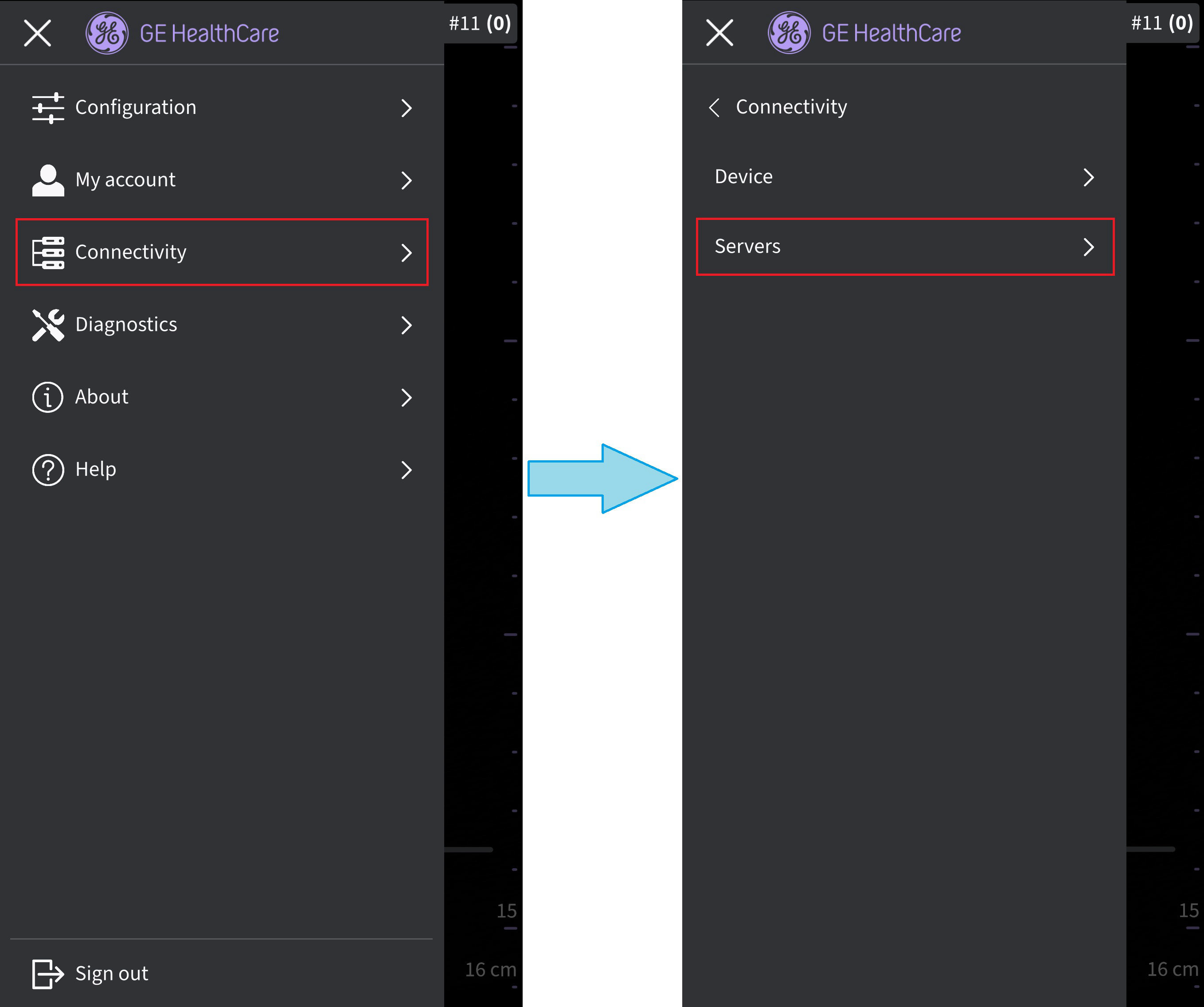 Servers
2. Press to select the desired server that needs to be removed. 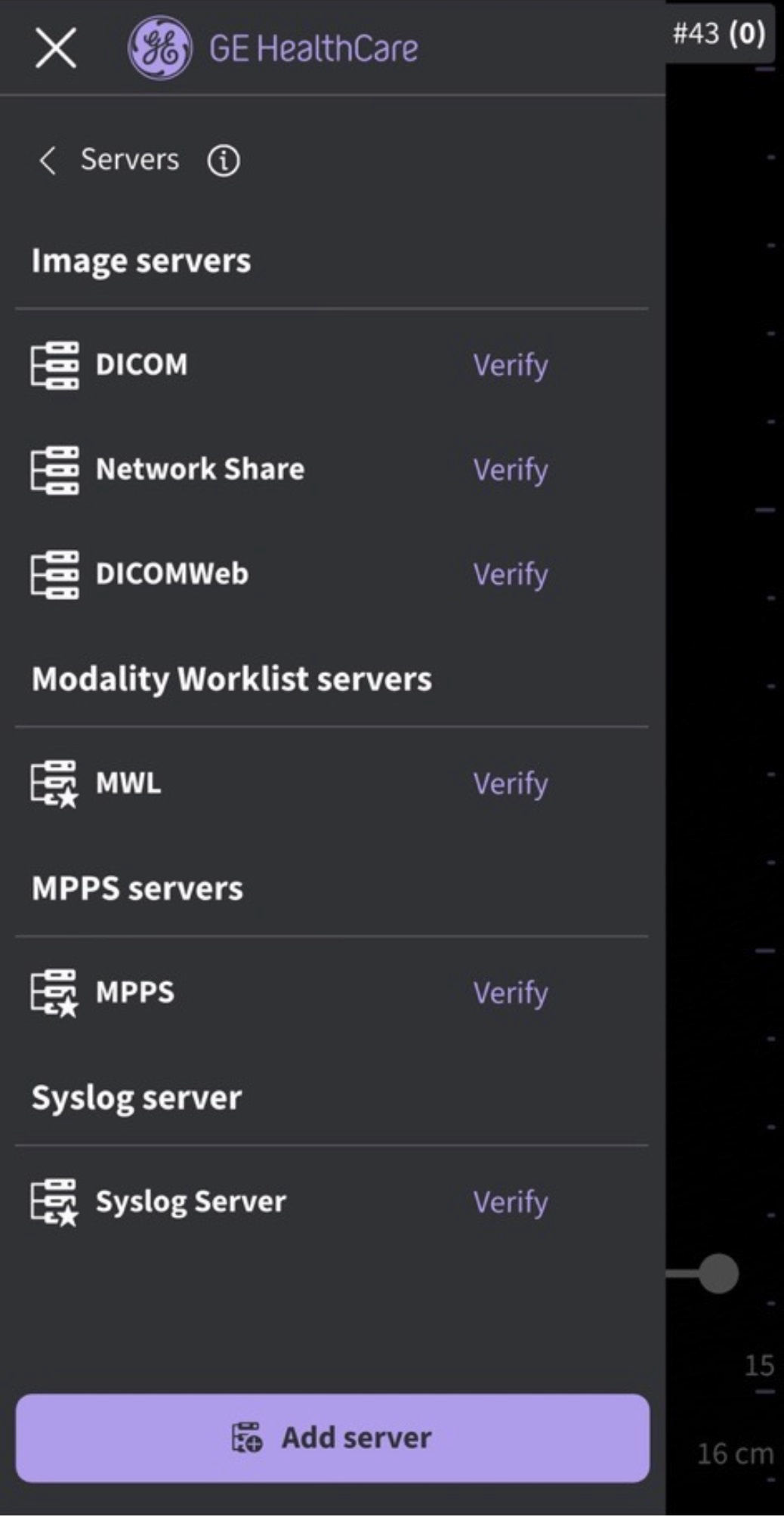 List of Servers
3. Swipe up and select “Delete Server”. The message “Do you want to delete server from list?” appears. Press YES to delete the server.
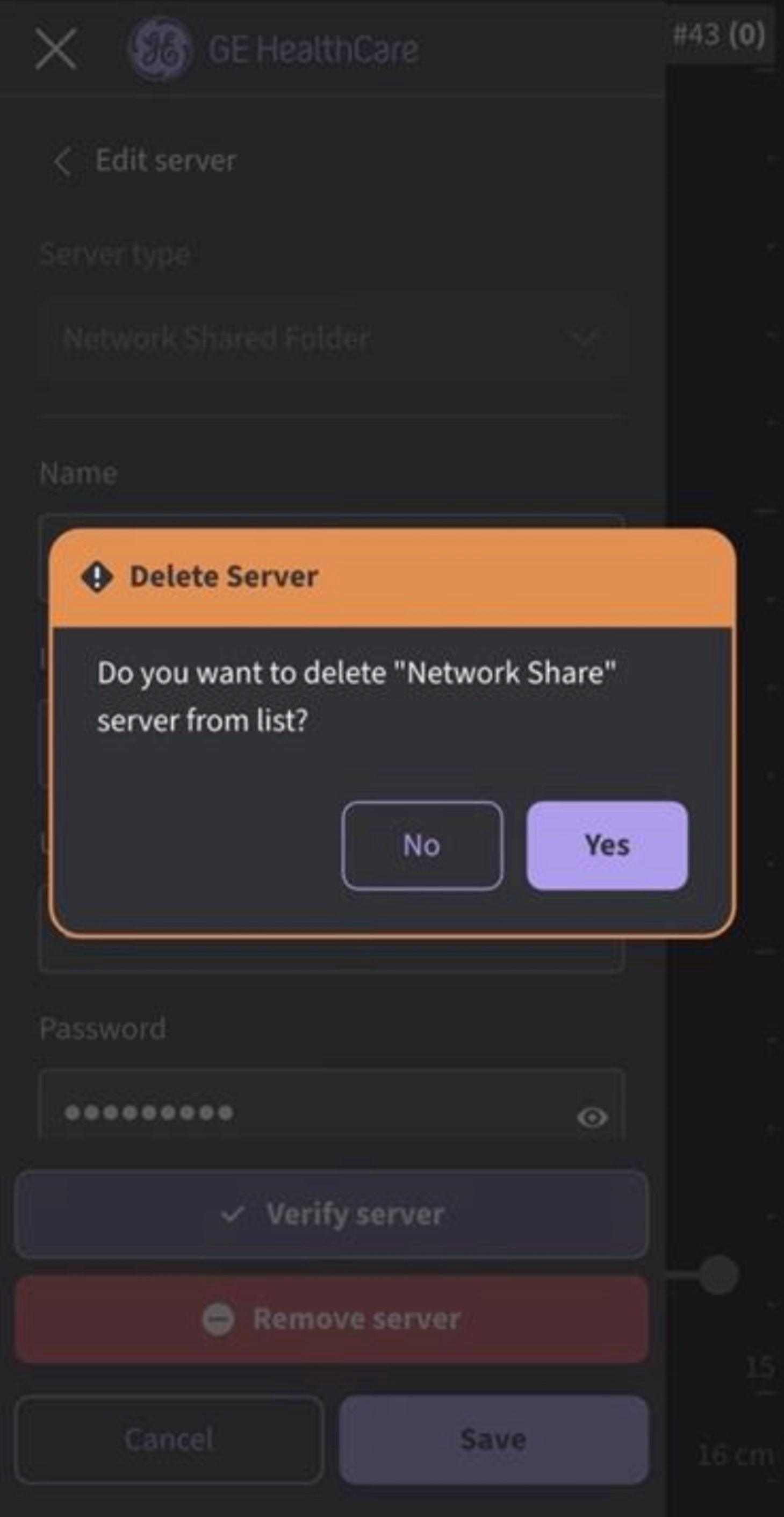
Delete Server
Disclaimer: The information herein is not intended to replace the product’s User Manual. Please consult the User Manual for comprehensive information and cautionary guidance about the product’s operation and use.