New users can be added to use a registered application.
1. To add a new user on the sign in page of a registered application, click on Add User button.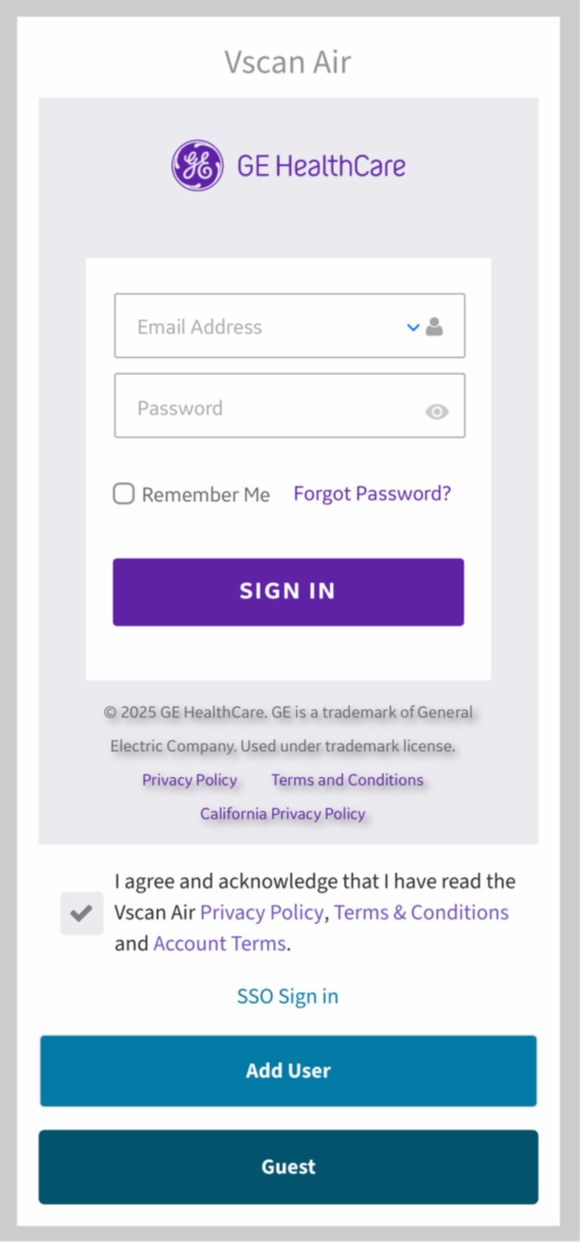 Add New User
2. Enter the user’s email address on the registration screen. If the email is found to be already registered, user will be taken to the previous screen to sign in using the existing account credentials.
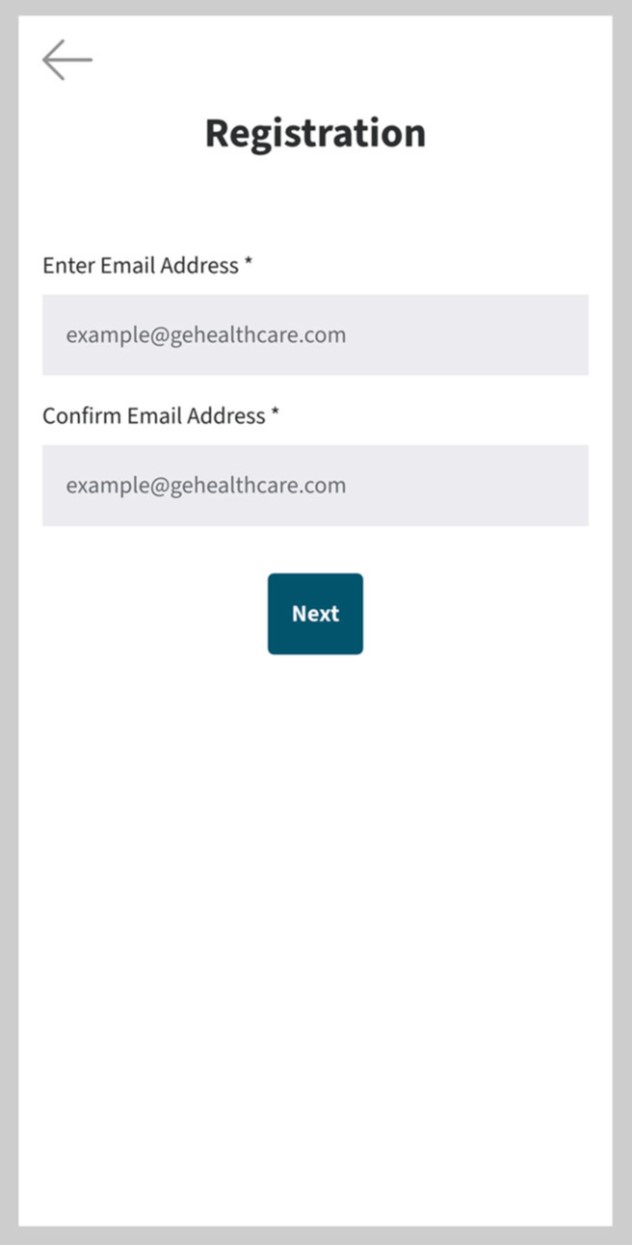
User Registration
3. If the entered email is not yet registered, user will be taken to user registration screen.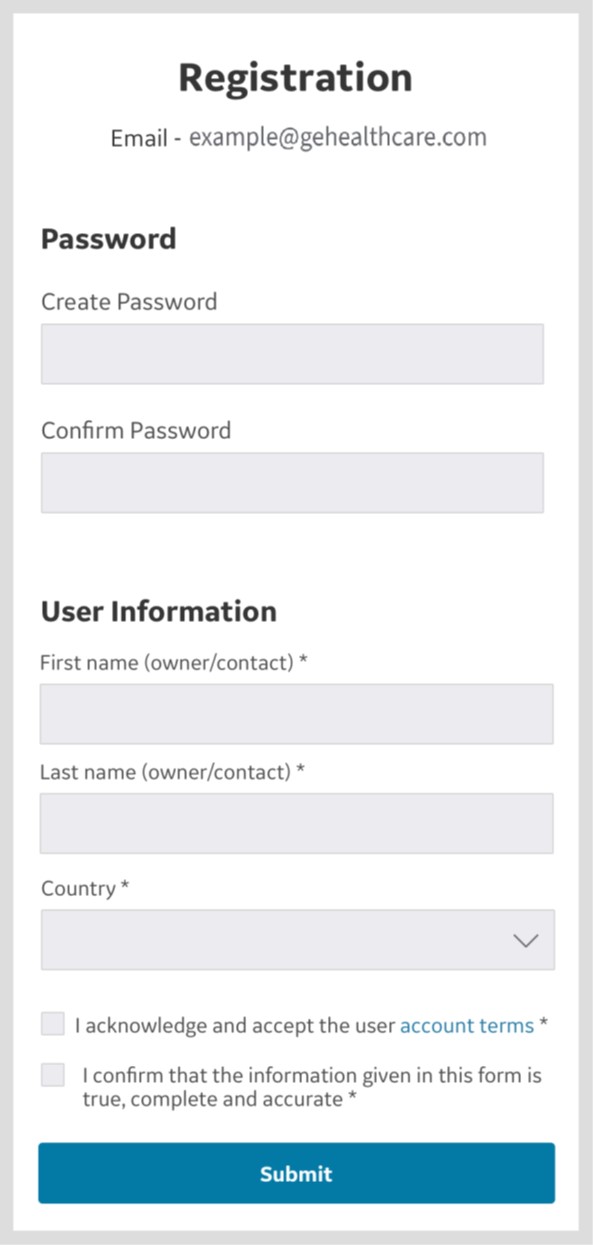
User Registration
4. Once user details are submitted, an email is sent to the registered email address to validate the user account.
NOTE: Please check your spam folder if you do not receive the email to validate your account.
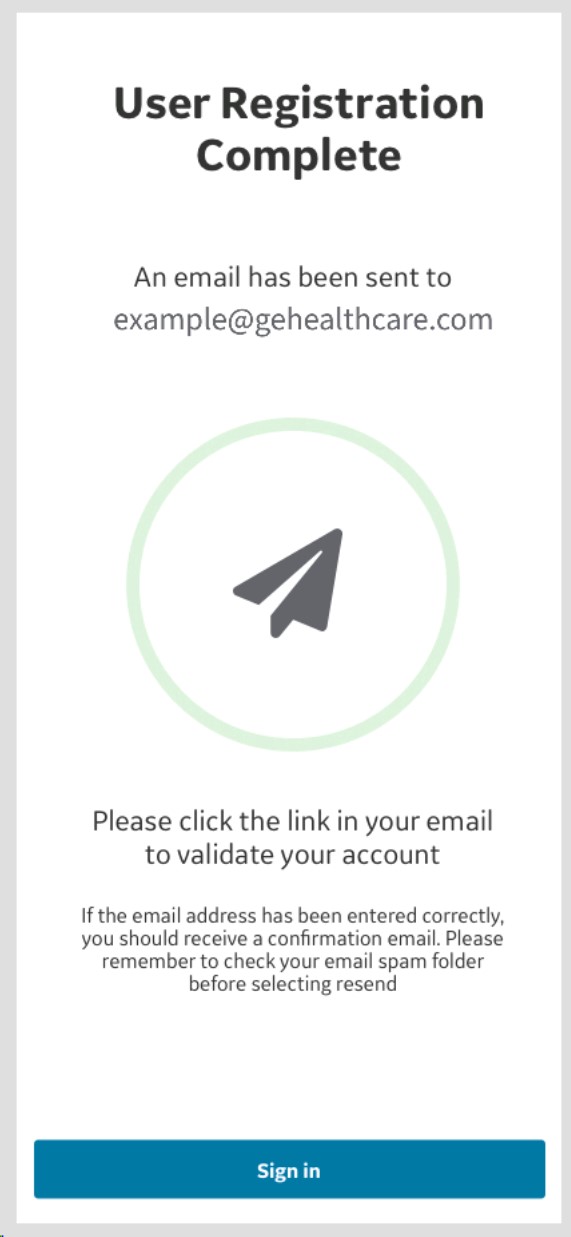
Email Validation
5. Click on the link in the email to validate the user account. Confirm registration details.
6. Registration is complete and user can go to the scan screen by clicking Start Scanning button.
Disclaimer: The information herein is not intended to replace the product’s User Manual. Please consult the User Manual for comprehensive information and cautionary guidance about the product’s operation and use.