Intended Use
Lung Guidance software is intended to assist medical professionals in the acquisition of lung ultrasound images. The Lung Guidance software utilizes the detection of landmarks in the lungs to guide the user in performing a standard 8-zone lung ultrasound protocol.
The software is indicated for the acquisition of B-mode images of the following chest areas:
• Upper anterior (R1 and L1)
• Lower anterior (R2 and L2)
• Upper lateral (R3 and L3)
• Lower lateral (R4 and L4)
Lung Guidance software is intended to guide users to an image reference point(s) in the zones rather than the entire lung. The Lung Guidance product is not intended to automatically capture, detect, or annotate all possible pathology that may be present(ed), and it is not intended to be the sole method to inform clinical decision making. The results of Lung Guidance along with the obtained lung ultrasound images, must be interpreted and reported by a qualified physician. For the full Intended use/Indications for use, warnings, labelling, and other support information, refer to the Lung Guidance Operator's Manual.
NOTE
• The Lung Guidance software is indicated for use in patients older than 21 years of age.
• Lung Guidance is subject to government regulation and may not be available in all countries. Contact your local GE HealthCare representative for details.
• Lung Guidance is available in the Tools menu only if it is purchased. It is unavailable in Vscan Air Guest mode.
• When the user enters the Lung Guidance tool, the system automatically sets the auto‑freeze time to 10 minutes.
• When a protocol is selected, a 5‑second clip length is used.
• A ding/chime sounds when the auto captured clip is saved to the gallery. You can disable this sound by using the Auto capture sound setting in the Lung Guidance settings.
Accessing Lung Guidance
To access the Lung Guidance tool in the Vscan Air app:
1. Open the Presets menu.
2. Tap Lung Guidance.
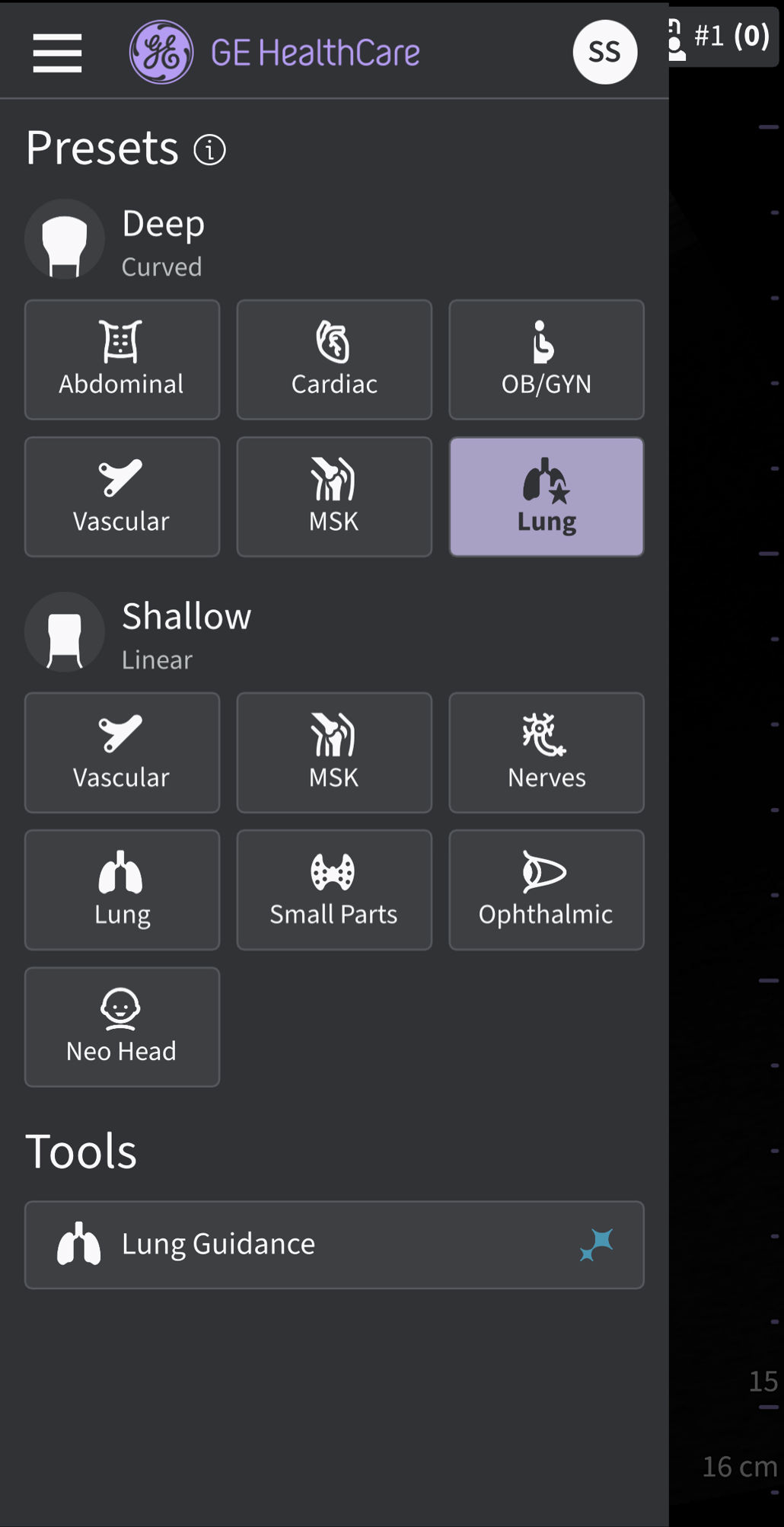
Accessing Lung Guidance tool
Accessing the Lung Guidance User Manual
To access the electronic Lung Guidance manual in the Vscan Air app:
1. Tap the Menu icon in the top left corner of the screen.
2. Tap Help → User Manual (Lung Guidance).
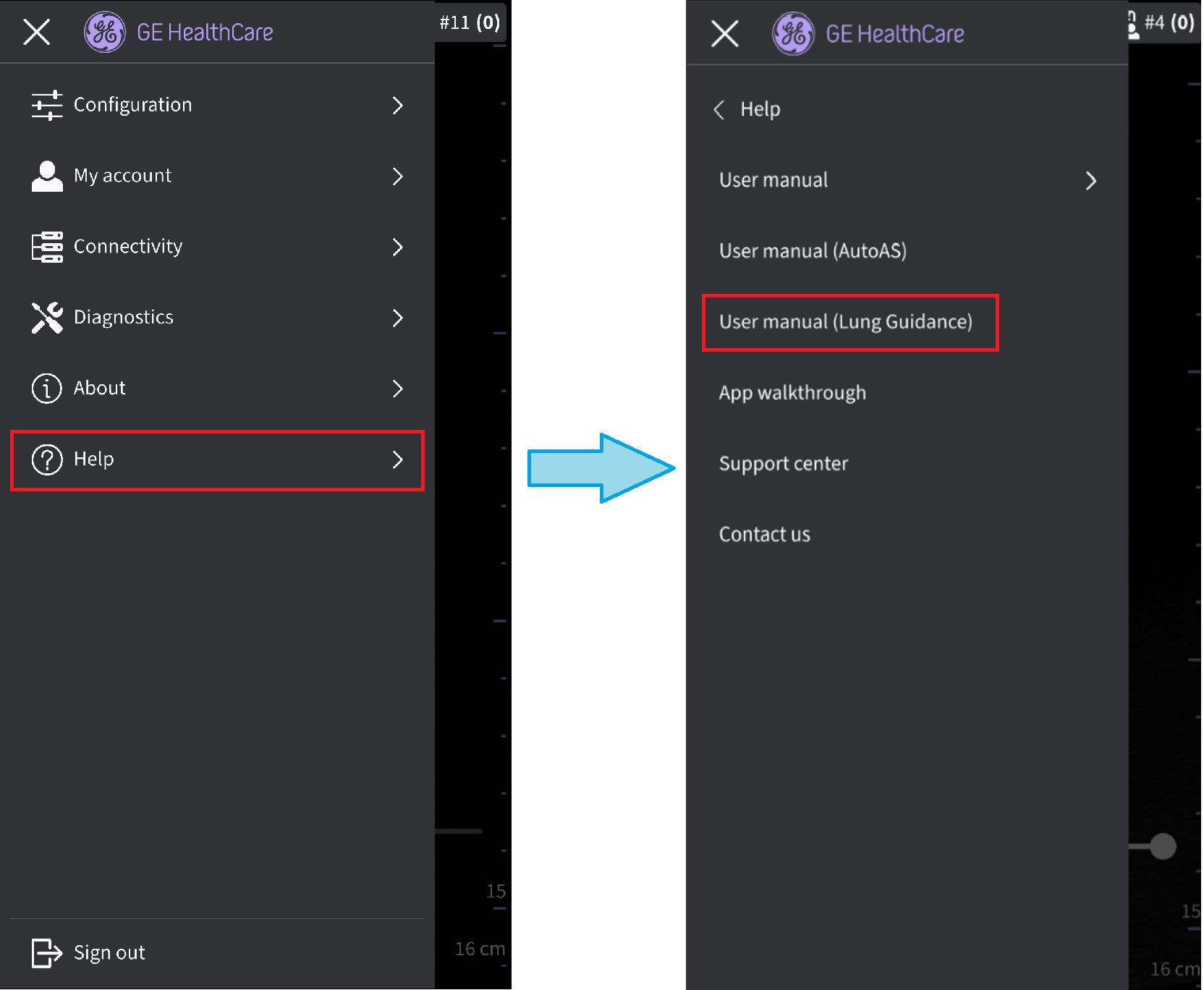
Accessing Lung AI User Manual
Disclaimer: The information herein is not intended to replace the product’s User Manual. Please consult the User Manual for comprehensive information and cautionary guidance about the product’s operation and use.