This section explains how to View, update and delete a Vscan Air account
My account
- Select My account
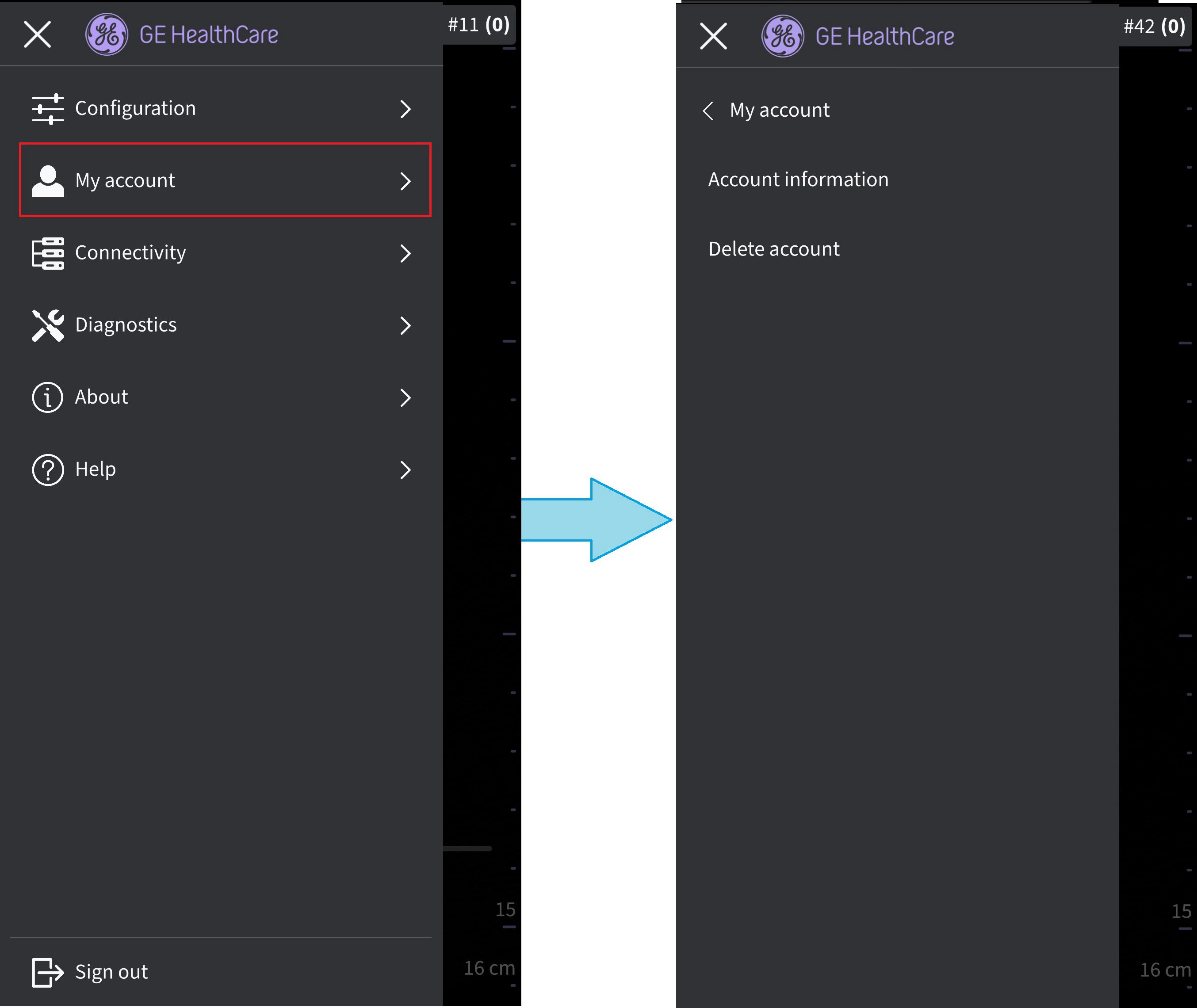
Account Information
- Update the account details if needed.
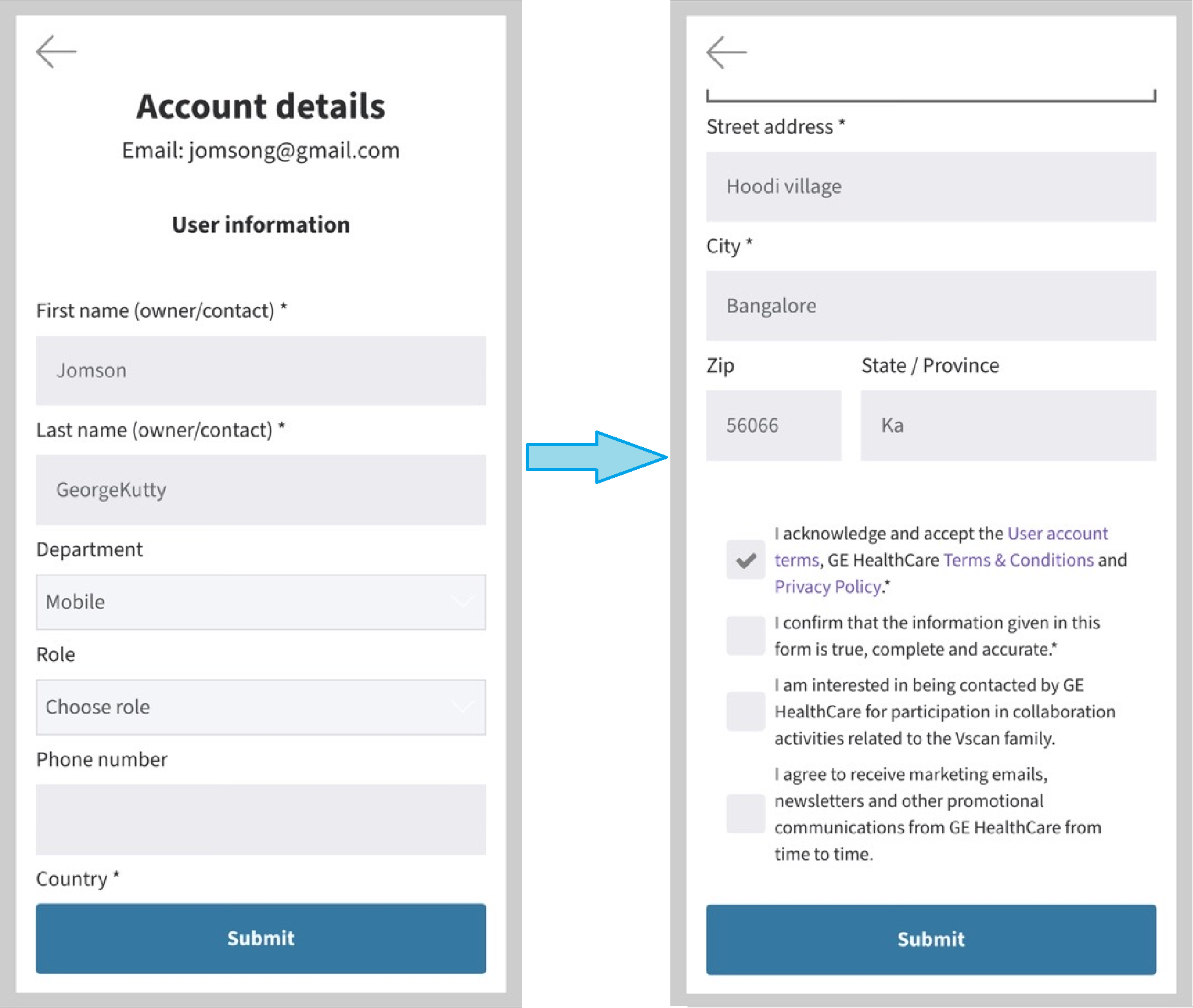
Account details
- Check to confirm the given information.
- Press Submit, to update the Account details
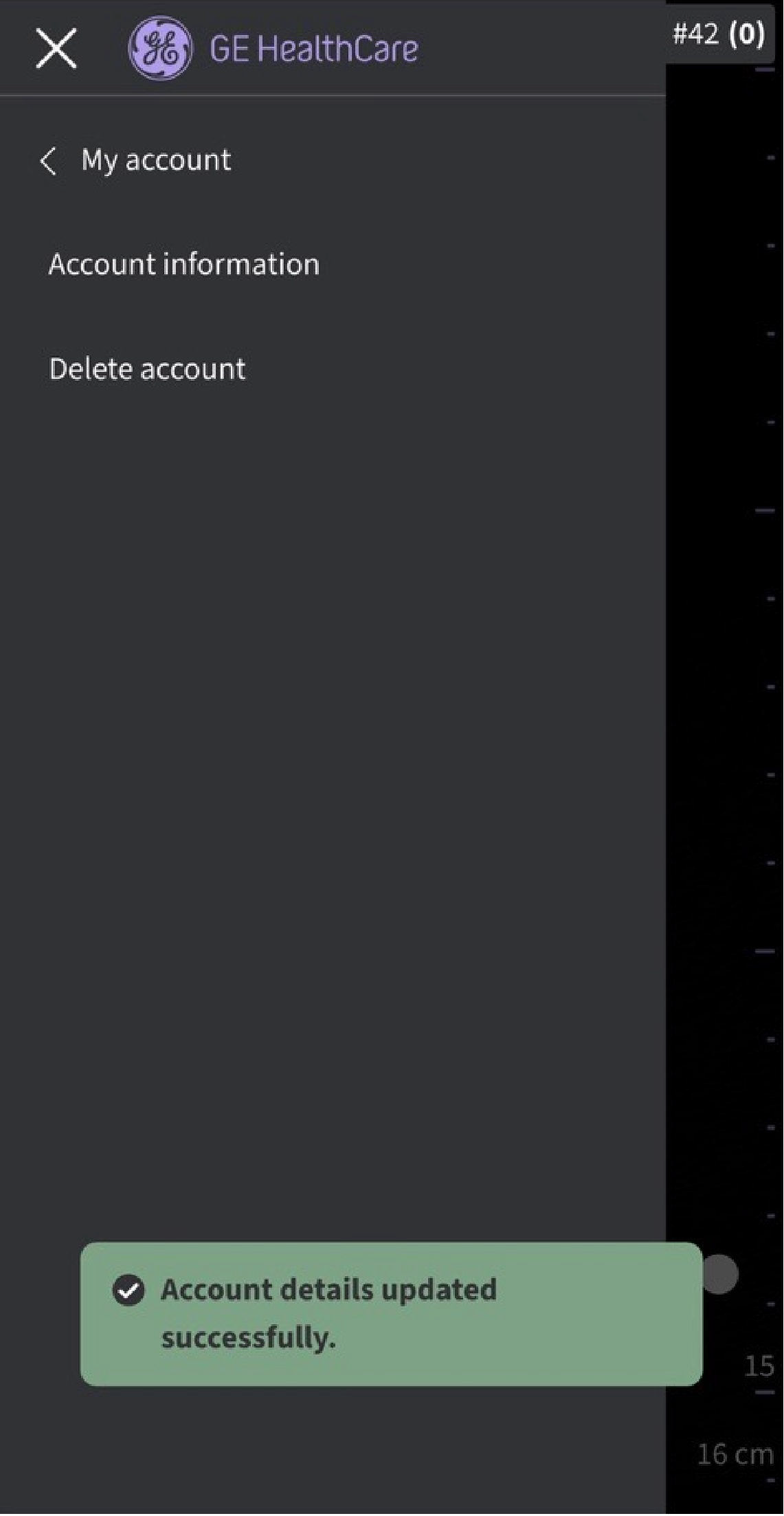
Account details updated
Delete account
To delete a user account, follow the below steps:
1. Sign in by entering valid credentials on the sign in page.
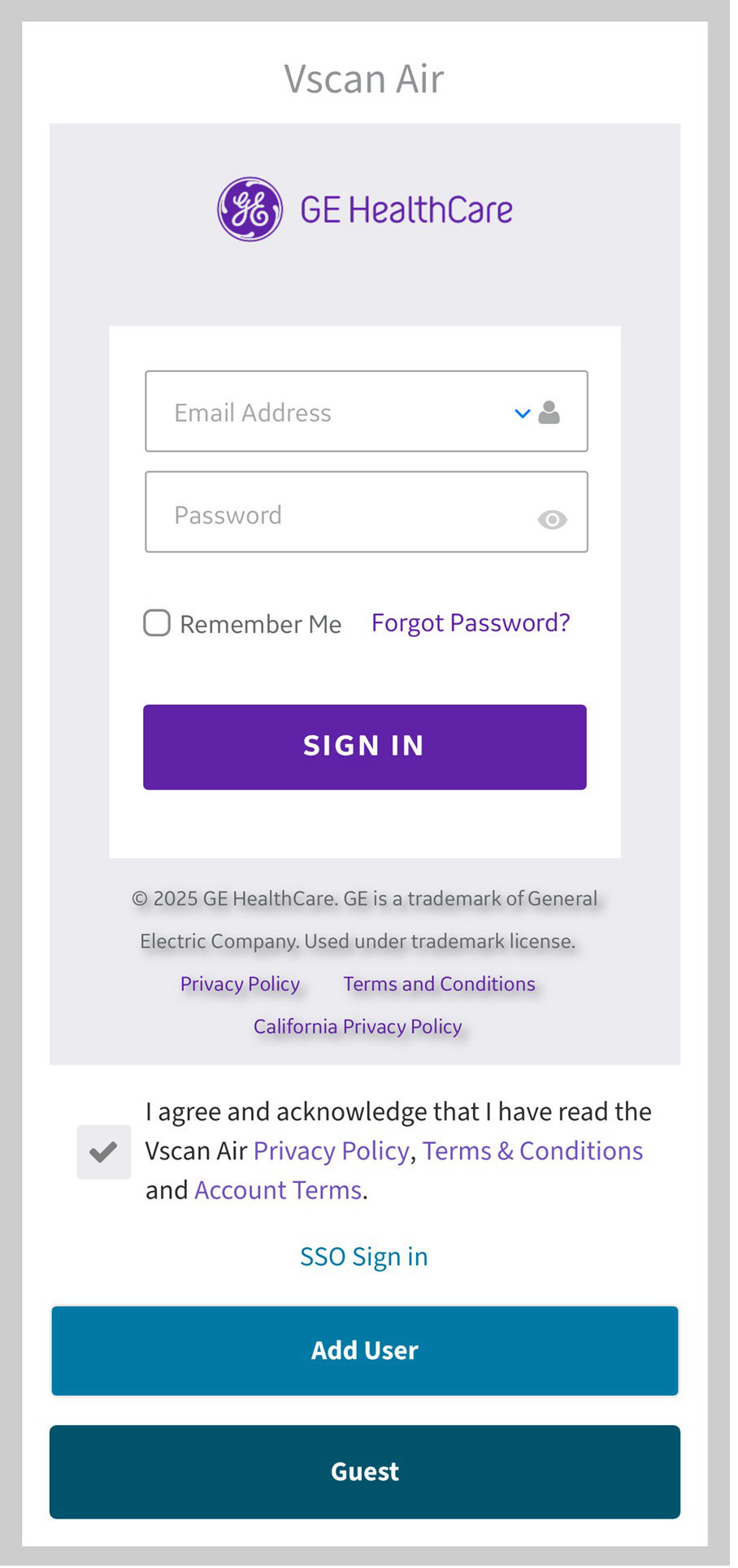 Sign in screen
2. The user initials, which is the first letter of the first and last name of the signed in user, will be displayed in the top
right corner of the left panel menu screen.
3. Tap on the top left corner of menu, Select My account → Delete account.
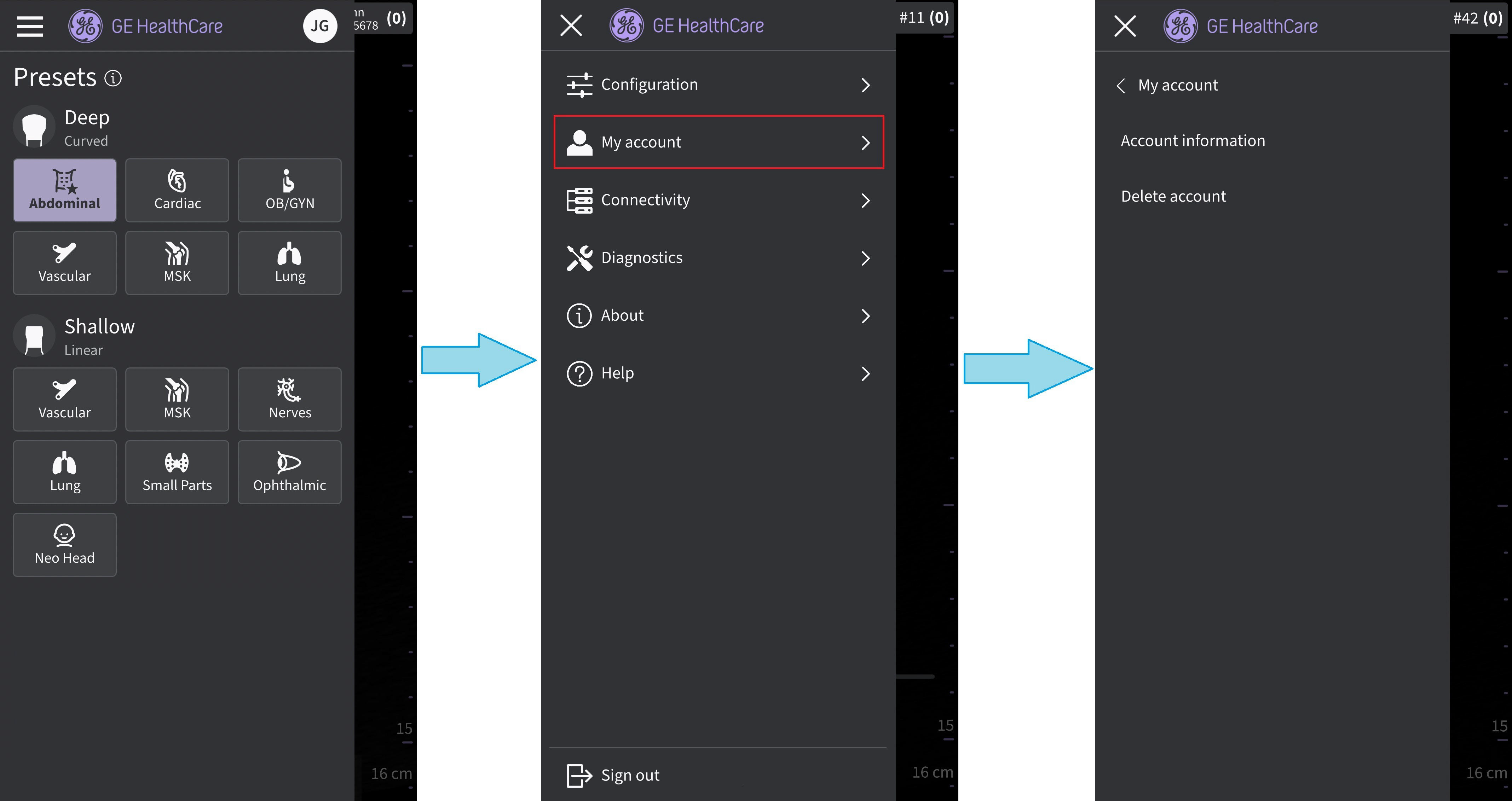 Delete user account
4. Clicking Delete account will facilitate the delete account workflow via a web portal.
NOTE
• When planning to delete a user account please review subscriptions that might be connected to the account. “Manage my subscriptions” can be found when logging in via myvscan.gehealthcare.com as described on
• User will be prompted to login once again on the portal with his/her credentials. This is to ensure that the actual logged in user from application is initiating the delete operation.
• In the process of user account deletion, user will be prompted to unregister all owned/registered/activated probes.
• Contact service for assistance in case you have questions, concerns or are being unable to complete the delete user operation.
• If a user continues to use a Vscan Air app in which they had signed in prior to deleting their account (via another mobile device or via the web portal), they will be notified and automatically signed out as soon as they try to perform an operation where a connection to GE HealthCare servers is required (e.g., exporting a log file or using the (optional) digital or AI tools).
User account deleted
A message is triggered when remote server call operation is initiated by a deleted account owner from Vscan Air application.
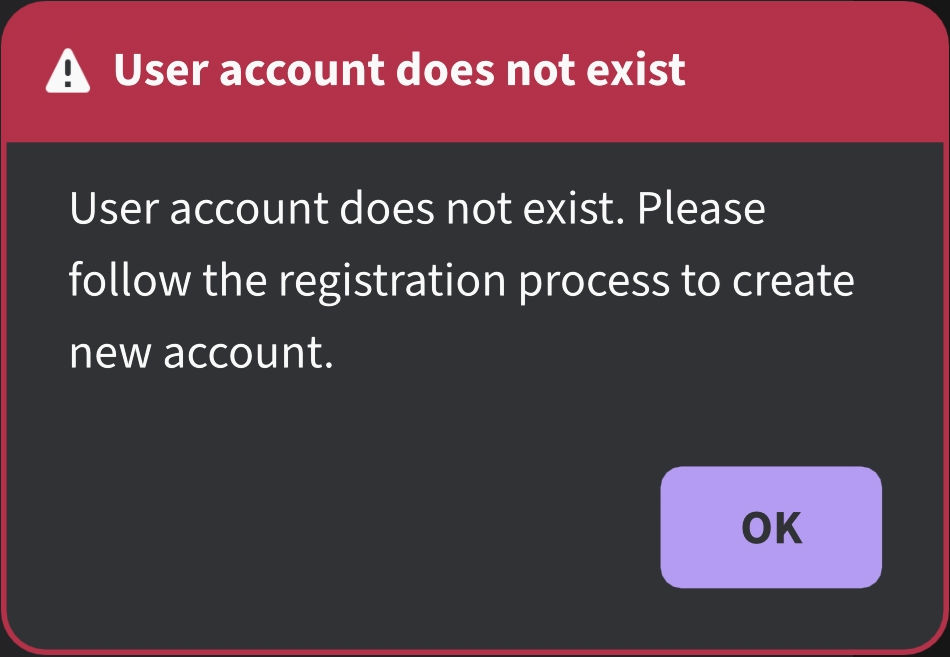
User account does not exist