Changing Data Access PIN
Follow the procedure below to change the data access PIN
1. Press Menu → Configuration → Security → Data access PIN.
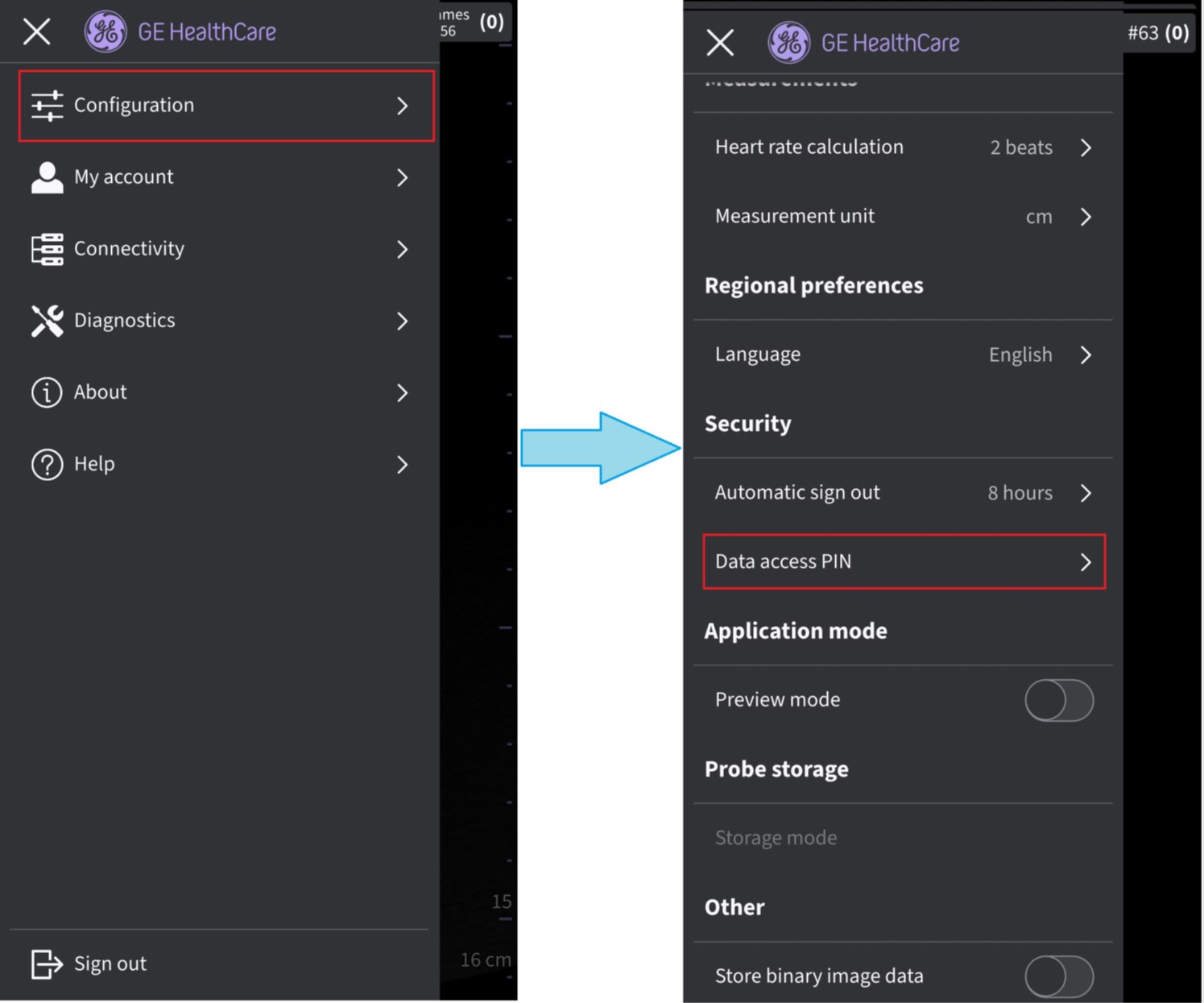 Data Access PIN
2. Tap on Change data access PIN on the Data access PIN screen.
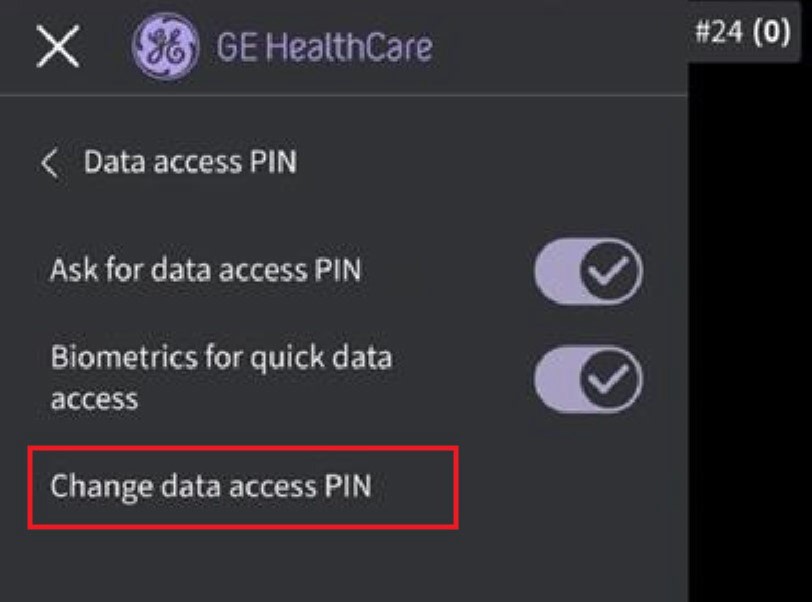
Change data access PIN
3. In the Change data access PIN screen enter existing PIN, then enter new PIN, confirm the new PIN, and press Save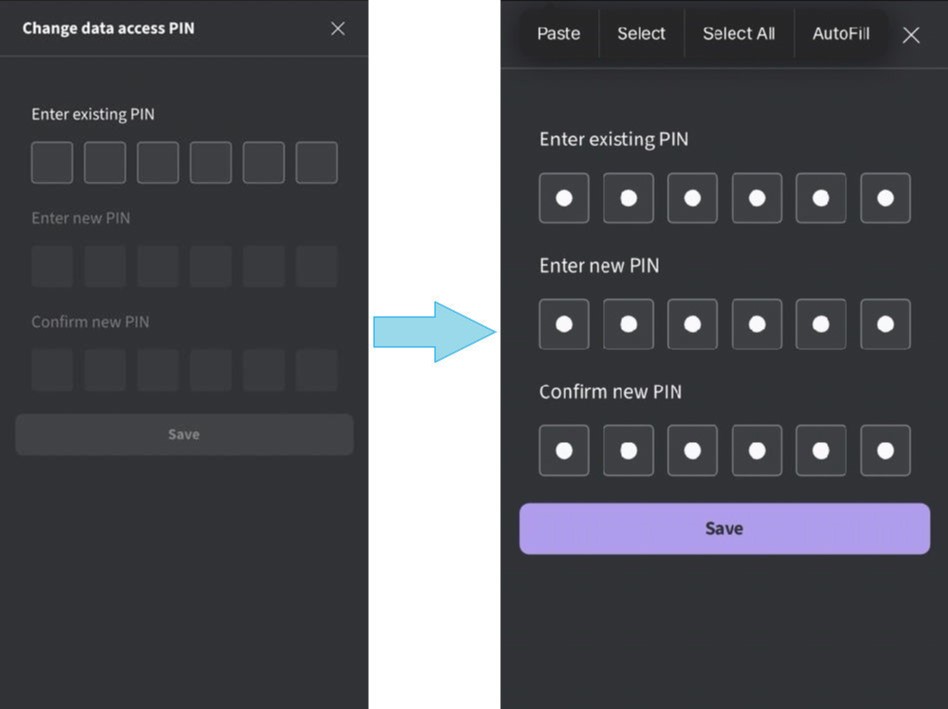 Confirm data access PIN
NOTE: Be aware that all clinical data will be erased if an incorrect PIN is entered 10 timesDisclaimer: The information herein is not intended to replace the product’s User Manual. Please consult the User Manual for comprehensive information and cautionary guidance about the product’s operation and use.