Accessing the Vscan Air SL Auto bladder volume tool
1. Open the Presets menu.
2. Tap Auto Bladder Volume.
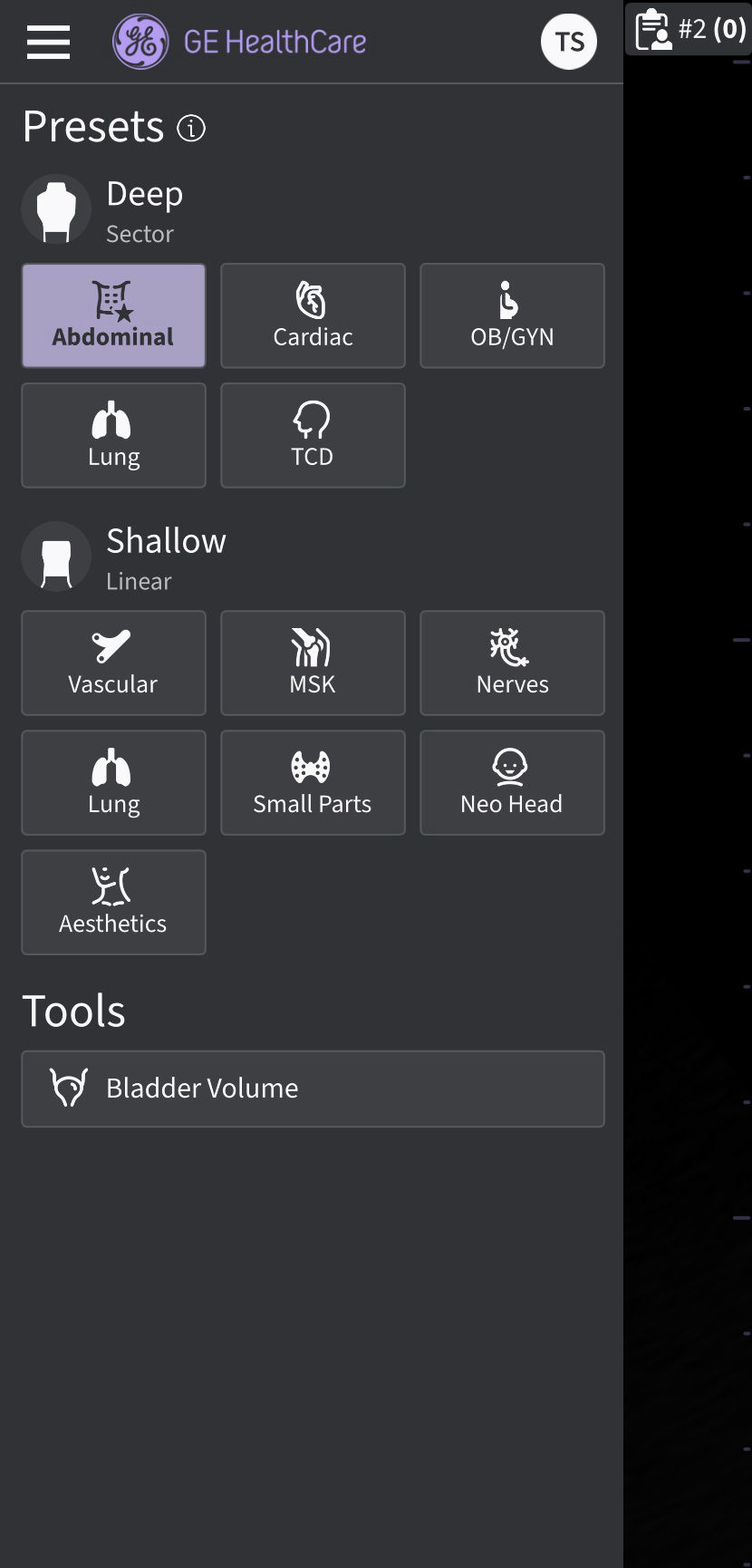
Presets and Tools screen with Auto Bladder Volume enabled
Step 1: Scan the bladder in a Transverse view.
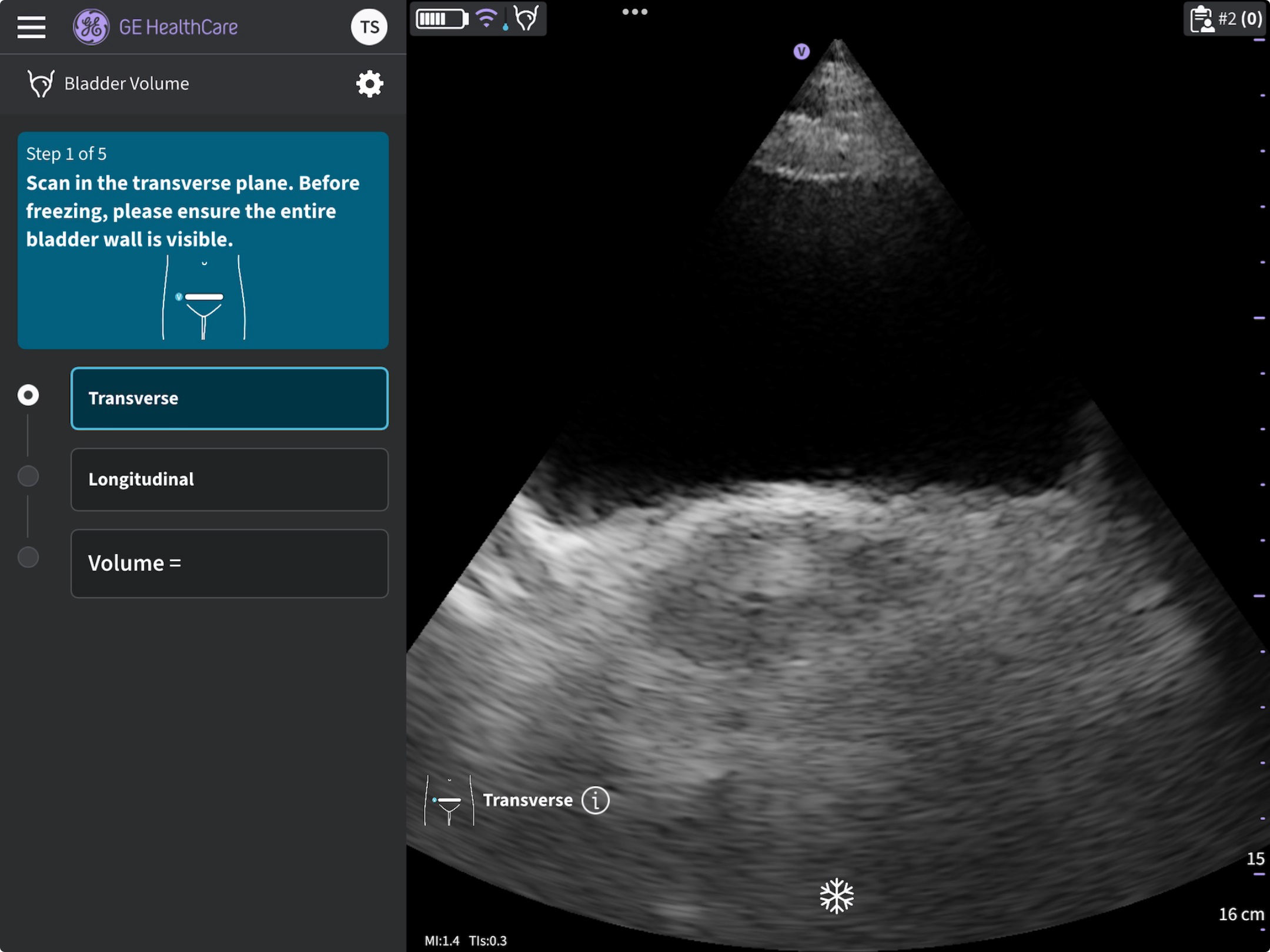
Scan the bladder in a transverse view (SL probe)
Step 2: Adjust measurements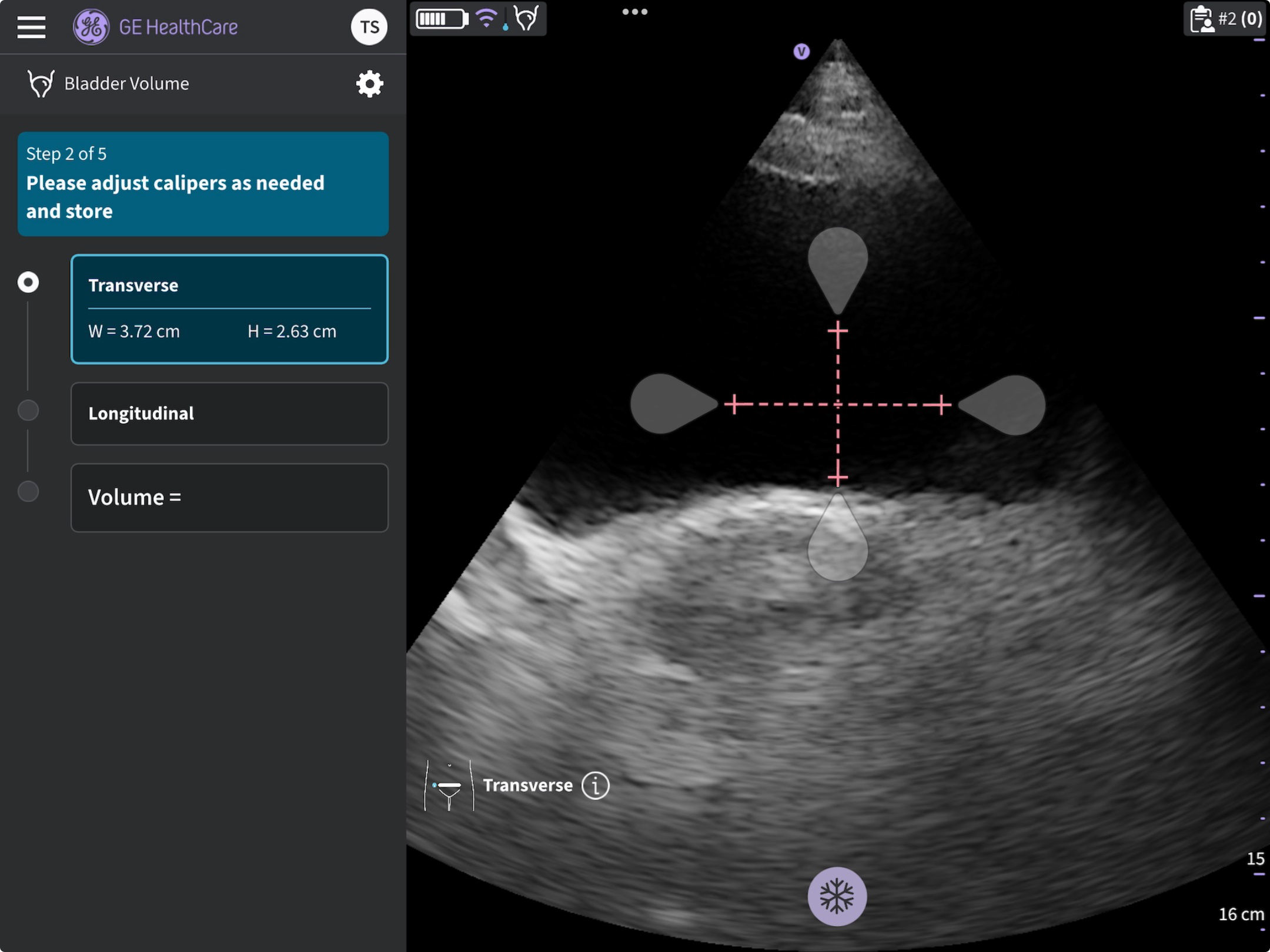
Adjust calipers (SL probe)
Store results after adjustment
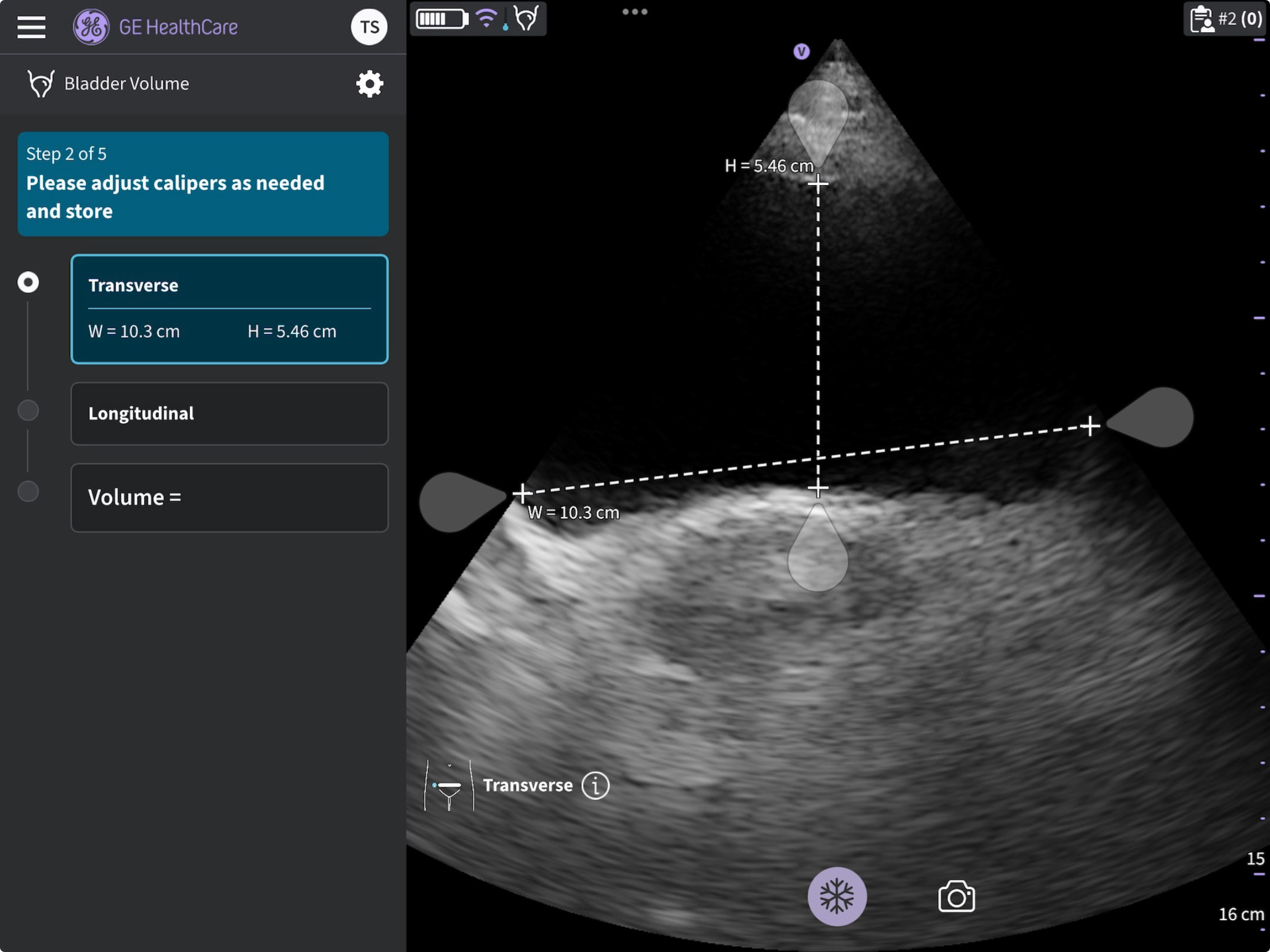 Store results after adjustment
Step 3: Scan the bladder in a Longitudinal view.
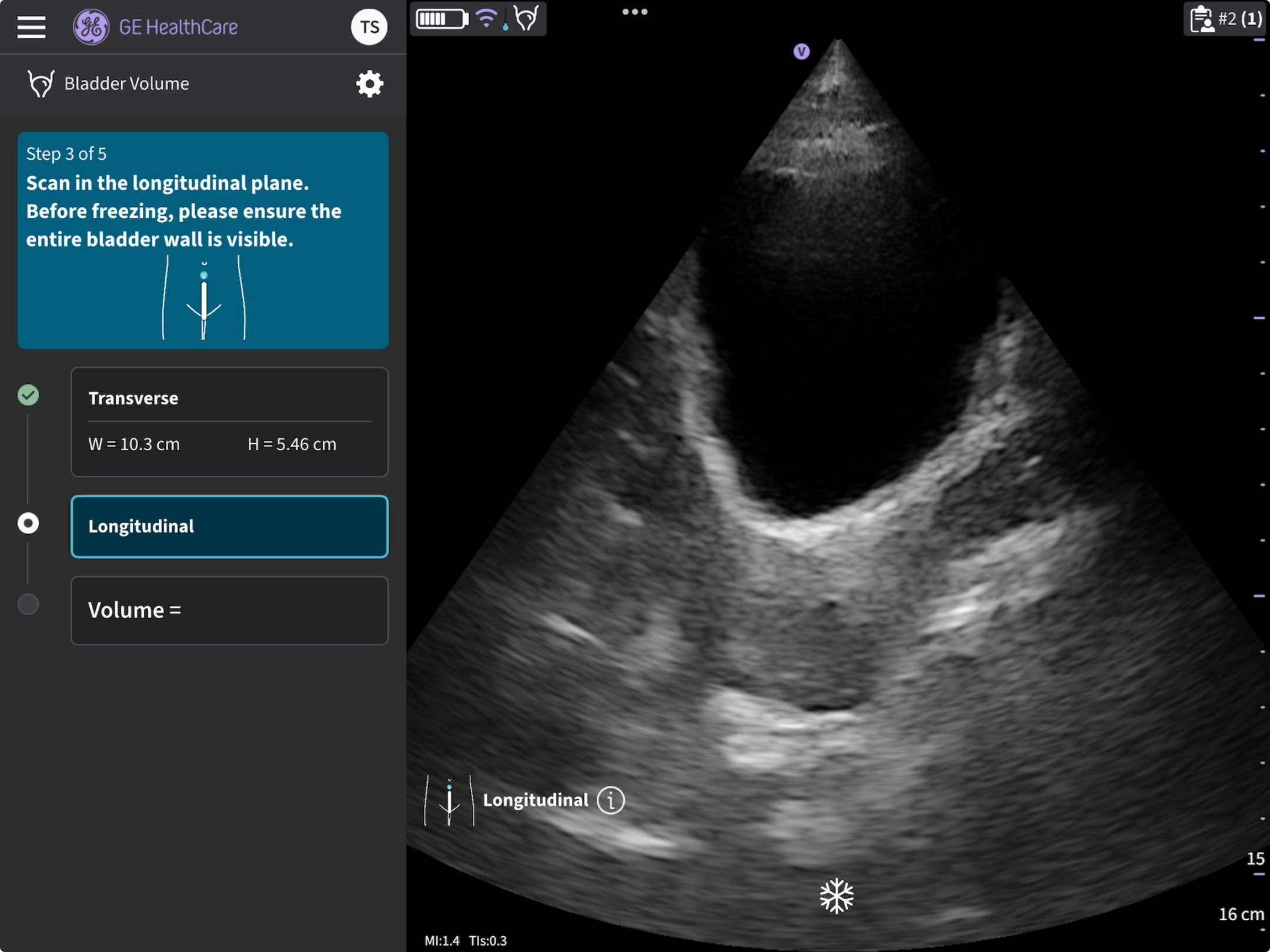
Scan the bladder in a longitudinal view (SL probe)
Step 4: Adjust measurement if needed and store result after adjustment
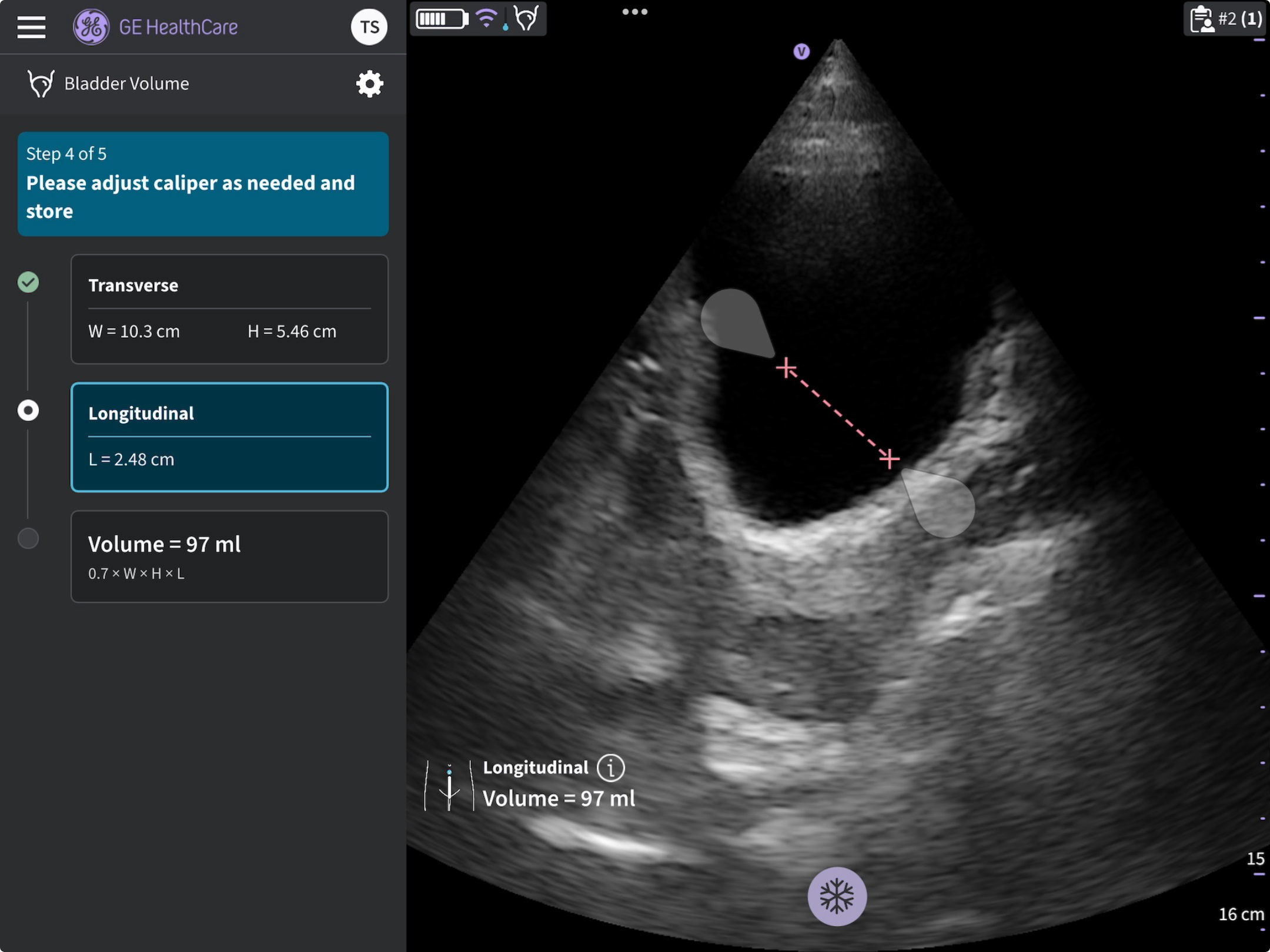 Adjust caliper and store result (SL probe)
Step 5: Review result. 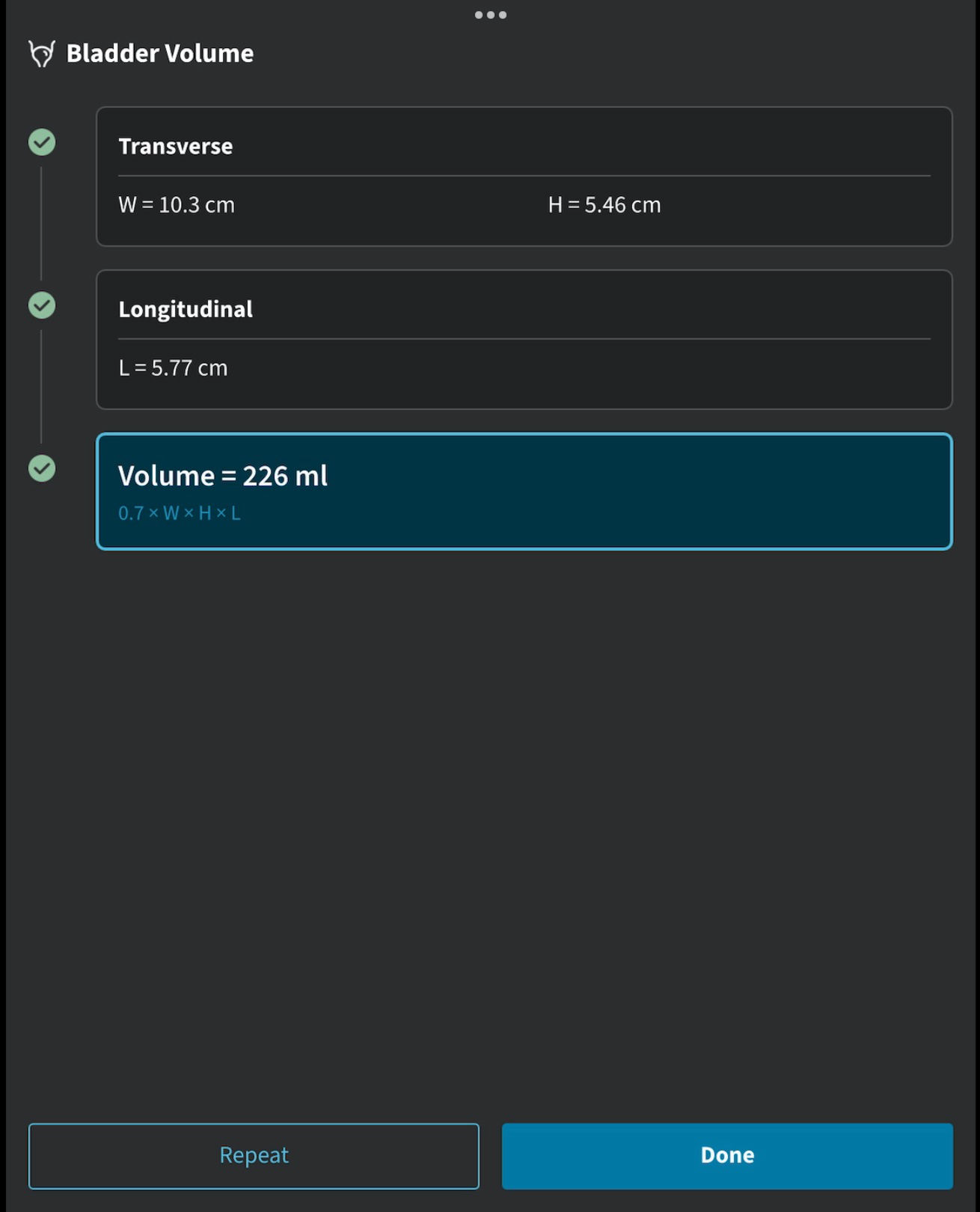
Summary of results (SL probe)
On the results summary page the user is given the option to finish the protocol by selecting Done, or in the case of wanting to repeat measurements one more time there is the option to select to Repeat the protocol steps to acquire another set of measurements.
The Vscan Air SL probe measurement calipers are placed at default positions and need to be adjusted before storing any results via the Bladder volume protocol. This is indicated via the red colored calipers and a disabled Store button.
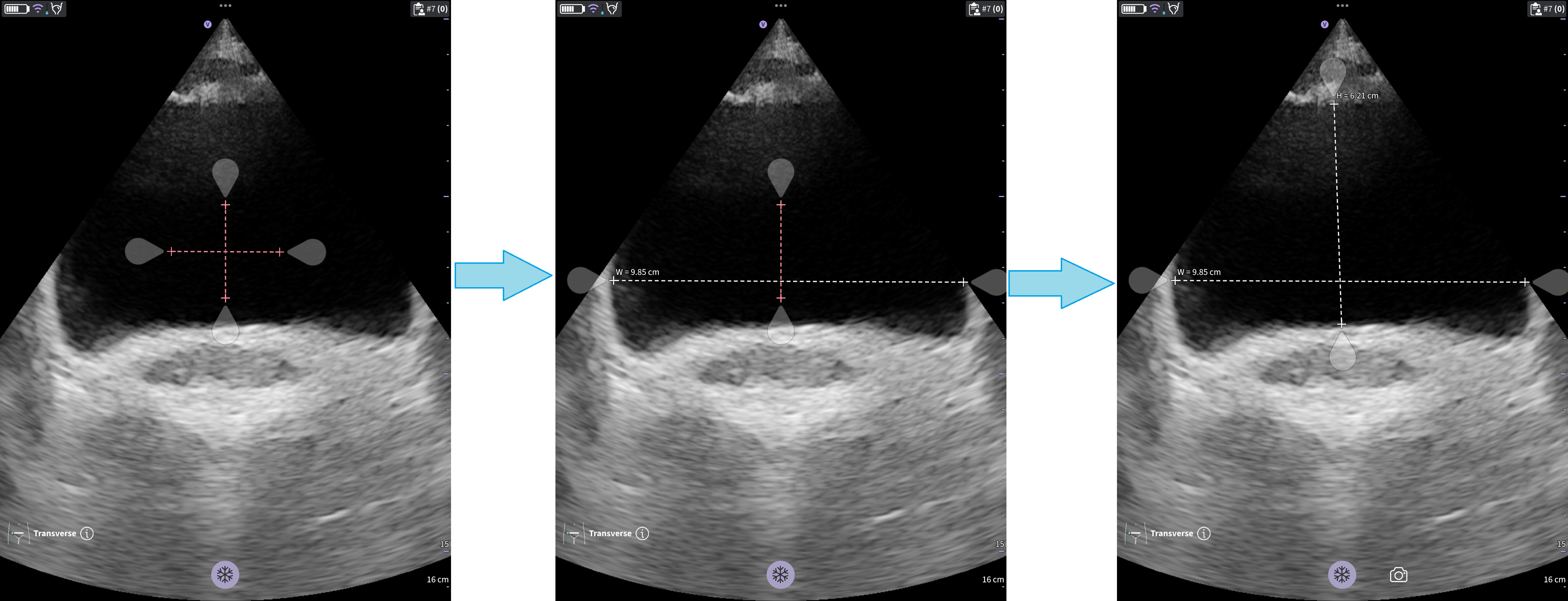 Adjust calipers to store results