Taking measurements
The Vscan Air app enables distance, time, velocity, angle, and ellipse measurements. Measurements can be made during image review or on images recalled from the gallery.
To perform a distance measurement:
1. On a frozen image, press the Measure/Annotate button.
The 'Distance', 'Ellipse' and 'Angle' measurements options are available with distance being activated.
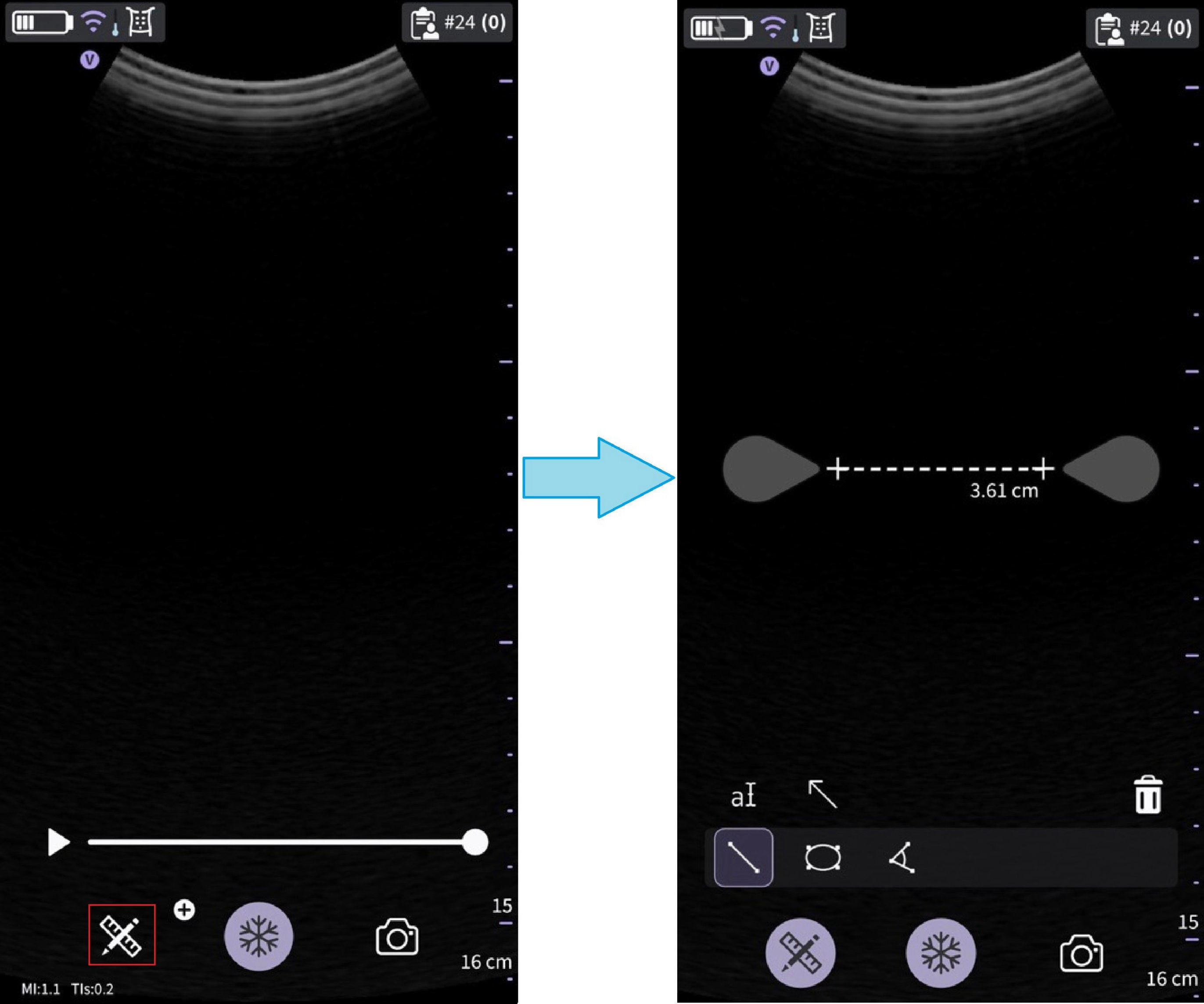
Select measurement
2. Drag to position the calipers to obtain the desired measurement.
3. To store the image with a measurement, press store.
To make additional measurements:
Press the distance measurement icon again to make additional measurements on the displayed image.
To delete a distance measurement:
1. Select the measurement you wish to delete.
2. Press ‘Bin‘ icon to delete the selected measurement.
To perform an ellipse measurement:
1. On a frozen image, press the ‘Measure/Annotate’ button. The ellipse measurement tool displays.
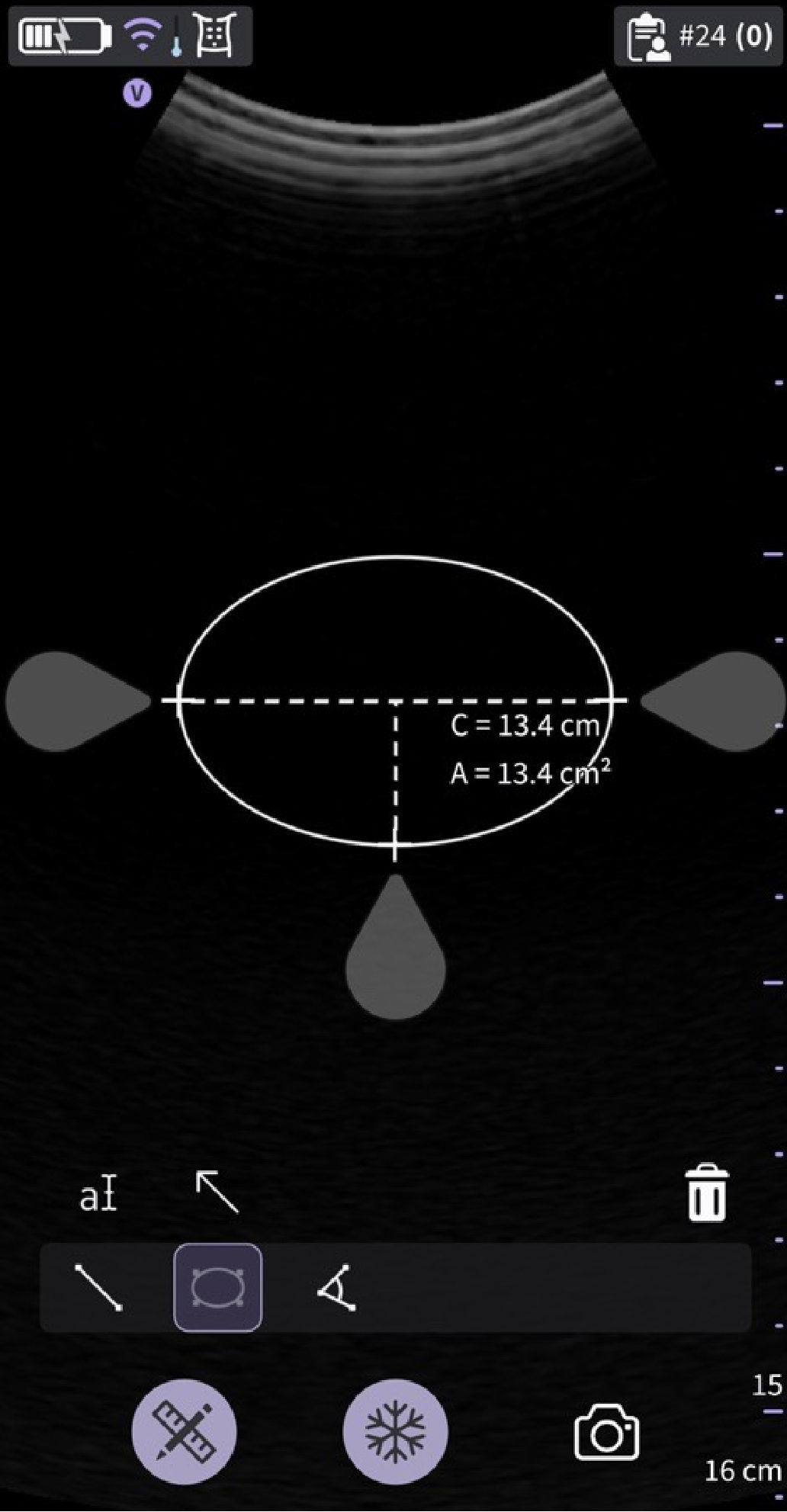
Select Ellipse measurement
2. Drag to position the calipers to obtain the desired measurement.
3. To store the image with a measurement, press store button
NOTE: Only a single ellipse measurement can be performed on the displayed image.To delete an ellipse measurement:
1. Select the measurement.
2. Press the ‘Bin’ icon to delete the selected measurement.
To perform an angle measurement:
1. On a frozen image, press the Measure/Annotate button. The ‘Distance’, ‘Ellipse’ and ‘Angle’ measurements options are available with distance being activated.
2. Select Angle.
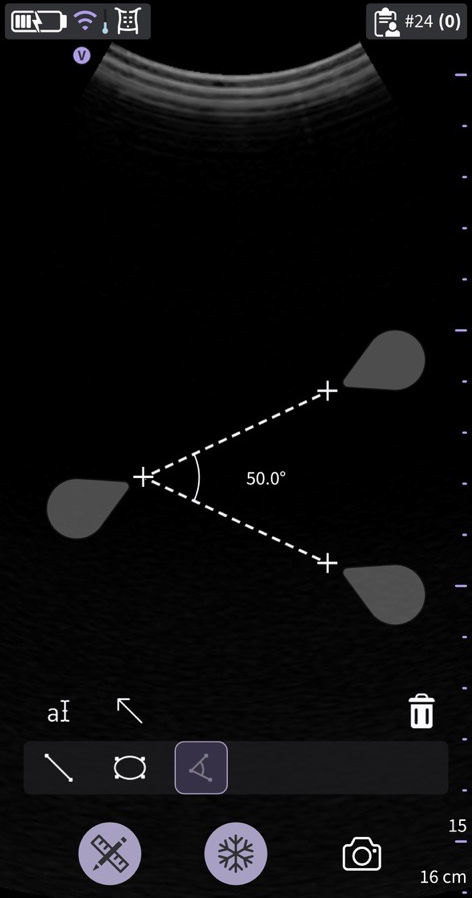 Angle measurement
3. Drag to position the calipers to obtain the desired Angle measurement.
4. Press the store button to store the result if needed.
To delete an angle measurement:
1. Select the measurement.
2. Press the Bin icon to delete the selected measurement.
To exit the Measure mode, press the Measure/Annotate button or press ‘Freeze’ icon or switch frame with Video buffer slider.
Disclaimer: The information herein is not intended to replace the product’s User Manual. Please consult the User Manual for comprehensive information and cautionary guidance about the product’s operation and use.