The following needs to be configured when using an iPhone or iPad and wanting the app to display texts in Brazilian Portuguese.
Option 1: Select “Português (Brasil)” in the Vscan Air app via Menu → Configuration → Regional preferences → Language.
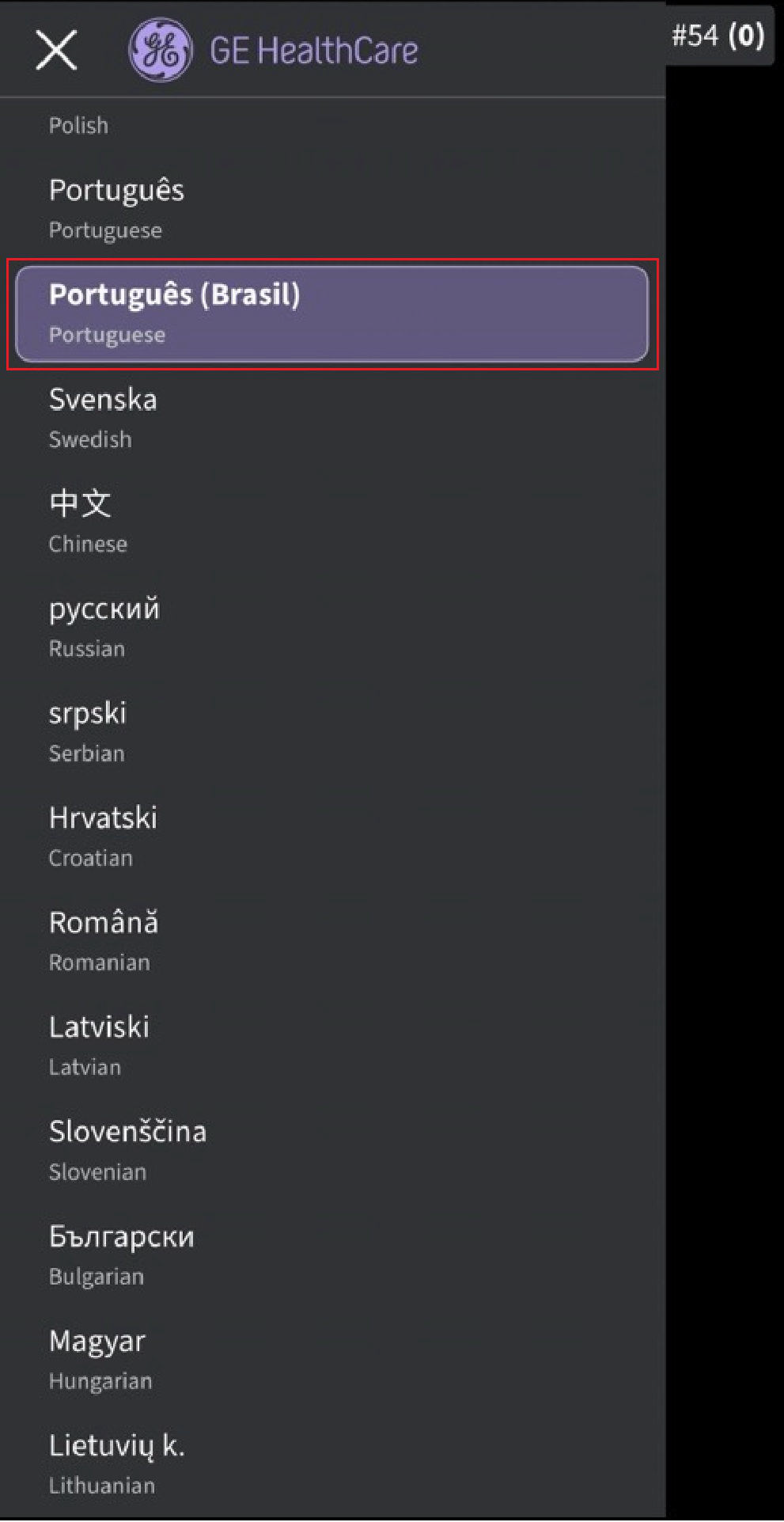
Brazilian Portuguese
Option 2: Select “System language” in the Vscan Air app via Menu → Configuration → Regional preferences → Language.
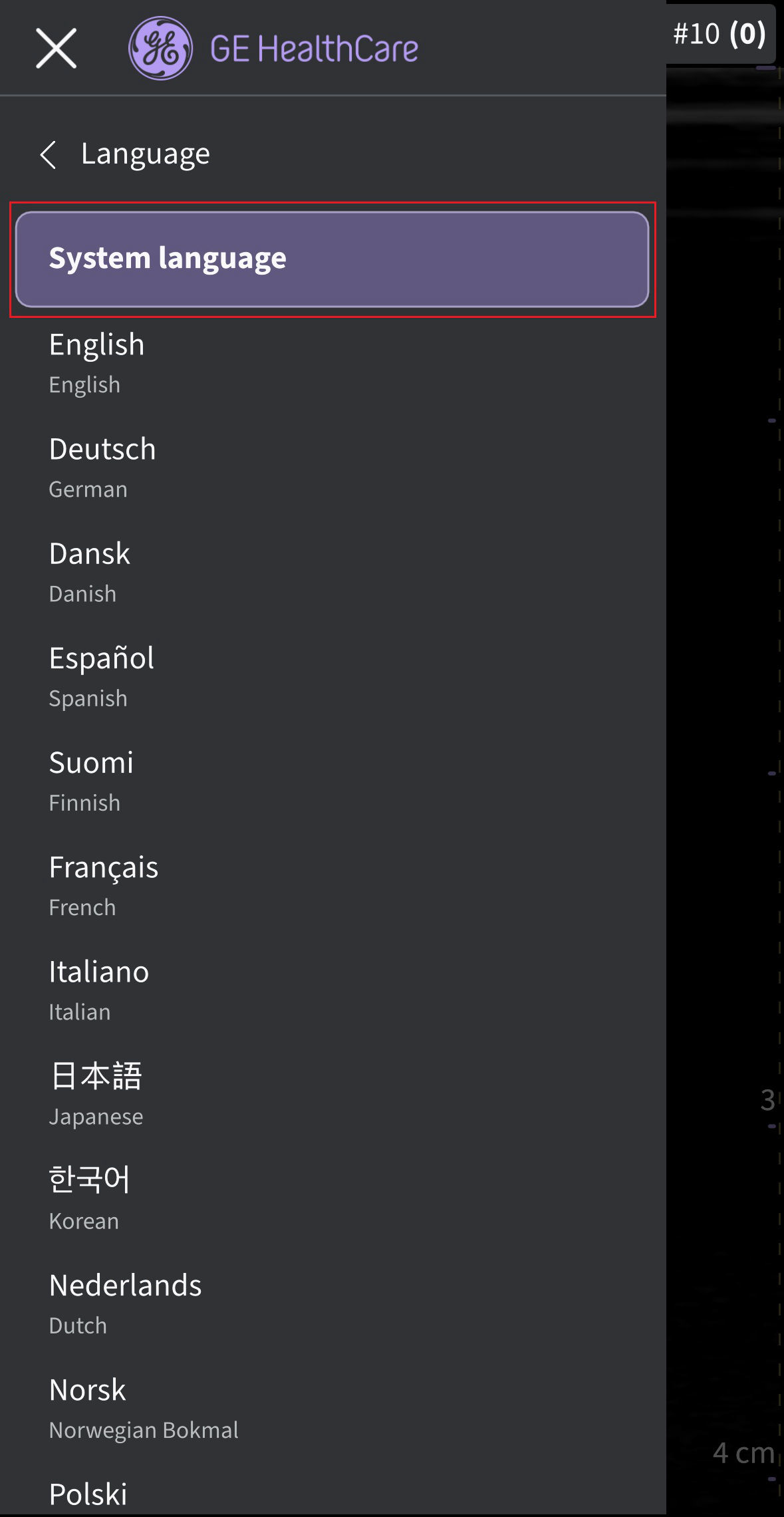
System language
- Via the iPhone or iPad Settings → General → Language & Region, select “Brazil” via the device Region selection.
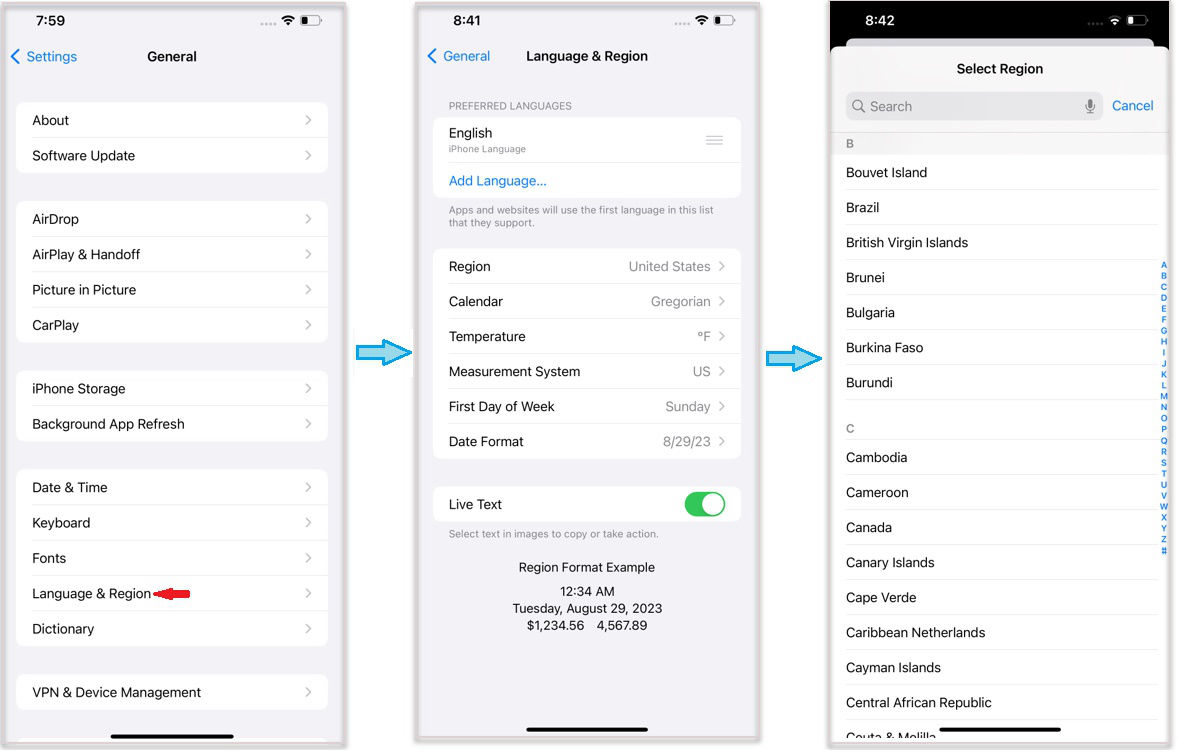
Device region selection (iPhone 12 Pro Max, iOS 16.1.2)
- Via the iPhone or iPad Settings → General → Language & Region, select “Português (Brasil)” via the device language selection.
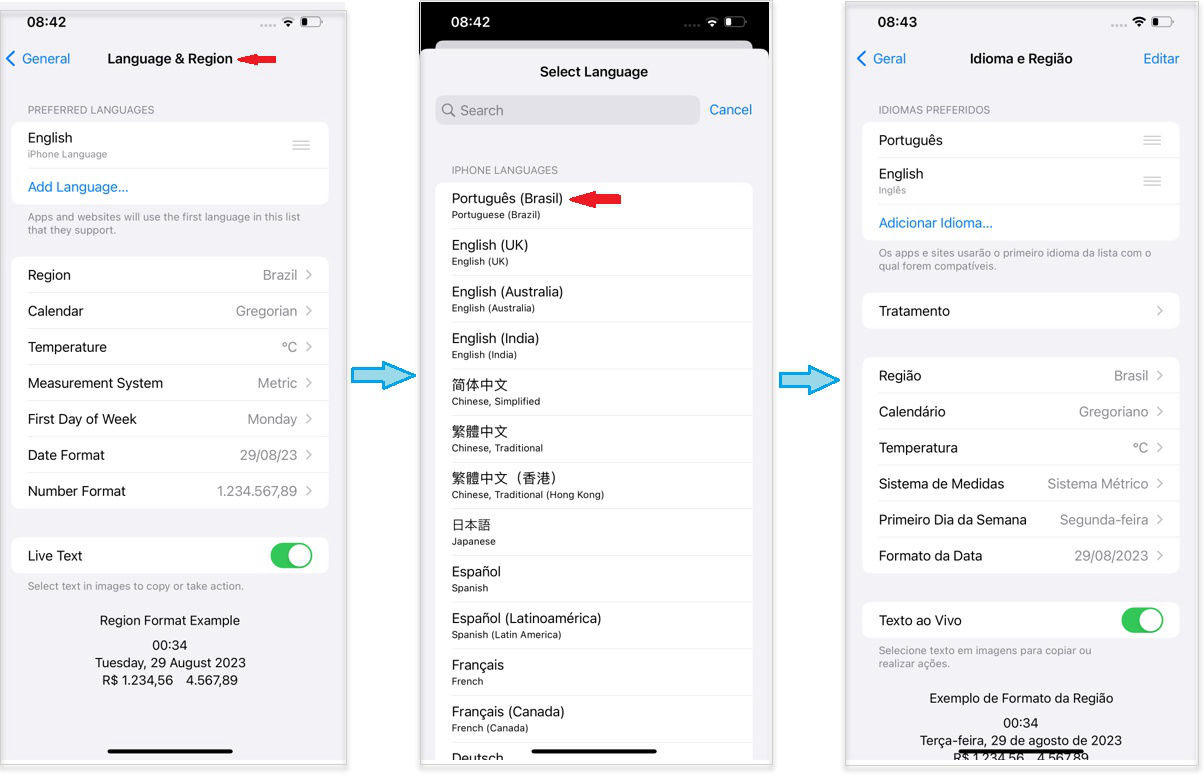
Device language selection (iPhone 12 Pro Max, iOS 16.1.2)
Disclaimer: The information herein is not intended to replace the product’s User Manual. Please consult the User Manual for comprehensive information and cautionary guidance about the product’s operation and use.