To put a probe into Storage mode it needs to be connected to the app. It is advisable to keep the battery partially charged before storage. The recommended battery charge level, before utilizing ‘Storage mode’, is a battery charge level of 3 bars. Using a higher charge level will be accepted, but keeping the charge level higher than, but close to 3 bars is recommended (see Battery level indicator)
Battery level indicator
Icon | Description |
| Battery charged 35-50% |
| Battery charged 25-35% |


With the probe connected to the app navigate to Menu → Configuration → Probe storage → Storage mode.
NOTE
• If the probe charge level is lower than the recommended 3 bars, an informational message will appear leaving the user with the option to cancel or to continue to enable Storage mode.
• If the probe is placed on the wireless charger while in ‘Storage mode’ it needs to be removed from the wireless charger for 30 seconds or more to re-enable the probe for use.
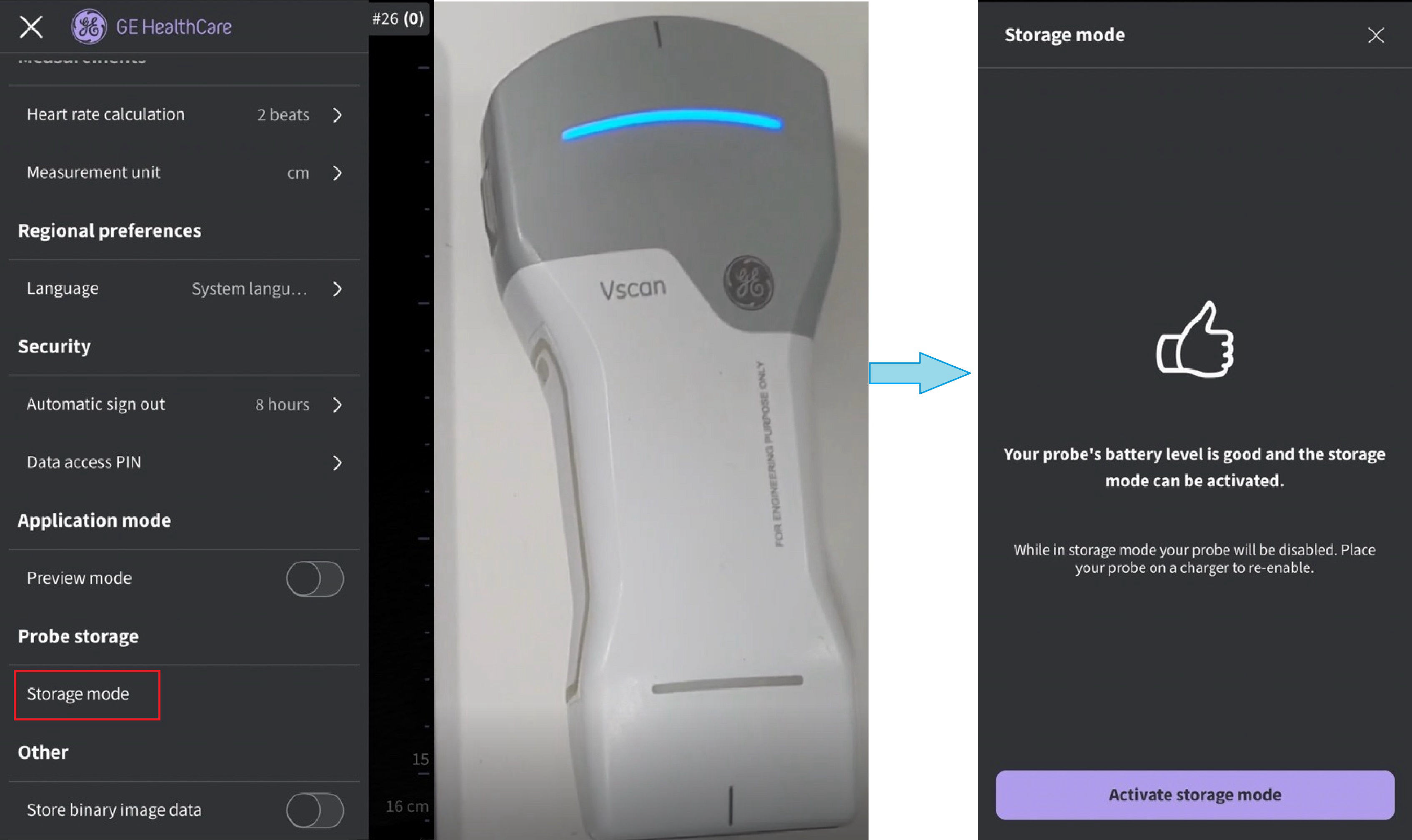
Prepare to activate storage mode
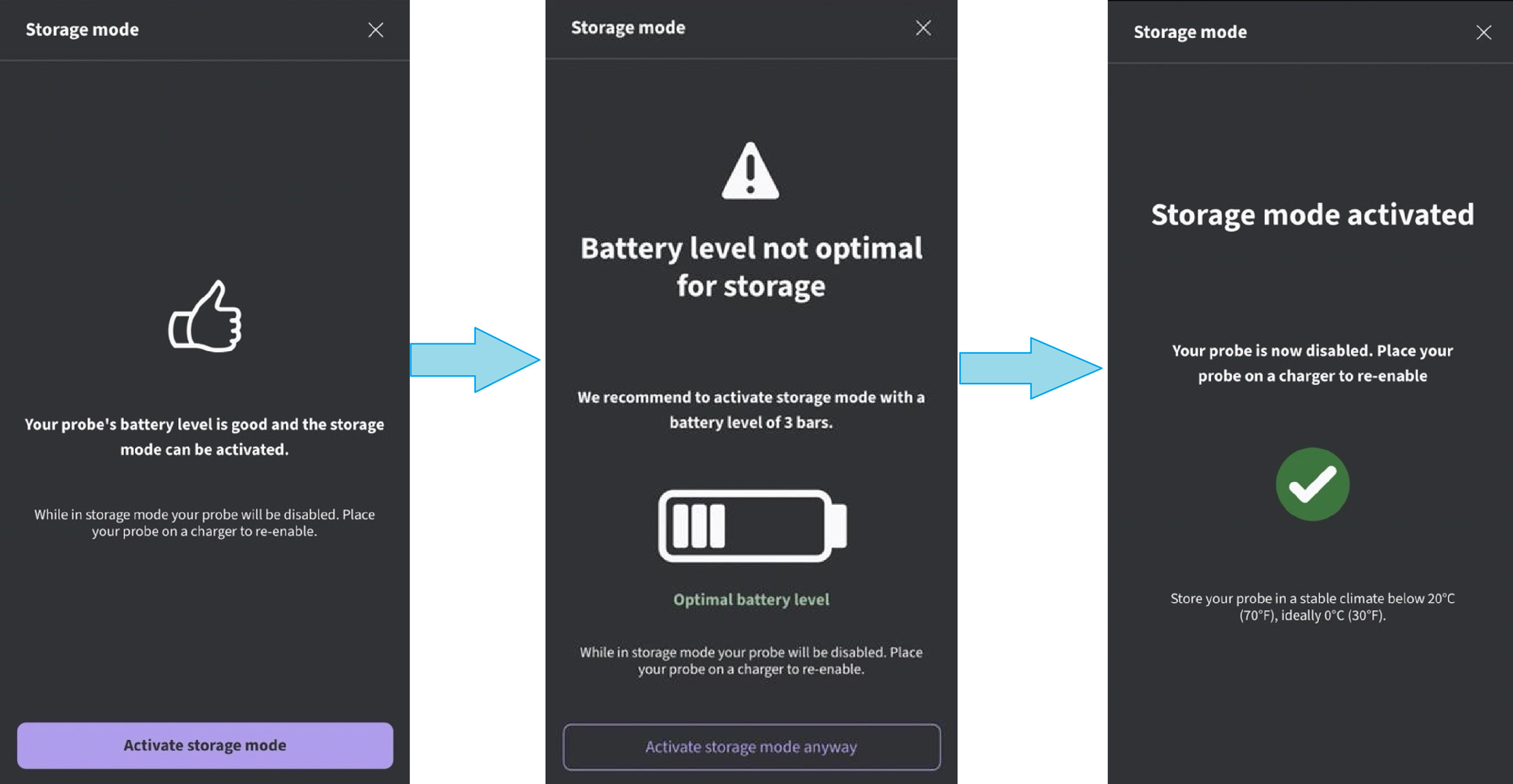
Activate storage mode
Re-activating a probe from Storage mode
To re-activate the probe, place probe on the wireless charger before turning the Vscan Air probe ON. The Vscan Air probe will not start unless a re-activate charging cycle has been initiated.
NOTE
When purchasing a new Vscan Air probe it arrives with ‘Storage mode’ enabled, so to activate the probe it needs to be put onto a wireless charger before being powered on as described in the section To power ON the Vscan Air probe
Important guidelines to follow for Storage
• Store probe in a cool, dry place. Aim for temperatures between 0°C to 20°C and remember that colder is better, for example: 10°C is better than 20°C.
• Make sure to re-enable probes in ‘Storage mode’ at least every 36 months to check battery capacity, charge if needed, and put probe back into ‘Storage mode’ if required.
• If storing multiple probes, it is recommended to practice a first in first out rotation when selecting a probe for use.
Disclaimer: The information herein is not intended to replace the product’s User Manual. Please consult the User Manual for comprehensive information and cautionary guidance about the product’s operation and use.