Obstetric measurements are available on images obtained using the OB preset. The following OB measurements are supported:
• BPD, FL, CRL
• HC, AC
• Amniotic Fluid Index (AFI)
• Deepest Vertical Pocket
• Angle of Progression (AOP)
NOTE
The Vscan Air obstetric measurements module supports measurements and reporting for one fetus per exam. If you need to measure and report on a case of multiple gestations, a separate Exam will need to be created for measuring and reporting each of the fetuses.
OB Distance measurement
Biparietal Diameter (BPD), Femur Length (FL) and Crown Rump Length (CRL) are among the basic distance measurements used to assess fetal size.
1. Navigate to OB measurement screen by pressing the Measure/Annotate button while in the OB preset. Select the BPD, FL or CRL measurement tool.
2. Make a distance measurement. The system displays the BPD, FL or CRL measurement value.
3. Press the store button to store the result in the OB worksheet.
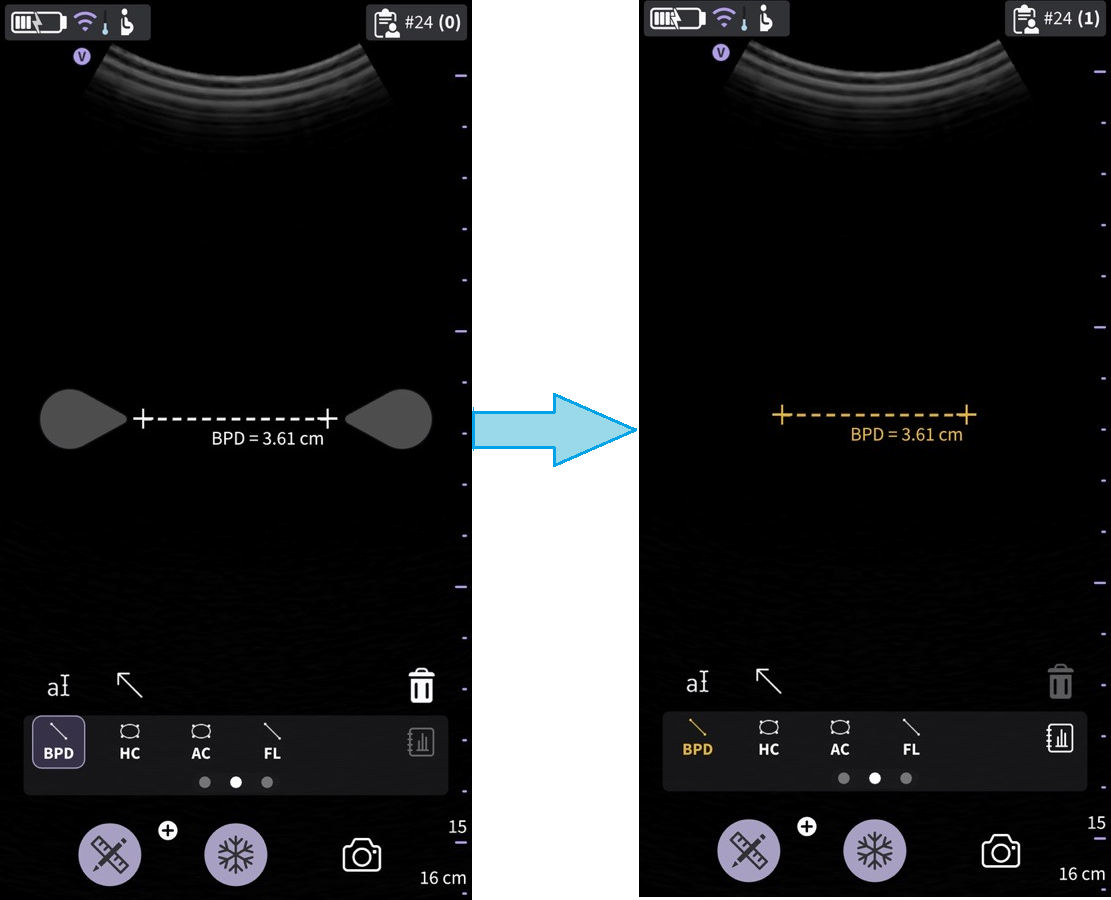 Biparietal diameter
OB Ellipse measurement
Abdominal Circumference (AC) and Head Circumference (HC) are among the basic parameters used to assess fetal size.
1. Navigate to the OB measurement screen, and select HC or AC.
2. Make an ellipse measurement. The system displays the HC or AC circumference value.
3. Press the store button to store the result in the OB worksheet.
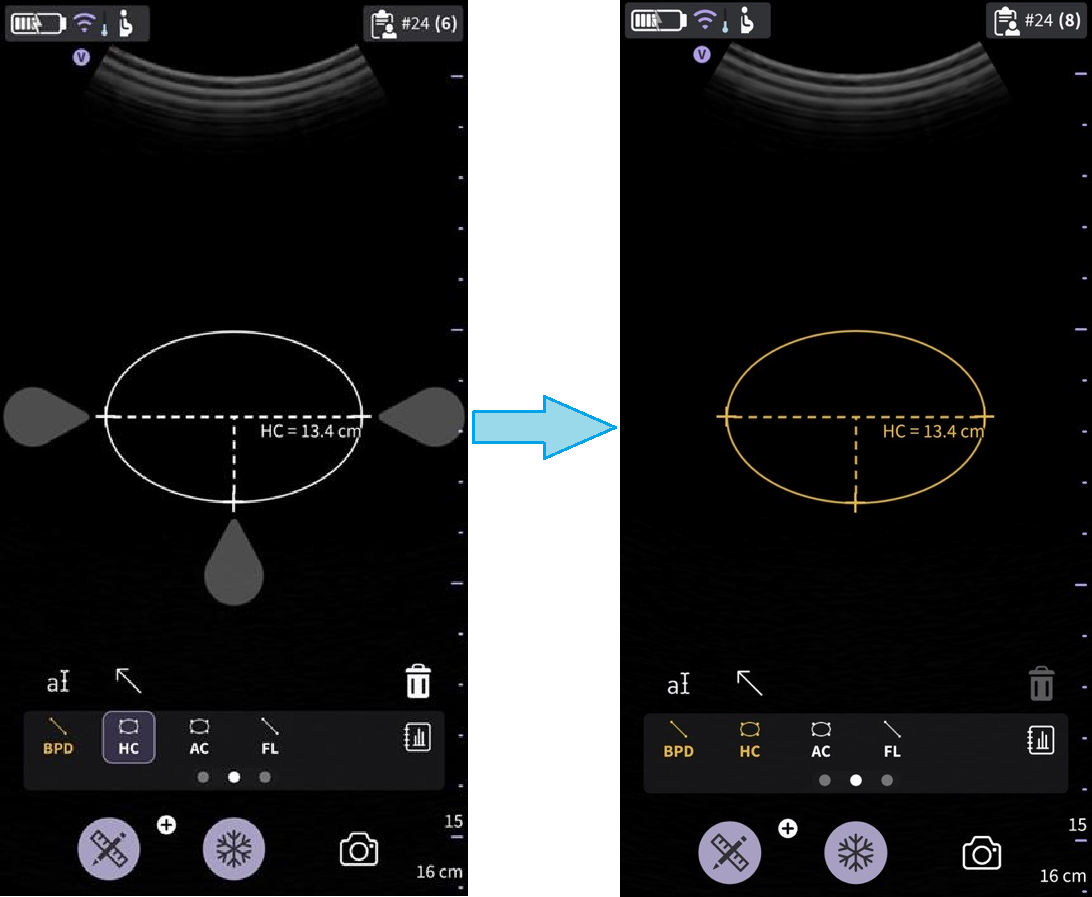 Head circumference
AFI – Amniotic Fluid Index
AFI is the sum of deepest depth of amniotic fluid in each quadrant of ultrasound images. Here, Q1, Q2, Q3, and Q4 indicate each quadrant.
To calculate the amniotic fluid index, make one or four distance measurements.
To make a AFI (Q1, Q2, Q3, and Q4 Caliper) measurement:
• Navigate to OB measurement screen, and select AFI for the required quadrant (Q1, Q2, Q3, and Q4 Caliper).
• Make a distance measurement. The system displays the measured value against the respective quadrant value in the results window as shown in the below Figure 5-72 AFI Q1 caliper on page 232.
• Select the >0< button to set a particular quadrant to zero.
• The AFI value is calculated from the various quadrant values measured.
• Press the store button to store the result in the OB worksheet.
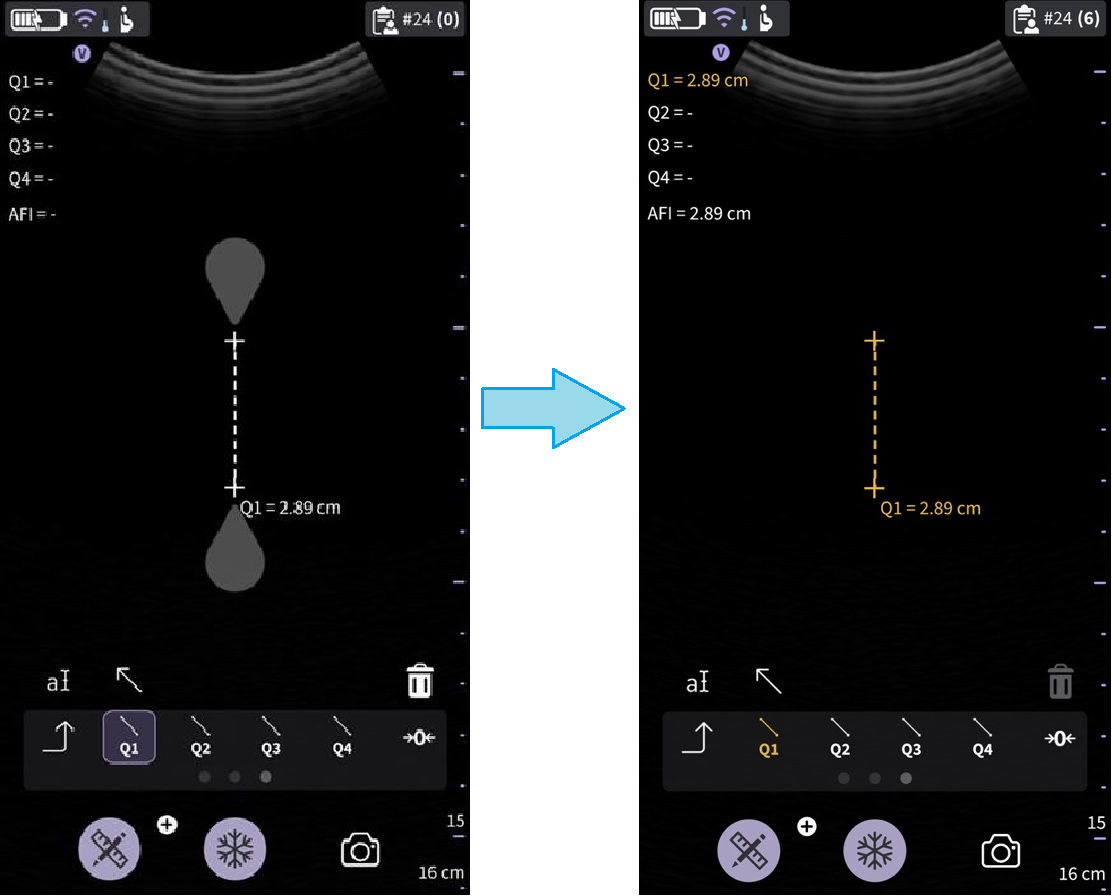 AFI Q1 caliper
Set >0<
Select the >0< button to set the current quadrant value to zero.
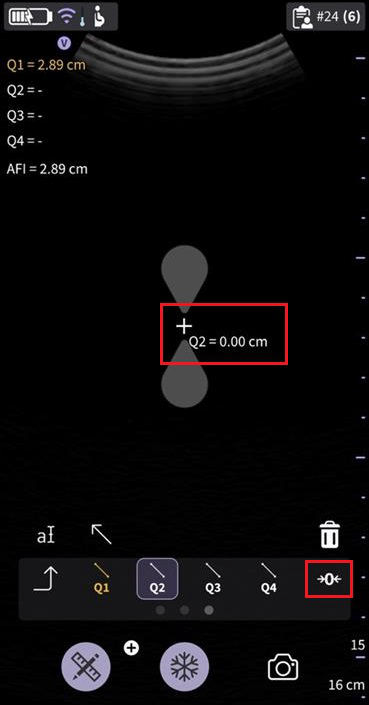 Set >0<
DVP - Deepest Vertical Pocket
User can measure DVP using a pre-assigned measurement caliper. The deepest (maximal) vertical pocket depth is considered a reliable method for assessing amniotic fluid volume on ultrasound. It is performed by assessing a pocket of a maximal depth of amniotic fluid which is free of an umbilical cord and fetal parts.
1. Navigate to the OB measurement screen and select DVP.
2. Make a distance measurement. The system displays the DVP value.
3. Press the store button to store the result in the OB worksheet.
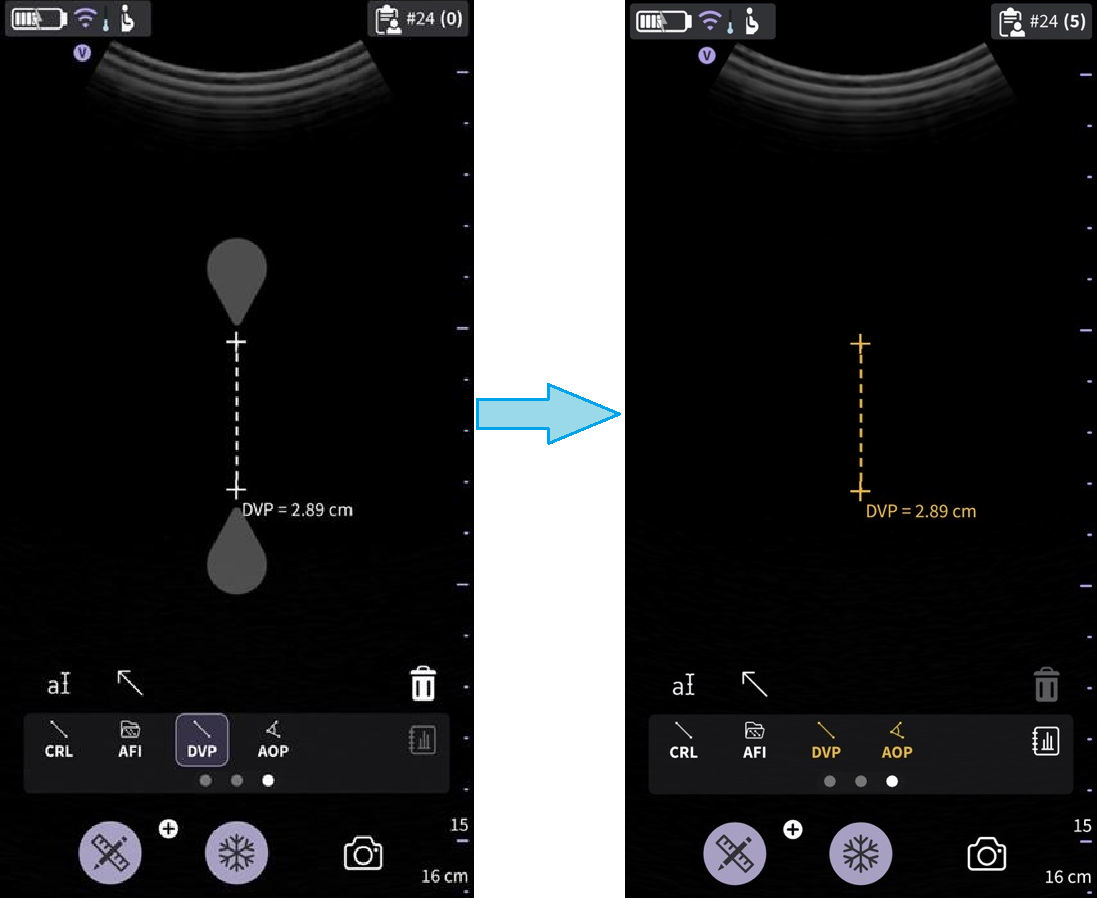 Deepest vertical pocket
AOP- Angle of Progression
The AOP is a simple and reliable ultrasound parameter for the assessment of the descent of the fetal head.
1. Navigate to the OB measurement screen, select AOP.
2. Drag the calipers to the appropriate location based on position of the fetal head on the image.
3. The system displays the AOP value.
4. Press the store button to store the result in the OB worksheet.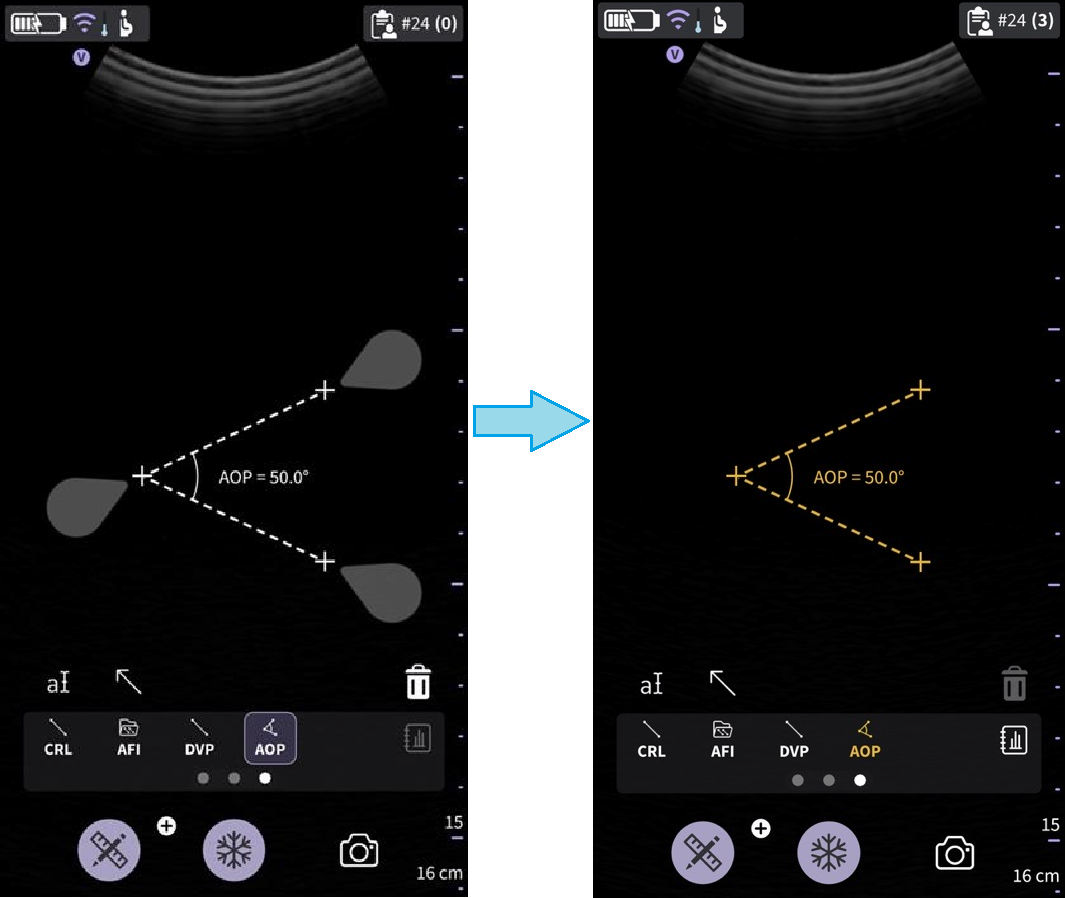
Angle of Progression
EFW – Estimated Fetal Weight
Fetal weight is estimated using the selected table (e.g., Hadlock) based on the different measurements that have been made for an exam. The supported options include:
• EFW (AC, BPD)
• EFW (AC, FL)
• EFW (BPD, AC, FL)
• EFW (HC, AC, FL)
• EFW (BPD, HC, AC, FL)
The system displays each measurement and the estimated fetal weight in the OB report.
Disclaimer: The information herein is not intended to replace the product’s User Manual. Please consult the User Manual for comprehensive information and cautionary guidance about the product’s operation and use.